

Modern software development depends heavily on APIs, and ensuring those APIs function reliably is critical to performance, security, and user experience. While Insomnia remains a popular choice for endpoint testing, many teams look for alternative tools that better fit their workflows, collaboration needs, automation strategies, or budget constraints. Selecting the right API testing tool can dramatically streamline debugging, validation, and documentation processes.
TLDR: Several powerful API testing tools offer functionality comparable to or beyond Insomnia. Postman, Hoppscotch, Paw, and Thunder Client each provide streamlined endpoint testing, automation capabilities, and collaboration features. The right tool depends on your team’s workflow, budget, and testing complexity. Below is a detailed analysis and comparison to help you choose effectively.
API endpoint testing involves sending requests (GET, POST, PUT, DELETE, etc.), validating responses, automating checks, and ensuring APIs behave consistently under various conditions. Whether you are developing microservices, integrating third-party systems, or building web and mobile applications, having a robust testing client saves time and reduces production risks.
Below are four reliable API testing tools similar to Insomnia, each designed to simplify endpoint testing while improving productivity and precision.
1. Postman
Postman is arguably the most recognized API testing platform in the industry. It combines manual testing, automated workflows, documentation, collaboration, and monitoring into a unified environment.
Image not found in postmetaKey Features
- Comprehensive request builder with support for REST, GraphQL, SOAP, and gRPC.
- Automated testing scripts using JavaScript.
- Environment variables for multi-stage testing (development, staging, production).
- Mock servers for early-stage development.
- Team collaboration through shared collections and workspaces.
Postman excels in enterprise scenarios where APIs must be tested collaboratively and continuously. Its collection runner allows testers to execute large sets of requests sequentially, validating endpoints in bulk. Additionally, the built-in monitoring feature helps detect uptime issues or response degradation over time.
Best suited for: Teams that require scalability, automation, and detailed test coverage.
Strength: Extensive ecosystem and integrations.
Consideration: Resource-heavy compared to lightweight alternatives.
2. Hoppscotch
Hoppscotch is a fast, open-source API development ecosystem known for its minimalist interface and speed. Originally created as a lightweight alternative to heavier clients, it is now a serious contender for everyday endpoint testing.
Key Features
- Web-based interface requiring no installation.
- Real-time request execution with minimal latency.
- Support for REST, GraphQL, and WebSockets.
- Open-source architecture allowing custom extensions.
- Environment management for variable substitution.
Because it runs directly in the browser, Hoppscotch simplifies onboarding and device switching. Developers can test endpoints instantly without configuring heavy environments. Its clean UI eliminates distractions, focusing entirely on endpoints and responses.
Hoppscotch is particularly useful for developers who prioritize speed and portability. It also integrates well into lightweight development cycles where complex automation is unnecessary.
Best suited for: Individual developers and small teams needing fast, straightforward testing.
Strength: Lightweight and extremely fast.
Consideration: Fewer enterprise-style collaboration tools.
3. Paw (macOS)
Paw is a sophisticated API testing tool built specifically for macOS. It emphasizes native performance, advanced request composition, and detailed inspection capabilities.
Key Features
- Native macOS experience with smooth UI performance.
- Dynamic values for generating timestamps, tokens, and random data.
- Extensive extensions for authentication and custom integrations.
- Code generation for multiple programming languages.
- Advanced GraphQL support.
Paw is ideal for developers who require detailed inspection tools while maintaining OS-level efficiency. Its dynamic value system is particularly valuable when testing security-sensitive endpoints that depend on time-based authentication tokens or randomized input.
Another strength is its ability to generate client-side code snippets in Swift, Python, JavaScript, and more. This reduces friction between testing and implementation.
Best suited for: macOS developers seeking a refined, native testing experience.
Strength: Highly polished desktop interface.
Consideration: Limited to macOS environment.
4. Thunder Client
Thunder Client is a lightweight REST API client extension built directly into Visual Studio Code. It eliminates the need to switch between development and testing environments.
Key Features
- Integrated within VS Code for seamless workflow.
- Simple collection management.
- Environment variables and scripting support.
- Low resource usage.
- Quick response visualization.
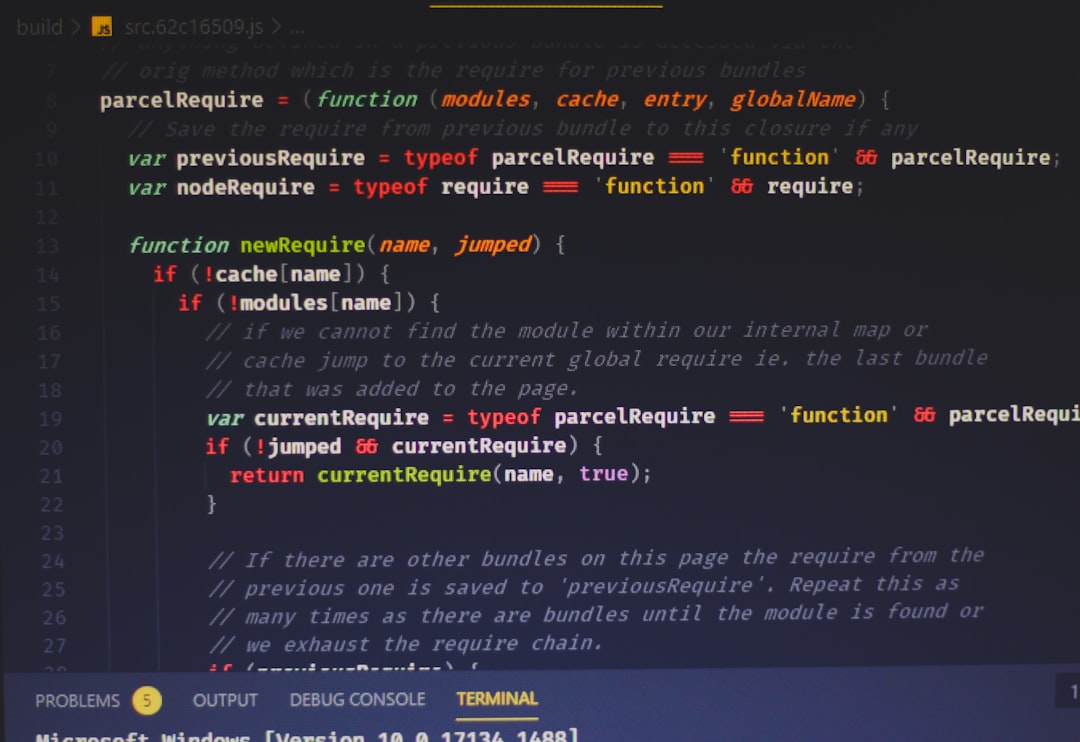
Thunder Client streamlines endpoint validation during active development. Instead of juggling multiple applications, developers can create, send, and validate requests within their primary coding editor.
While it does not yet match enterprise platforms in large-scale automation, it significantly accelerates local testing and debugging.
Best suited for: Developers deeply integrated into the VS Code ecosystem.
Strength: Workflow efficiency and minimal overhead.
Consideration: Limited advanced reporting and collaboration tools.
Comparison Chart
| Tool | Platform | Automation | Collaboration | Best For |
|---|---|---|---|---|
| Postman | Desktop, Web | Advanced scripting & monitoring | Strong team workspaces | Enterprise and large teams |
| Hoppscotch | Web-based | Basic automation | Limited | Lightweight testing |
| Paw | macOS | Advanced dynamic values | Moderate | Mac-based professionals |
| Thunder Client | VS Code Extension | Basic scripting | Minimal | Editor-integrated workflows |
How to Choose the Right API Testing Tool
Selecting a tool similar to Insomnia depends on several critical factors:
- Team Size: Larger teams benefit from advanced collaboration and shared workspaces.
- Automation Needs: Continuous integration pipelines require scriptable and monitorable endpoints.
- Development Workflow: Some developers prefer integrated editor extensions.
- Operating System Constraints: macOS-only tools may limit cross-platform collaboration.
- Performance Requirements: Lightweight clients reduce system strain.
Security considerations are equally important. Ensure that sensitive environment variables, API keys, and authentication tokens are handled securely. Tools that support encrypted environments and role-based access improve operational safety.
Final Thoughts
API endpoint testing is no longer optional—it is a foundational requirement for modern application reliability. While Insomnia remains a capable option, Postman, Hoppscotch, Paw, and Thunder Client provide compelling alternatives depending on workflow demands and organizational scale.
Postman stands out for enterprise-level automation and collaboration. Hoppscotch delivers unmatched speed and simplicity through its browser-based model. Paw offers a refined macOS-native experience with deep customization. Thunder Client integrates directly into development environments for maximum efficiency.
The most effective tool is not necessarily the most feature-rich, but the one that aligns best with your team’s processes and testing requirements. By carefully evaluating automation depth, platform compatibility, collaboration features, and system performance, organizations can confidently select an API testing solution that simplifies endpoint validation while strengthening software quality.


WordPress Hosting With cPanel: Bluehost vs SiteGround for Managing WordPress Hosting
Pick Bluehost if cPanel is non-negotiable. Pick SiteGround if you care more about smooth WordPress tools than classic cPanel. WordPress…