
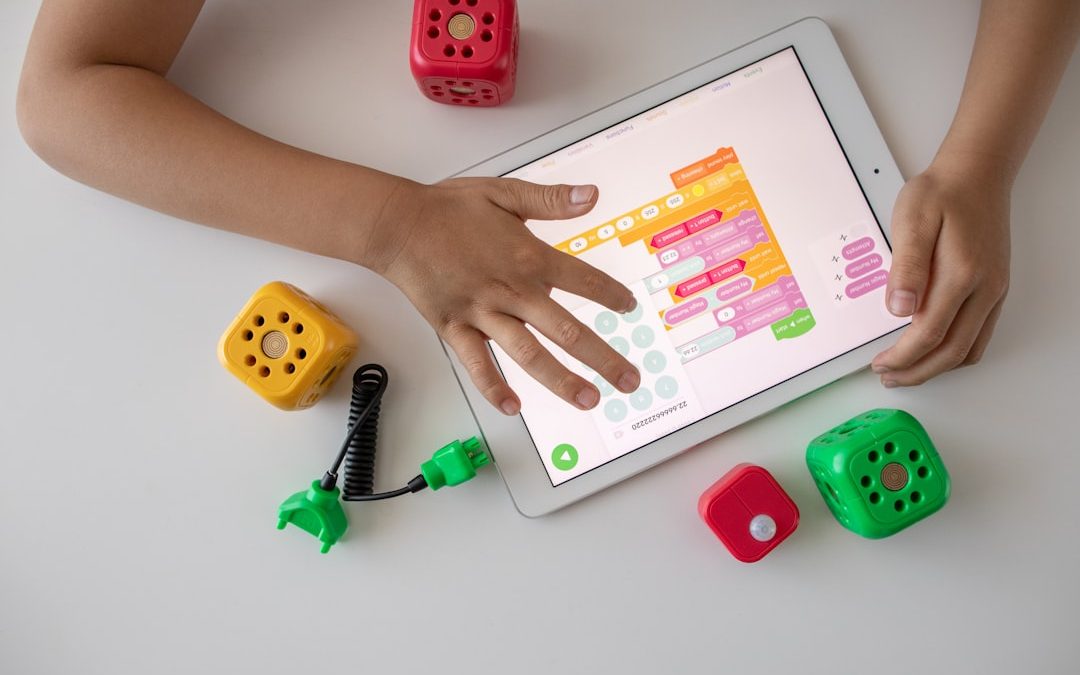

Matching a written word to a picture is a deceptively simple activity, yet it supports several important foundations of literacy, language development, memory, and visual recognition. In a “Drag the Word That Matches the Image” learning activity, learners view an image, choose the correct word from a set of options, and drag that word into the appropriate space. When designed carefully, this activity can help children, language learners, and early readers build vocabulary with confidence and accuracy.
TLDR: A drag-the-word matching activity strengthens vocabulary, reading readiness, and word-image association through interactive practice. It works best when images are clear, word choices are appropriate, and feedback is immediate but supportive. Teachers and parents should begin with familiar words, gradually increase difficulty, and review errors without discouraging the learner. The activity is most effective when it is structured, purposeful, and connected to broader language learning goals.
Why This Activity Matters
The ability to connect a word with its meaning is central to reading comprehension. A learner may be able to pronounce a word, but true understanding comes when the word is linked to an object, action, concept, or experience. A drag-and-match activity creates this connection in a visual and interactive way.
Because the learner must look at an image, read or recognize the available word options, and make a deliberate selection, the task combines visual processing, language recognition, and decision-making. This makes it more active than simply looking at flashcards or repeating vocabulary aloud.
For young children, the activity supports early literacy by helping them recognize printed words as meaningful symbols. For second-language learners, it reinforces vocabulary through repeated exposure. For learners who benefit from hands-on digital interaction, dragging a word into place can increase attention and motivation.

Primary Learning Goals
A well-planned drag-the-word matching activity should have clear learning goals. Without a defined purpose, the activity may become only a guessing game. The most common goals include:
- Vocabulary development: Learners identify and remember new words by associating them with images.
- Reading readiness: Learners begin to recognize printed words and connect them with spoken language.
- Visual discrimination: Learners compare images and distinguish between similar objects or concepts.
- Comprehension: Learners demonstrate that they understand what a word represents.
- Fine motor and digital skills: Learners practice hand-eye coordination when dragging items on a screen.
These goals are especially valuable because they can be adjusted for different ages and skill levels. A preschool learner may match cat, ball, and sun, while an older learner may match more specific words such as microscope, compass, or volcano.
Choosing the Right Images
The quality of the images strongly affects the quality of the learning. Images should be simple, recognizable, and directly connected to the target word. If an image is confusing, too abstract, or cluttered, the learner may make mistakes for the wrong reason.
For example, if the target word is dog, the image should clearly show a dog as the main subject. A picture of a dog in a crowded park with several other animals may distract the learner. Similarly, if the word is running, the image should clearly show a person or animal in motion rather than simply standing outdoors.
Reliable image selection follows a few practical standards:
- Use one main object or action per image.
- Avoid visual clutter that could confuse the learner.
- Use culturally familiar examples when possible, while also introducing diverse images over time.
- Keep the visual style consistent, especially for beginners.
- Make sure the image directly represents the word, not a loose or indirect idea.
Selecting Appropriate Words
Words should be selected according to the learner’s developmental level, reading ability, and language background. The best activities begin with words the learner is likely to encounter in real life. Familiar words help build confidence, while new words expand vocabulary.
For beginners, start with concrete nouns such as apple, car, book, and fish. These are easier to represent visually and easier to verify. Once learners are successful with simple nouns, introduce verbs such as jump, eat, sleep, and write. Later, adjectives and more abstract vocabulary can be added, such as empty, bright, heavy, or quiet.
It is important not to overload the learner with too many choices at once. A young child or beginner may do best with two or three word choices. More advanced learners can manage four to six options, especially if the words are visually or conceptually related.
How to Structure the Activity
A clear structure helps learners understand what is expected and reduces frustration. The activity should begin with simple instructions such as: “Look at the picture. Drag the correct word to the box.” Instructions should be short, direct, and repeated if necessary.
A standard activity sequence may look like this:
- Step 1: Show one image clearly on the screen or page.
- Step 2: Present two to four word choices nearby.
- Step 3: Ask the learner to drag the matching word to the image or answer area.
- Step 4: Provide immediate feedback.
- Step 5: Repeat with a new image, gradually increasing difficulty.
Consistency is especially important for early learners. If the correct word is sometimes dragged to the image and sometimes dragged to a blank, the learner may spend unnecessary mental effort interpreting the format. A predictable layout allows the learner to focus on the vocabulary task itself.
Providing Feedback That Helps
Feedback should be immediate, accurate, and encouraging. If the learner selects the correct word, a simple response such as “Correct: this is a bicycle” reinforces the association. If the learner selects the wrong word, the response should guide rather than shame.
Instead of saying only “Wrong”, use corrective feedback such as: “Try again. This picture shows a bicycle. Look for the word bicycle.” This type of feedback supports learning because it explains the error and directs attention back to the correct association.
For learners who need additional support, feedback can include audio pronunciation. Hearing the word while seeing it and matching it to an image strengthens multisensory learning. However, audio should be clear and not distracting. The goal is reinforcement, not entertainment for its own sake.
Adjusting Difficulty Over Time
The activity should become more challenging as the learner improves. If the task remains too easy, the learner may lose interest. If it becomes too difficult too quickly, the learner may begin guessing or disengage. Effective progression is gradual and intentional.
Difficulty can be adjusted in several ways:
- Increase the number of word choices from two to four or more.
- Use visually similar items, such as cup, bowl, and plate.
- Introduce related categories, such as animals, foods, tools, or transportation.
- Add verbs and adjectives after concrete nouns are mastered.
- Include less familiar vocabulary after the learner succeeds with common words.
For example, an early activity may ask the learner to match an image of a cat with the word cat among the choices cat and tree. A more difficult version may show a kitten and offer the choices cat, dog, rabbit, and fox. The increased similarity among options requires closer attention.
Supporting Different Types of Learners
Not all learners approach the activity in the same way. Some rely strongly on visual cues, while others benefit from hearing the word spoken. Some may need repeated practice before they feel confident. A serious learning activity should be flexible enough to support these differences.
For learners who struggle with reading, use audio support and fewer word choices. For learners with strong vocabulary but weaker attention, keep sessions short and focused. For multilingual learners, consider whether the word is new, whether the image is culturally recognizable, and whether the learner has heard the word in meaningful contexts.
Accessibility also matters. Text should be large enough to read easily. Colors should have strong contrast. Drag targets should be large enough for children or learners with motor difficulties. If the activity is digital, it should not require extremely precise movement to succeed.
Using the Activity in the Classroom
In a classroom, this activity can be used for individual practice, small-group work, or whole-class review. Teachers may introduce a vocabulary set, model one or two examples, and then allow students to complete the matching task independently.
It can also serve as a quick assessment. If several students consistently confuse the same words, the teacher gains useful information about what needs to be retaught. For example, if learners confuse sheep and goat, the next lesson can include comparison images and direct discussion of differences.
Teachers should record patterns rather than focus only on scores. A learner who misses one item because of a confusing image may not have a vocabulary problem. A learner who repeatedly misses words in the same category may need targeted instruction.
Using the Activity at Home
Parents and caregivers can use drag-the-word activities as short, productive learning sessions. Ten focused minutes are usually more effective than a long session that leads to fatigue. The adult can sit with the child, read the words aloud when appropriate, and ask simple follow-up questions.
For example, after the child matches apple to an image, the adult might ask, “What color is the apple?” or “Have you eaten an apple today?” These small conversations help move the word from recognition into meaningful use.
Home practice should remain calm and supportive. If a child becomes frustrated, reduce the number of choices or return to familiar words. The aim is steady progress, not pressure.
Common Mistakes to Avoid
Several design and teaching mistakes can reduce the value of the activity. The most common is using unclear images. Another is presenting too many words before the learner is ready. A third is treating the activity as a race, which may encourage quick guessing rather than careful thinking.
Avoid the following problems:
- Ambiguous images that could match more than one word.
- Distractor words that are unfairly difficult or unrelated to the lesson goal.
- No feedback after an incorrect answer.
- Overuse of rewards that distract from the learning purpose.
- Long sessions that exceed the learner’s attention span.
Assessing Progress
Assessment should focus on accuracy, independence, and retention. A learner may match words correctly during a lesson but forget them later. For that reason, it is useful to review the same vocabulary after a day, a week, and in a different context.
Signs of progress include matching words with fewer prompts, reading the words aloud, using the words in sentences, and recognizing the same vocabulary in books or real-life situations. These indicators show that the learner is not merely completing a digital task but actually developing language understanding.
Final Guidance
A “Drag the Word That Matches the Image” activity is most effective when it is purposeful, clear, and responsive to the learner’s needs. It should not be viewed as a simple game, but as a structured literacy tool that supports vocabulary, comprehension, and early reading development.
When images are carefully chosen, words are appropriately leveled, and feedback is constructive, the activity can become a reliable part of a broader learning plan. Used consistently and thoughtfully, it helps learners build stronger connections between what they see, what they read, and what they understand.


Best Alternatives to Windows 11 Privacy Tweaks: Comparing Winaero Tweaker, Privatezilla, and Win11Debloat
Choose Privatezilla for quick privacy hardening, Win11Debloat for a cleaner Windows 11 install, and Winaero Tweaker if you want privacy…