
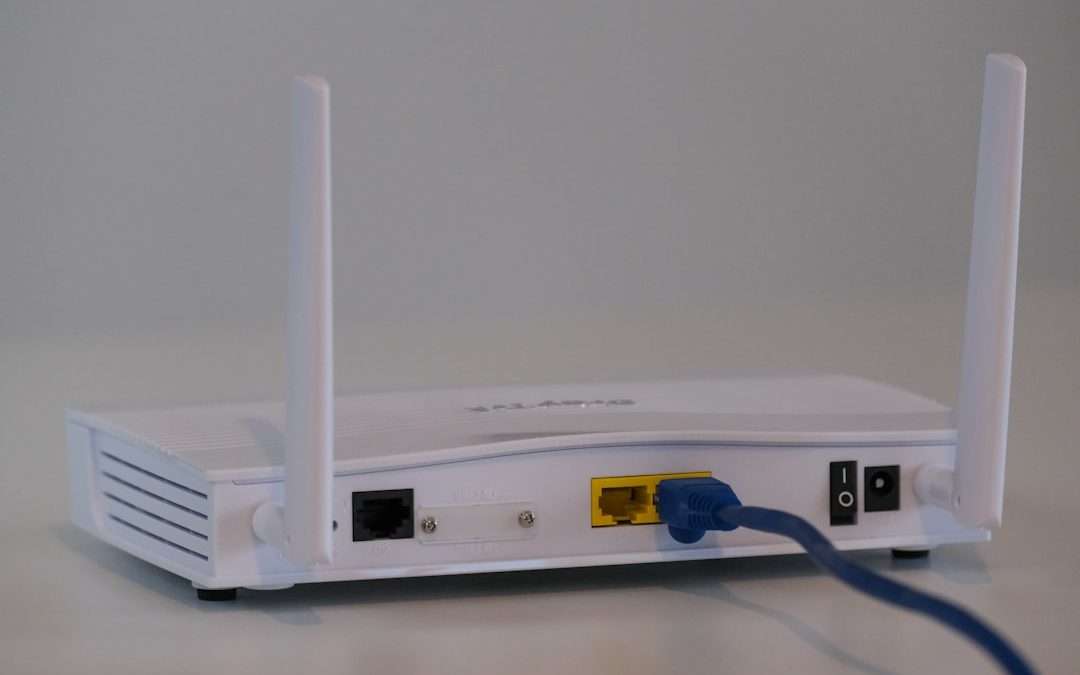

Wireless networks are a normal part of modern offices, schools, hotels, hospitals, and public spaces. They make connectivity convenient, but that convenience also creates opportunities for unauthorized devices to enter the environment. One of the most common and dangerous wireless security threats is the rogue access point, a device that appears to offer network access but is not approved, managed, or secured by the organization.
TLDR: A rogue access point is an unauthorized wireless access point connected to a network or placed nearby to trick users into connecting. It can be installed accidentally by an employee or deliberately by an attacker. Rogue access points create serious security risks, including data theft, credential capture, malware spread, and unauthorized access to internal systems. Organizations reduce the risk through monitoring, strong access controls, employee education, and wireless intrusion prevention tools.
What Is a Rogue Access Point?
A rogue access point is any wireless access point that has not been authorized by the organization responsible for the network. It may be physically connected to the internal network, or it may simply broadcast a wireless signal designed to imitate a trusted network. In either case, it creates a pathway that bypasses normal security controls.
For example, an employee might plug a cheap Wi-Fi router into an office Ethernet port to improve wireless coverage in a conference room. The employee may not intend harm, but the device could use weak encryption, default passwords, or no security at all. This turns it into a serious vulnerability. In another scenario, an attacker may place a malicious access point near a building and name it something similar to the legitimate company Wi-Fi network, hoping employees connect to it.

How Rogue Access Points Appear
Rogue access points usually appear in one of two ways: accidentally or maliciously.
- Accidental rogue access points: These are often created by employees, contractors, or visitors who connect personal networking equipment without approval. The intent may be convenience, but the result is an unmanaged security gap.
- Malicious rogue access points: These are created by attackers to intercept traffic, steal credentials, spread malware, or gain unauthorized access to sensitive systems.
Both types are dangerous because they operate outside official configuration, monitoring, and security policies. Even an innocent device can expose confidential data if it lacks proper encryption or if it allows outsiders to connect.
Rogue Access Point vs. Evil Twin
The terms rogue access point and evil twin are related, but they are not always identical. A rogue access point is a broad term for any unauthorized access point. An evil twin is a specific type of rogue access point that impersonates a legitimate Wi-Fi network.
For instance, if a company’s real network is named Company Secure WiFi, an attacker may create a network called Company Secure Wi Fi or even use the exact same name. Users may connect without noticing the difference. Once connected, their traffic may pass through the attacker’s device, allowing interception, credential harvesting, or redirection to fake login pages.
Why Rogue Access Points Are Dangerous
Rogue access points weaken the security boundary of a network. They may allow attackers to bypass firewalls, endpoint protections, and authentication systems. Because wireless signals extend beyond walls, a rogue access point can expose an internal network to people in parking lots, neighboring buildings, or public areas.
The main risks include:
- Data interception: Attackers can capture unencrypted traffic, including emails, files, session cookies, and login details.
- Credential theft: Fake login portals can trick users into entering usernames, passwords, or multifactor authentication codes.
- Unauthorized network access: A poorly secured access point may allow outsiders to connect directly to internal resources.
- Malware distribution: Attackers can redirect users to malicious websites or deliver infected files.
- Compliance violations: Organizations handling sensitive data may violate security standards if unauthorized wireless devices are present.

Common Signs of a Rogue Access Point
Detecting a rogue access point can be difficult without proper tools, but several warning signs may indicate a problem. Users may notice duplicate network names, unusually weak or strong signals in unexpected locations, frequent certificate warnings, or captive portals that look different from the official login page. Network administrators may also see unfamiliar devices, unknown MAC addresses, unusual traffic patterns, or unexpected DHCP activity.
However, visual inspection alone is not enough. A rogue access point may be hidden above a ceiling tile, inside a storage room, under a desk, or outside the building. Attackers can also use small portable devices that are easy to conceal.
How Organizations Detect Rogue Access Points
Organizations typically use a combination of wireless monitoring and network analysis to detect unauthorized access points. A wireless intrusion detection system, often called WIDS, scans the radio environment for suspicious signals. A wireless intrusion prevention system, or WIPS, can go further by helping block or contain unauthorized connections.
Common detection methods include:
- Wireless scanning: Security teams scan for unknown SSIDs, duplicate network names, and suspicious signal sources.
- MAC address comparison: Detected access points are compared against an approved inventory of devices.
- Switch port monitoring: Network switches are checked for unauthorized devices connected to Ethernet ports.
- Traffic analysis: Administrators look for unusual routing, unknown DHCP servers, or unexpected data flows.
- Physical inspections: Facilities are periodically checked for hidden or unauthorized networking equipment.
How Rogue Access Points Are Prevented
Prevention begins with clear policy and strong technical controls. Employees and contractors should understand that personal routers and access points are not allowed on the corporate network. At the same time, the organization should provide reliable official Wi-Fi coverage so users are not tempted to create their own workaround.
Effective prevention measures include:
- Network access control: Only approved devices should be allowed to connect to wired and wireless networks.
- Port security: Unused Ethernet ports should be disabled, and active ports should restrict unknown devices.
- Strong Wi-Fi authentication: Enterprise-grade authentication, such as 802.1X, helps ensure only authorized users and devices connect.
- Regular wireless audits: Routine scans help identify suspicious access points before they cause damage.
- Employee awareness: Staff should be trained to avoid unknown networks and report suspicious Wi-Fi names or login pages.
- Centralized management: Approved access points should be configured, updated, and monitored through a managed platform.

What To Do If a Rogue Access Point Is Found
When a rogue access point is discovered, the organization should respond carefully. If the device is connected to the internal network, security teams should identify the switch port, isolate the device, and preserve relevant logs. If the access point is malicious, investigation may be needed to determine whether credentials were stolen or data was exposed.
A typical response includes disconnecting the device, identifying its owner or source, reviewing network logs, scanning affected systems, resetting compromised credentials, and documenting the incident. If the rogue access point was created accidentally, the organization should treat it as a training opportunity while still enforcing security policy.
Why Rogue Access Points Matter
Rogue access points matter because they exploit trust. Users often assume that a familiar Wi-Fi name is safe, and employees may not understand the risks of connecting unauthorized hardware. Attackers take advantage of these assumptions to create hidden entry points into otherwise protected environments.
In a world where wireless connectivity is essential, organizations cannot rely on passwords alone. They need visibility into the airspace around their facilities, control over devices that connect to the network, and a culture that treats unauthorized wireless equipment as a real security threat.
FAQ
-
What is a rogue access point in simple terms?
A rogue access point is an unauthorized Wi-Fi device that connects to or imitates a network. It may be installed by mistake or used by an attacker to steal data or gain access. -
Is every unknown Wi-Fi network a rogue access point?
No. Nearby businesses, homes, or public hotspots may appear during a scan. A network becomes a rogue access point when it is unauthorized and creates risk for the organization or its users. -
Can a rogue access point be created accidentally?
Yes. Employees sometimes connect personal routers or wireless extenders without approval. Even if the intent is harmless, the device can expose the network to attackers. -
How can users avoid evil twin networks?
Users should connect only to approved network names, avoid suspicious login pages, pay attention to certificate warnings, and report duplicate or unusual Wi-Fi networks to IT staff. -
What is the best defense against rogue access points?
The best defense is a layered approach: wireless monitoring, network access control, strong authentication, port security, regular audits, and employee training.


How Many Email Addresses Should You Have? Personal, Professional, and Marketing Considerations
Most people should have three to five email addresses: one for personal life, one for work, one for shopping and…