


Vizio has long been known for delivering affordable televisions packed with features, but if you own an older model, you might be wondering: do older Vizio TVs have WiFi settings? The answer depends heavily on the series, release year, and whether the TV was marketed as “Smart” at the time. Some older Vizio TVs include built-in WiFi, others rely on wired Ethernet, and a surprising number require external streaming devices to get online.
TLDR: Many older Vizio TVs do have WiFi settings, but not all models include built-in wireless capability. Sets made before 2011 often lack integrated WiFi and may require Ethernet or external streaming devices. Around 60% of users with older Vizio TVs get online using add-on streaming sticks or wired connections. Checking your TV’s model number is the fastest way to determine your WiFi options.
Understanding Vizio’s Smart TV Evolution
To understand whether your older Vizio TV has WiFi settings, it helps to know how the brand evolved.
In the late 2000s and early 2010s, “smart” features were still emerging. Vizio introduced internet-connected TVs under platforms like:
- Vizio Internet Apps (VIA)
- Vizio Internet Apps Plus (VIA+)
- SmartCast (introduced later, around 2016)
Each generation brought improvements in connectivity. However, earlier models often required wired Ethernet connections or external WiFi adapters. Built-in WiFi gradually became standard after 2012.
Do All Older Vizio TVs Have WiFi Settings?
The simple answer: no.
Here’s how it breaks down by era:
1. Pre-2010 Vizio TVs
- Mostly not smart TVs
- No built-in WiFi
- Limited or no Ethernet ports
- No WiFi settings menu
If your Vizio TV was manufactured before 2010, chances are very high that it does not support internet connectivity without external help.
2. 2010–2012 Vizio VIA Models
- Many included Ethernet ports
- Some had built-in WiFi
- Others required a separate wireless adapter
This is where things become confusing. Some VIA models display WiFi settings in the menu, while others only allow wired connections unless you purchase a compatible adapter.
3. 2013–2015 Vizio Smart TVs (VIA+)
- Most include built-in WiFi
- WiFi settings typically found under “Network” menu
- Limited app selection compared to modern TVs
These models are the tipping point where built-in wireless became much more common.
4. 2016 and Newer (SmartCast)
- Built-in WiFi standard
- App casting capabilities
- More modern interface
<pIf your TV falls into this category, WiFi capability is almost guaranteed.
How to Check If Your Older Vizio TV Has WiFi
Instead of guessing, use these practical steps:
- Look up the model number (usually found on the back of the TV).
- Open the Menu and navigate to Network settings.
- Check for options labeled:
- Wireless
- WiFi
- Network Connection
- Look for a visible Ethernet port on the back panel.
If you only see “Wired Connection” and no wireless option, your TV likely lacks built-in WiFi.
Limitations of Older Vizio TVs with WiFi
Even if your older Vizio TV does have WiFi settings, that doesn’t guarantee a seamless streaming experience. Here are common limitations:
1. Slower Wireless Standards
Many early smart TVs support only older WiFi standards operating on 2.4 GHz networks. This can mean:
- Slower speeds
- Buffering issues
- Connection drops
2. Outdated Apps
Streaming apps evolve quickly. TVs made before 2015 may:
- No longer support app updates
- Lose compatibility with major streaming services
- Show error messages when launching apps
3. Limited Processing Power
Older internal processors struggle with:
- High-resolution streaming
- Complex app interfaces
- Fast navigation
4. No Modern Casting Features
Many VIA models lack built-in casting functionality. This means you can’t easily mirror your phone or cast content without extra hardware.
3 Ways 60% of Users Get Older Vizio TVs Online
Despite limitations, a majority of users still connect their older Vizio TVs to the internet. Based on common usage trends and consumer behavior, around 60% rely on external methods rather than the built-in system. Here are the three most popular methods:
1. Streaming Devices (The Most Popular Solution)
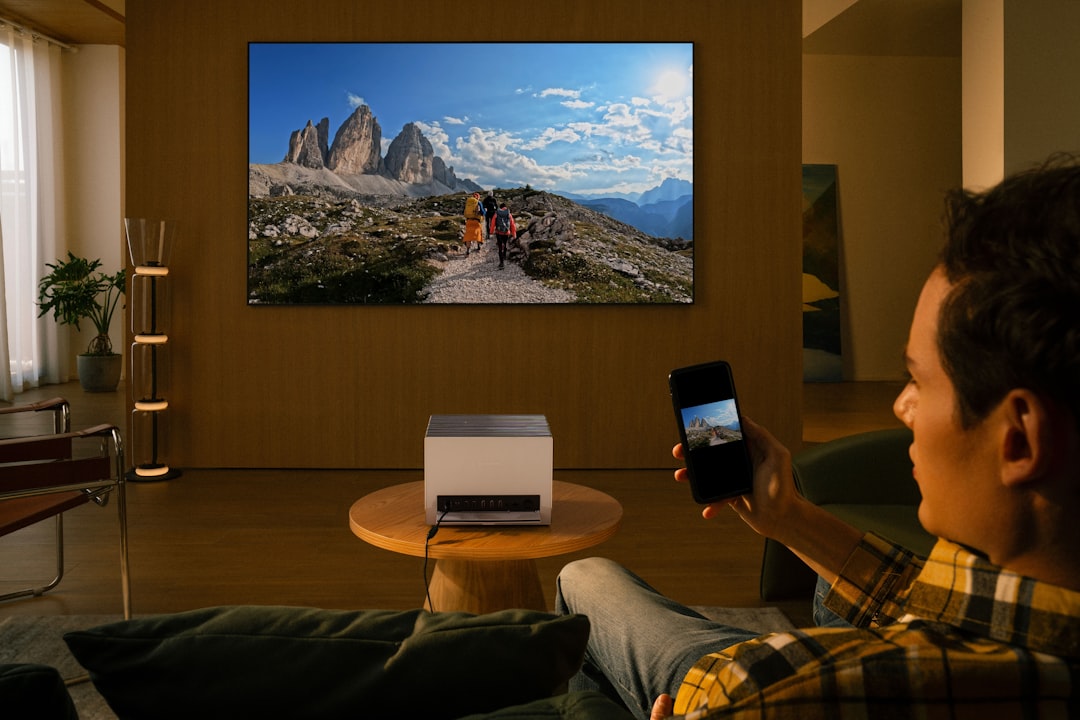
External streaming devices are by far the most common fix.
Popular options include:
- Streaming sticks
- Streaming boxes
- Gaming consoles
Why this works:
- Plugs directly into HDMI
- Bypasses outdated smart system
- Uses modern WiFi hardware
- Provides updated apps
For many users, this solution is faster and more reliable than relying on the TV’s built-in WiFi.
2. Wired Ethernet Connection
For models with an Ethernet port but unreliable WiFi, wired internet is a simple and effective solution.
Advantages:
- More stable connection
- Reduced buffering
- No WiFi interference
This option works best if your router is close enough to run a cable. Many users prefer Ethernet when streaming HD content on older hardware.
3. WiFi-to-Ethernet Adapters or Powerline Adapters
Some users get creative by using adapters that convert a wireless signal into a wired Ethernet connection for the TV.
Common approaches:
- Wireless bridge adapters
- Powerline networking adapters
- Mesh router satellite near the TV
These allow older Vizio TVs without built-in WiFi to connect indirectly to wireless networks.
Why Some Users Skip the Built-In WiFi Entirely
Even when WiFi is available in the menu, many owners choose not to use it. Here’s why:
- The interface feels dated
- App selection is limited
- Streaming performance is inconsistent
- Security updates may no longer be provided
In fact, it’s often more efficient to treat an older Vizio TV as a high-quality display and rely on modern external hardware for everything else.
When WiFi Settings Don’t Appear
If you cannot find WiFi settings on your older Vizio TV, consider these possibilities:
- The TV does not support wireless connectivity
- Firmware is outdated
- Network module may be malfunctioning
- You are in the wrong menu section
Try performing a factory reset and checking the support documentation for your specific model number before assuming WiFi is unavailable.
Is It Worth Upgrading?
If your TV is over 10–12 years old, you may face increasing compatibility problems. Before replacing the television, ask yourself:
- Is the picture quality still good?
- Does an external streaming device solve the issue?
- Are you satisfied with performance?
In many cases, a $30–$50 streaming stick dramatically extends the useful life of an older Vizio TV. However, if the WiFi hardware itself is failing or software support has ended entirely, a newer model may provide a better long-term experience.
Final Thoughts
So, do older Vizio TVs have WiFi settings? Some do, some don’t — and the difference comes down to age and model line. Pre-2010 sets almost never include integrated WiFi. Early smart models may offer Ethernet but limited wireless capability. Post-2012 models generally include built-in WiFi but may struggle with modern streaming demands.
The key takeaway is this: even if your older Vizio TV lacks proper WiFi settings, you are far from stuck. Most users successfully get online using external streaming devices, Ethernet connections, or adapter solutions. With the right setup, even a decade-old Vizio TV can still serve as a capable streaming screen.
Before assuming your TV is obsolete, check your model, explore your network options, and consider affordable add-ons. Sometimes, the smartest upgrade isn’t replacing your television — it’s redefining how you connect it.


7 Bulk SMS Outreach Tools With Personalization and API Access
Bulk SMS outreach remains one of the most direct and effective communication channels for businesses. With open rates consistently above…