

Understanding how users move through your app is no longer optional—it’s essential for staying competitive in a crowded digital marketplace. While traditional analytics can tell you what users do, heatmap analytics tools reveal how they interact with your interface. From taps and swipes to scroll depth and rage clicks, heatmaps provide visual insights that help product teams optimize user experience, increase engagement, and boost conversions. In this article, we explore eight powerful app heatmap analytics tools that turn complex behavioral data into actionable visual intelligence.
TLDR: Heatmap analytics tools visually display how users interact with your mobile or web app, highlighting taps, scrolls, and gestures. They help you identify friction points, optimize design, and improve conversions. This article covers eight top tools—ranging from enterprise-level platforms to startup-friendly solutions—each offering unique features for understanding user behavior. Choosing the right tool depends on your goals, budget, and technical setup.
Why App Heatmaps Matter
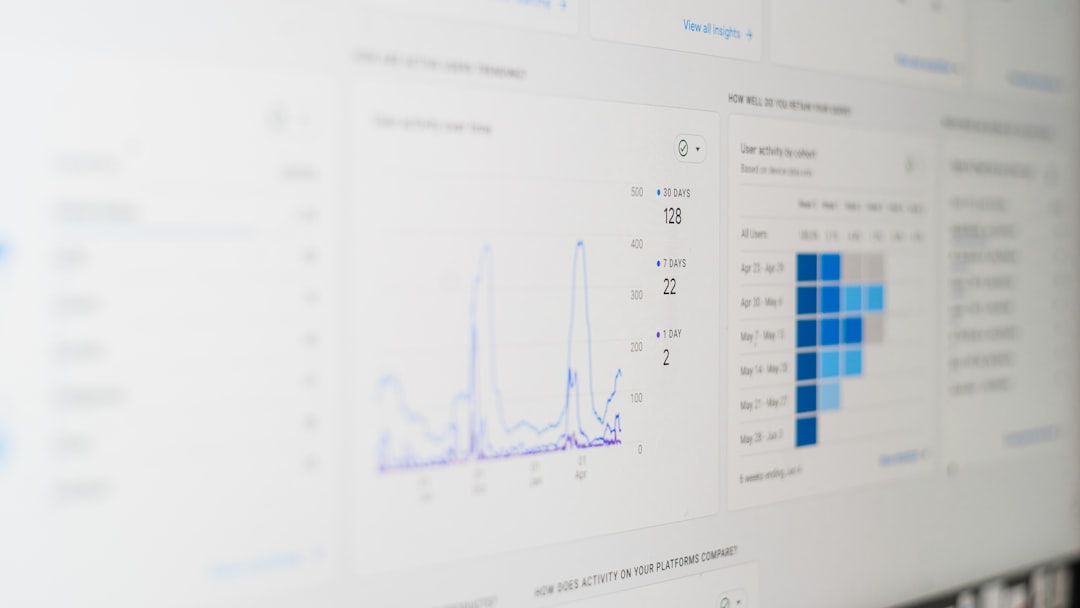
Heatmaps transform behavioral data into color-coded visual representations, showing where users tap, linger, scroll, or abandon your app. Unlike spreadsheets filled with metrics, heatmaps offer immediate clarity. Red zones indicate high engagement, while cooler colors reveal areas users may ignore.
App heatmaps are especially valuable for:
- Improving user experience (UX) through behavior-driven design decisions
- Boosting conversion rates by identifying drop-off points
- Validating A/B tests with visual confirmation of user interaction
- Reducing churn by uncovering hidden frustration points

1. Hotjar
Hotjar is one of the most widely recognized heatmap tools, popular for its ease of use and comprehensive analytics features. While traditionally known for websites, it also supports app behavior tracking.
Key features:
- Tap, click, and scroll heatmaps
- Session recordings
- User feedback surveys
- Conversion funnel tracking
Hotjar excels at combining quantitative heatmaps with qualitative insights. Its recordings allow you to watch real user sessions, helping you understand not just where users tap—but why they behave a certain way.
2. Crazy Egg
Crazy Egg specializes in visual reports, including scrollmaps, confetti maps, and overlay reports. It is particularly useful for identifying specific interaction patterns in mobile web applications.
What sets Crazy Egg apart is its segmentation capability. You can filter heatmaps by traffic source, device type, or user attributes. This makes it easier to tailor experiences for different audience segments.
If you’re optimizing for marketing-driven conversions, Crazy Egg provides insight into how campaigns influence behavior patterns inside your app.
3. Smartlook
Smartlook is designed specifically for mobile apps and offers robust analytics for both iOS and Android platforms. Its heatmap functionality is paired with detailed session recordings and event tracking.
Standout features include:
- Automatic event tracking
- Rage click detection
- Crash analytics
- Funnel analysis
Smartlook is especially helpful for developers and product teams looking to diagnose technical issues alongside UX challenges. If your app suffers from unexplained drop-offs, this tool can pinpoint the exact interaction causing friction.
4. Contentsquare
Contentsquare takes heatmap analytics to an enterprise level. It transforms billions of behavioral data points into insights suitable for large-scale digital ecosystems.
This platform uses AI-driven analysis to uncover hidden patterns and delivers journey analysis across multiple touchpoints. Rather than focusing solely on taps and clicks, Contentsquare offers comprehensive journey mapping and predictive insights.
It is ideal for large businesses seeking advanced behavioral intelligence and cross-platform consistency tracking.
5. Appsee (Now part of Service Platforms)
Appsee is a mobile-focused solution known for its visually rich heatmaps and real-time analytics. Designed specifically for apps rather than desktop websites, it provides gesture-based data visualization.
Core capabilities include:
- Touch heatmaps
- Gesture tracking (pinch, zoom, swipe)
- User session playback
- Performance monitoring
The gesture-level insights are particularly valuable because mobile interaction differs significantly from desktop behavior. Seeing where users swipe or hesitate provides context traditional metrics cannot reveal.

6. UXCam
UXCam focuses on mobile app analytics with powerful heatmap visualization, funnel tracking, and issue detection features. It’s frequently used by product managers aiming to improve user onboarding and retention.
One of UXCam’s strengths is its ability to connect behavioral data with performance metrics. For example, you can correlate slow-loading screens with lower engagement areas in your heatmaps.
Why teams choose UXCam:
- Easy SDK integration
- Automatic screen grouping
- User property segmentation
- AI-powered insight summaries
If you’re looking for actionable recommendations rather than just raw visualizations, UXCam is worth considering.
7. FullStory
FullStory goes beyond traditional heatmaps by offering behavioral replay and advanced interaction intelligence. It captures every movement and click, generating detailed user journey maps.
While technically broader than a standard heatmap tool, FullStory includes aggregate click maps and scroll maps alongside rich diagnostic tools. It’s particularly powerful for troubleshooting user frustration.
For SaaS apps, where complex interfaces can overwhelm users, FullStory provides clarity on navigation challenges and hidden usability gaps.
8. Mouseflow
Mouseflow delivers real-time click, scroll, and movement heatmaps for mobile and web apps. It also integrates funnel analytics and form interaction tracking.
Key advantages:
- Dynamic heatmaps for different user segments
- Friction scoring
- Conversion funnel tracking
- Error tracking
Mouseflow’s friction score highlights problematic UI elements, helping teams prioritize improvements. This speeds up optimization efforts and reduces guesswork in product iterations.
How to Choose the Right Heatmap Tool
Selecting the right solution depends on your specific needs. Consider the following factors:
- Platform compatibility: Does it support iOS, Android, or hybrid frameworks?
- Data privacy compliance: GDPR and other regional regulations are critical.
- Ease of integration: SDK simplicity saves development time.
- Budget: Enterprise-level platforms differ significantly in pricing.
- Advanced features: AI analysis, predictive insights, and crash tracking may add value.
Startups might prefer tools like Smartlook or UXCam for their balance of affordability and functionality, while enterprises may lean toward Contentsquare for deep behavioral modeling.
Common Use Cases for App Heatmaps
Heatmap analytics can be applied across many app optimization scenarios:
- Onboarding optimization: Identify where new users disengage.
- E-commerce conversion boosts: Discover which product listings attract the most attention.
- Feature validation: Determine whether users interact with new functionality.
- UX redesign support: Compare old and new layouts through behavioral visualization.
For example, if you see heavy tapping on a non-clickable element, it signals user confusion. Addressing such mismatches can dramatically improve usability and satisfaction.
The Future of Heatmap Analytics
As AI continues to shape digital analytics, heatmap tools are evolving beyond static visualizations. Predictive behavior modeling, automated anomaly detection, and real-time insights are becoming standard features.
In the next few years, expect tools that:
- Automatically identify UX friction without manual investigation
- Provide personalization recommendations in real time
- Integrate seamlessly with product experimentation platforms
- Offer deeper cross-device behavioral mapping
The future lies in combining behavioral data, performance metrics, and AI-driven interpretation into a single unified platform.
Final Thoughts
App heatmap analytics tools provide more than colorful visuals—they offer clarity into the hidden patterns of user behavior. By understanding where users tap, scroll, hesitate, or drop off, businesses can refine their interface, remove friction, and increase engagement.
Whether you are a startup seeking product-market fit or an enterprise optimizing at scale, the right heatmap analytics solution can uncover insights that traditional metrics miss. In a world where user experience determines success, visual data isn’t just helpful—it’s transformative.


How to Remove Sound From an iPhone Video: iMovie vs. CapCut
For a simple mute, iMovie is usually the safer choice on an iPhone; for social edits with music, captions, and…