

Creating effective documentation in Confluence is more than simply filling out pages with text. It requires structure, clarity, governance, and consistency. When used correctly, Confluence becomes a centralized knowledge hub that supports collaboration, accelerates onboarding, reduces duplicated work, and improves decision-making. Organizations that invest in disciplined documentation practices see measurable improvements in productivity and alignment across teams.
TL;DR: Confluence documentation works best when built on clear templates, consistent structure, and defined ownership. Start with standardized spaces and page hierarchies, use templates to enforce consistency, and adopt best practices like version control, labeling, and review cycles. Keep content structured, searchable, and audience-focused. Strong governance and regular maintenance are just as important as the initial creation.
Why Documentation in Confluence Matters
Confluence is designed to act as a single source of truth. Without structure, however, it can quickly become cluttered, outdated, and unreliable. Effective documentation:
- Improves knowledge sharing across departments
- Reduces onboarding time for new employees
- Preserves institutional knowledge
- Supports compliance and audit requirements
- Enhances cross-team collaboration
The goal is not merely to document, but to document systematically. That begins with thoughtful space planning.
Structuring Your Confluence Spaces
Before creating individual pages, define how spaces will be organized. A space should represent a department, team, or major initiative. Avoid creating random or redundant spaces that fragment knowledge.
Best practices for structuring spaces include:
- Clear naming conventions (e.g., “Engineering Knowledge Base” rather than “Eng Docs 2”)
- Defined space owners responsible for maintenance
- Organized page hierarchy with logical parent-child relationships
- Permission settings aligned with team roles
Within each space, create a structured homepage that guides users to critical resources.

A well-designed homepage typically includes quick links to frequently accessed pages, recent updates, process documentation, and contact information for space administrators.
Using Templates to Standardize Documentation
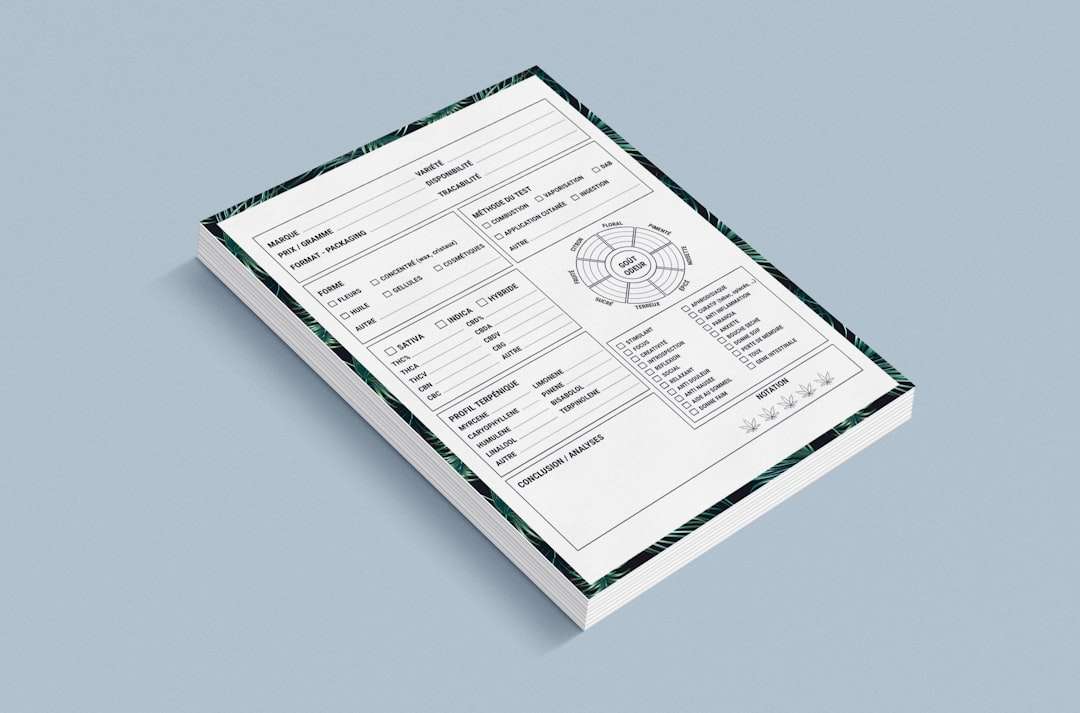
Templates are essential for maintaining consistency. Confluence provides built-in templates, but organizations benefit significantly from creating custom templates tailored to their workflows.
Common documentation templates include:
- Meeting Notes Template
- Project Plan Template
- Technical Design Document (TDD)
- Retrospective Template
- Standard Operating Procedure (SOP)
- Product Requirements Document (PRD)
How to Create an Effective Template
When designing a template, focus on guiding thinking rather than simply formatting content. A good template answers these questions:
- What information must always be documented?
- What decisions must be recorded?
- What approvals are required?
- Who is responsible for updates?
An effective template typically contains:
- Title and Metadata Section (author, owner, date, status)
- Purpose Statement
- Scope Definition
- Main Content Sections
- Decision Log or Change History
- Related Links and References
For example, a strong SOP template may include sections such as objective, prerequisites, step-by-step instructions, expected outcome, and troubleshooting notes.
Writing Clear and Effective Documentation
Consistency in structure must be matched by clarity in writing. Documentation should be written for its intended audience, not for the author.
Follow these core writing principles:
- Use simple, direct language
- Avoid unnecessary jargon
- Break large text blocks into sections
- Use bullet points for clarity
- Add visuals when helpful
Each document should begin with a short summary explaining its purpose and intended audience. This helps readers quickly determine relevance.
Additionally, use Confluence macros such as:
- Table of Contents for long documents
- Info Panels for warnings or important notes
- Status Labels (Draft, Approved, Deprecated)
- Expand Macros to reduce visual clutter
Implementing Governance and Ownership
Even well-written documentation becomes ineffective if it is not maintained. Governance ensures long-term reliability.
Key governance practices include:
- Assigning page owners responsible for updates
- Defining review cycles (quarterly or biannual)
- Archiving outdated content
- Tracking version history
- Using consistent labeling systems
Labels allow users to filter and search efficiently. Establish a predefined labeling taxonomy, such as:
- policy
- engineering
- onboarding
- internal
- customer-facing
Governance also includes approval workflows. For regulated industries, integrate review and approval checkpoints directly into templates.
Maintaining Searchability and Accessibility
A document that cannot be found may as well not exist. Confluence search is powerful, but it depends on user discipline.
To improve searchability:
- Use descriptive and standardized titles
- Include relevant keywords naturally in content
- Add consistent labels
- Organize content under logical parent pages
Accessibility is equally critical. Ensure documentation:
- Uses structured headings correctly
- Includes alt text for images
- Maintains readable formatting
- Avoids excessive color coding

Encouraging Team Adoption
Documentation initiatives often fail not because of poor systems, but because of low adoption. Building a documentation culture requires leadership support.
Encourage adoption by:
- Embedding documentation into workflows
- Requiring documentation before closing projects
- Referencing Confluence as the official knowledge source
- Providing training for new employees
Managers should reinforce that undocumented work is incomplete work. When teams see documentation as part of the deliverable—not an optional add-on—quality improves significantly.
Version Control and Change Management
One of Confluence’s strengths is its built-in version history. Every edit is tracked and reversible. However, teams must use this feature intentionally.
Best practices include:
- Summarizing changes in the update comment field
- Documenting major revisions in a change log section
- Marking deprecated documents clearly
- Redirecting outdated pages to current versions
When large changes occur, notify stakeholders through page watches or integrated communication tools. Transparency builds trust in the documentation system.
Archiving and Content Lifecycle Management
As organizations grow, content accumulates. Without lifecycle management, Confluence becomes cluttered.
Establish clear lifecycle stages:
- Draft
- Under Review
- Approved
- Deprecated
- Archived
Archive pages that are no longer relevant but may still need historical reference. Avoid permanent deletion unless content is truly obsolete.
Schedule periodic audits—at least annually—to clean up outdated material.
Security and Permissions Management
Documentation often contains sensitive information. While Confluence promotes transparency, it must be balanced with confidentiality.
Security best practices:
- Apply least-privilege access principles
- Restrict HR and financial documentation
- Review access permissions quarterly
- Use separate spaces for highly sensitive projects
Poor permission controls can undermine trust in the platform.
Continuous Improvement of Documentation Practices
Documentation is not static. As tools, workflows, and regulations change, templates and standards must evolve.
To ensure continuous improvement:
- Solicit user feedback regularly
- Review analytics on page views and engagement
- Refine templates based on recurring issues
- Standardize updates across spaces
Consider appointing a documentation lead or knowledge manager for larger organizations. Centralized oversight improves quality and consistency.
Conclusion
Creating documentation in Confluence is both a technical and organizational discipline. The platform provides powerful features, but effectiveness depends on structure, templates, governance, and culture. Standardized templates ensure consistency. Clear ownership ensures maintenance. Thoughtful organization ensures accessibility.
When documentation is treated as a strategic asset rather than administrative overhead, it becomes a foundation for operational excellence. A disciplined approach to templates and best practices transforms Confluence from a simple wiki into a reliable, scalable knowledge management system that supports long-term organizational success.


WP Clone: Duplicator vs WPvivid for Cloning WordPress Websites
Pick Duplicator for a clean one-off move, and pick WPvivid if you want regular cloning, backups, and staging. That is…