

Most Twitch creators should use Twitch Analytics as the main source of truth, then use StreamElements to explain what happened during the stream. Twitch shows channel performance from the platform side. StreamElements adds context from alerts, tips, chat tools, overlays, loyalty systems, and on-stream events.
TLDR: Twitch Analytics is better for tracking official channel growth, revenue, discovery, and average viewers. StreamElements is better for tracking stream activity, tips, alerts, chat engagement, and campaign impact. For example, if a channel averages 42 viewers but sees a 28% drop after switching from “Just Chatting” to a game category, Twitch Analytics shows the drop by category, while StreamElements may show that chat commands and tip activity also fell by 35%. Used together, they give a cleaner picture than either tool alone.
What each analytics tool is really for
Twitch Analytics is built for channel-level reporting. It tracks how the channel performs inside Twitch itself. That includes average viewers, live views, unique viewers, follows, subscriptions, ad revenue, chat messages, clips, and category performance.
StreamElements is built around stream operations. Its analytics connect to the tools many creators already use on-screen. That includes alerts, chatbot commands, loyalty points, tips, merch, sponsorships, overlays, and event history.
The difference sounds small until a creator tries to answer one painful question: “Why did that stream work?” Twitch may show that average viewers rose from 31 to 44. StreamElements may show that a new alert package triggered 19 more chat reactions and that a giveaway command was used 86 times. Both numbers matter.
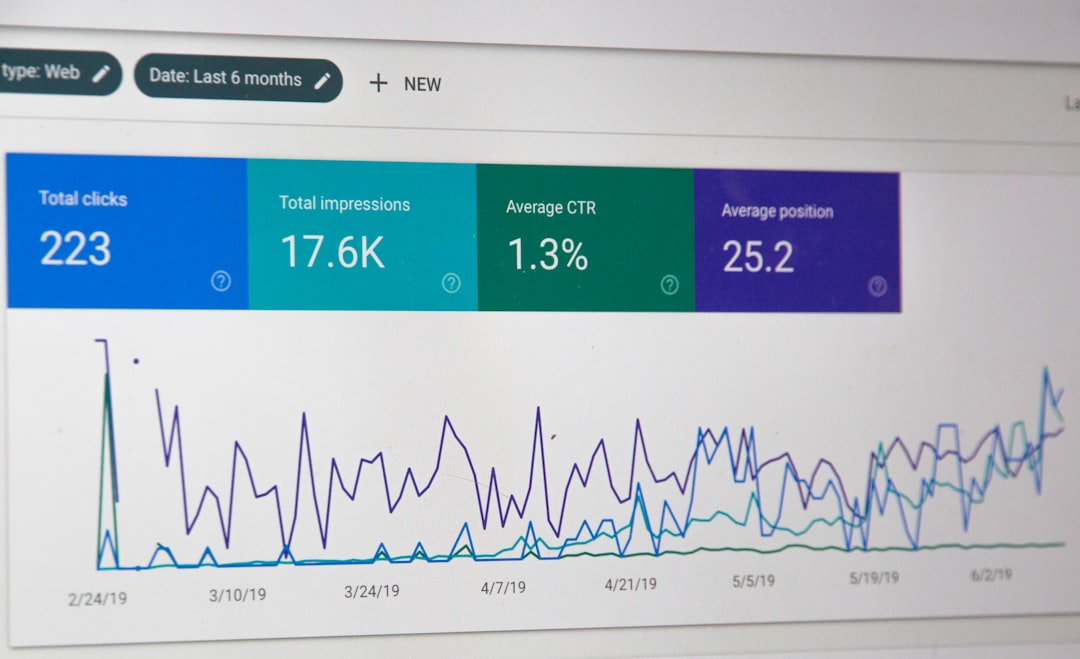
Twitch Analytics: best for official channel performance
Twitch Analytics works best when the creator needs platform-backed numbers. These are the metrics brands, managers, teams, and creators usually trust first.
- Average viewers: The clearest signal of channel size and stream consistency.
- Unique viewers: Useful for measuring reach beyond the regular crowd.
- Followers gained: A quick growth marker, though not always a sign of loyalty.
- Subscriptions: Core paid support data from Twitch.
- Revenue: Includes subs, ads, bits, and other Twitch-based income sources.
- Category performance: Helps compare games, talk segments, and special events.
- Traffic sources: Shows where viewers came from, when available.
This makes Twitch Analytics the better option for big-picture decisions. If a streamer wants to know whether a schedule change helped, Twitch is the place to check first. If Saturday streams average 58 viewers and Tuesday streams average 33, that is a clear signal.
The catch is that Twitch data can feel stiff. It tells the creator what happened, but not always why. A stream can have a strong average viewership number while chat feels dead. Or a stream can feel loud and fun while the viewer graph slowly sinks. That mismatch drives many creators toward a second tool.
StreamElements: best for stream activity and engagement context
StreamElements shines when performance depends on events inside the broadcast. It helps identify what viewers reacted to, clicked, triggered, purchased, or typed.
It is especially useful for creators who rely on:
- Tips and donations outside Twitch’s native monetization tools.
- Custom alerts for follows, subs, raids, cheers, and tips.
- Chatbot commands that show what viewers are using live.
- Loyalty points and redemption-style engagement systems.
- Merch or sponsorship campaigns connected to stream events.
- Overlay changes that may affect chat response or conversion.
For example, a creator may run two fundraising streams. Twitch Analytics might show that both streams averaged about 70 viewers. StreamElements might show that Stream A had $410 in tips from 22 viewers, while Stream B had $690 from 31 viewers after a new goal bar was added. That detail can guide the next event.
Honestly, it feels like Twitch makes creators work too hard to connect emotion, chat, and revenue. StreamElements fills part of that gap. It does not replace official Twitch data, but it makes the stream feel measurable.
Side-by-side comparison
| Tracking need | Better tool | Why it wins |
|---|---|---|
| Average viewers | Twitch Analytics | It uses Twitch’s official viewer data. |
| Subscriptions and ad revenue | Twitch Analytics | It tracks native Twitch monetization. |
| Tips and donation behavior | StreamElements | It connects directly to tip alerts and campaign tools. |
| Chat command usage | StreamElements | It tracks activity tied to its chatbot features. |
| Category testing | Twitch Analytics | It compares performance across games and content types. |
| Alert and overlay performance | StreamElements | It shows event activity linked to on-screen tools. |
Where Twitch Analytics is stronger
Twitch Analytics wins when accuracy and official reporting matter. A creator should not use StreamElements to judge total channel reach if Twitch itself has the source data. This is especially true for average viewers, ads, subs, and category-level performance.
It also works better for long-term trend checks. A creator can compare month-over-month growth and spot patterns. If average viewers rose from 24 in January to 39 in March, that matters. If follows rose but average viewers stayed flat, the channel may be attracting casual viewers who do not return.
Twitch also helps creators understand content fit. Some streamers discover that smaller categories bring fewer live views but stronger retention. A horror game might pull 25 average viewers, while a giant shooter pulls only 14 because the channel gets buried. That is the kind of decision Twitch Analytics supports well.
Where StreamElements is stronger
StreamElements wins when the creator wants to study what happens during the show. It is less about platform reporting and more about stream behavior.
A creator can compare alerts, chat commands, tip goals, and loyalty features. If a new follower alert increases chat reactions, that is useful. If a donation goal raises tip volume by 18%, that is even better. These details often explain why one stream felt alive and another felt flat.
StreamElements is also practical for sponsored streams. A creator can track campaign commands, merch pushes, and viewer actions tied to specific segments. If the sponsor link command gets used 112 times during a two-hour block, that gives the creator a cleaner recap than a vague “chat was active” note.
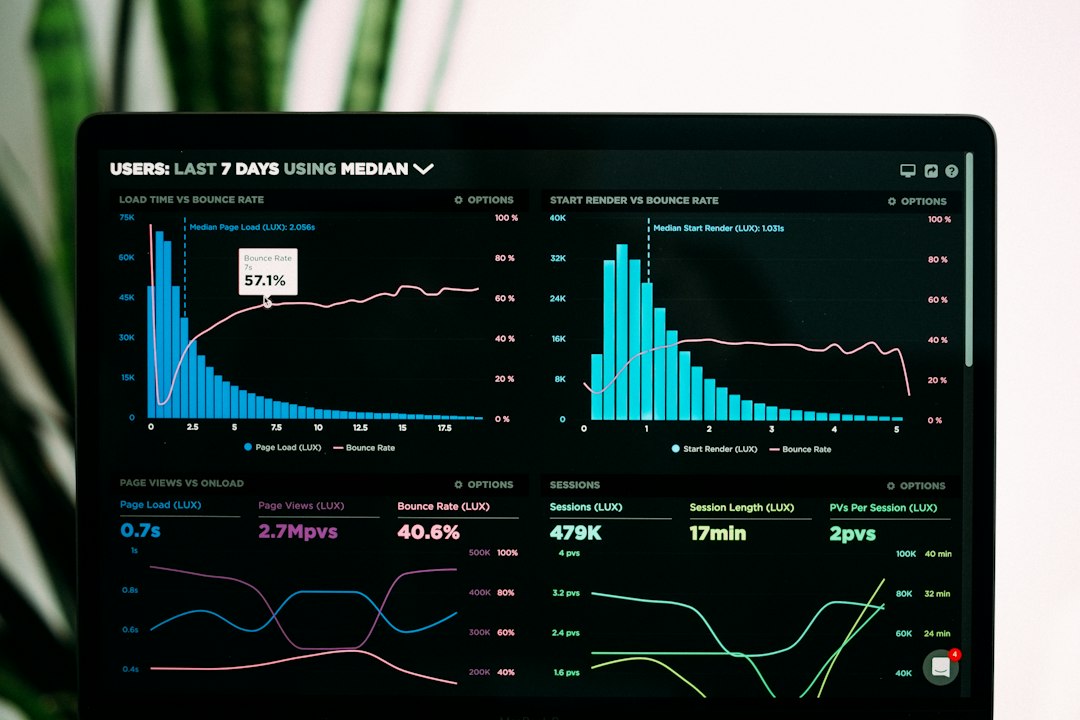
The best workflow for channel tracking
The smartest setup is simple. Twitch Analytics should be reviewed first. StreamElements should be checked second.
- Start with Twitch: Review average viewers, unique viewers, follows, subs, revenue, and categories.
- Check StreamElements: Review tips, alerts, commands, loyalty usage, and campaign results.
- Compare the timelines: Match viewer spikes or drops with stream events.
- Write one action item: Pick one thing to test next stream.
For instance, if a creator sees a viewer spike at 9:20 p.m., StreamElements can help check whether a raid, alert chain, giveaway, or goal update happened at that time. If nothing happened, the cause may be content-based. If a giveaway command fired 140 times, the answer is obvious.
Common mistakes creators make
Many creators track too many numbers and act on none of them. That wastes time. A small channel does not need a 30-column spreadsheet every night.
A cleaner weekly report can include:
- Average viewers
- Hours streamed
- Follows gained
- Subs and revenue
- Tips or campaign income
- Top category
- Best chat or alert moment
Another mistake is trusting vibes over data. A stream can feel successful because chat was loud, yet it may lose regular viewers. The opposite can happen too. A calmer stream may produce higher watch time and more paid support.
Which one should a creator choose?
If only one tool can be used, Twitch Analytics is the safer pick. It gives the official view of channel health. It is the better tool for growth tracking, sponsor screenshots, schedule testing, and category decisions.
StreamElements becomes essential when a creator depends on alerts, tips, commands, loyalty systems, or monetized stream events. It adds the missing detail around viewer behavior. Together, both tools help creators stop guessing and start testing.
FAQ
Is StreamElements more accurate than Twitch Analytics?
No. For official Twitch metrics such as average viewers, subs, ads, and platform revenue, Twitch Analytics is the more reliable source. StreamElements is better for data tied to its own tools.
Can StreamElements replace Twitch Analytics?
Not fully. It can support performance tracking, but it should not replace Twitch’s official channel data. The best setup uses both.
Which tool is better for sponsorship reports?
Twitch Analytics is better for audience size and reach. StreamElements is better for campaign actions, such as command usage, tip goals, alerts, and promo activity.
How often should a streamer check analytics?
A weekly review is enough for most creators. Daily checks can cause overreactions, especially after one strange stream.
What is the most useful metric for channel growth?
Average viewers is usually the strongest growth signal. Follower count matters, but returning viewers and stable watch numbers matter more.
Twitch Analytics: StreamElements vs Twitch Analytics for Channel Performance Tracking

Twitch Analytics: StreamElements vs Twitch Analytics for Channel Performance Tracking
Most Twitch creators should use Twitch Analytics as the main source of truth, then use StreamElements to explain what happened…