

Automate Instagram to save hours, not to fake being human. The best setup handles planning, scheduling, reporting, inbox routing, content reuse, and routine reminders while keeping real people in charge of comments, DMs, brand voice, and community trust.
TLDR: Instagram automation works best when it removes repetitive work without turning your account into a spam machine. For example, a local fitness studio posting 5 times per week could schedule a month of content in one afternoon, cut manual posting time by 70%, and use saved DM replies to answer class questions in under 30 seconds. Automate publishing, reports, hashtag research, approvals, and basic replies, but avoid sketchy bots that auto follow, auto comment, or mass like posts.
What Instagram Automation Actually Means
Instagram automation is the use of software, templates, workflows, and rules to reduce manual marketing tasks. It is not just “set it and forget it.” That approach usually creates dull posts, awkward replies, and angry followers.
Good automation supports your content system. It helps you:
- Schedule posts, Reels, Stories, and carousels in advance.
- Plan campaigns around launches, events, or seasonal offers.
- Reuse content from blogs, podcasts, emails, and customer reviews.
- Track analytics without building reports by hand.
- Answer common DMs faster with saved replies and routing.
- Manage approvals between creators, managers, and clients.
The goal is simple: spend less time clicking around and more time making content people care about.

Start With a Content System, Not a Tool
Tools cannot fix a messy strategy. Before picking software, build a basic posting system. Decide what you publish, how often you publish, and what each post is meant to do.
A strong Instagram plan usually includes four content types:
- Awareness content: Reels, memes, trends, and short tips that reach new people.
- Trust content: testimonials, case studies, behind the scenes posts, and founder stories.
- Education content: tutorials, FAQs, mistakes to avoid, and comparison posts.
- Conversion content: product demos, offers, launch reminders, and calls to action.
Once these buckets are clear, automation becomes easier. You can batch ideas, write captions, design posts, schedule everything, and review performance by category.
Automating Instagram Content Creation
Content automation does not mean publishing bland AI captions with stock phrases. It means speeding up the boring parts of production.
Useful content workflows include:
- Caption templates: Create formats for tips, stories, product posts, and offers.
- Content repurposing: Turn one long video into Reels, quote cards, carousels, and Story prompts.
- Design templates: Keep fonts, colors, spacing, and layouts consistent.
- Idea banks: Store hooks, questions, objections, and customer phrases.
- Approval checklists: Check spelling, links, tags, disclosures, and image quality before posting.
Honestly, it feels like half of Instagram marketing is hunting for that one caption draft someone “definitely saved somewhere.” A shared content board fixes that. Add labels such as idea, drafting, approved, scheduled, and posted. Suddenly, the whole team knows what is happening.
Scheduling Posts, Reels, and Stories
Scheduling is the safest and most useful form of Instagram automation. It keeps your account active when your team is busy, on vacation, or stuck in meetings.
A simple weekly schedule might look like this:
- Monday: Educational carousel.
- Tuesday: Short Reel answering a common question.
- Wednesday: Customer proof or behind the scenes Story.
- Thursday: Product tip or comparison post.
- Friday: Offer, reminder, or community prompt.
Batching makes this even better. Instead of opening Instagram five times per week, create ten to twenty posts in one session. Then schedule them for the next two to four weeks. This protects your time and keeps quality more consistent.
Still, do not schedule everything blindly. Leave room for news, trends, customer questions, and real-time moments. Instagram rewards fresh interaction, and followers can tell when an account feels too polished and empty.
Automating Engagement Without Acting Like a Bot
This is where many brands mess up. Engagement automation can help, but aggressive tools can damage your account and reputation.
Avoid tools that promise:
- Automatic follows and unfollows.
- Mass liking based on hashtags.
- Generic comments such as “Great post!” on hundreds of accounts.
- DM blasts to people who never asked for them.
These tricks may create short spikes, but they often attract low-quality followers. Worse, they can trigger platform limits or make your brand look desperate.
Better engagement automation includes:
- Saved replies for pricing, hours, shipping, bookings, and support questions.
- DM routing so sales questions go to sales and support issues go to support.
- Comment alerts for posts with high activity.
- Keyword triggers for opt-in workflows, such as sending a guide when someone comments “PLAN.”
- Social listening for brand mentions, tagged posts, and campaign hashtags.
The key is consent. If someone asks for a link, send it. If someone comments a trigger word, reply. If someone never interacted with you, do not shove a sales pitch into their inbox.
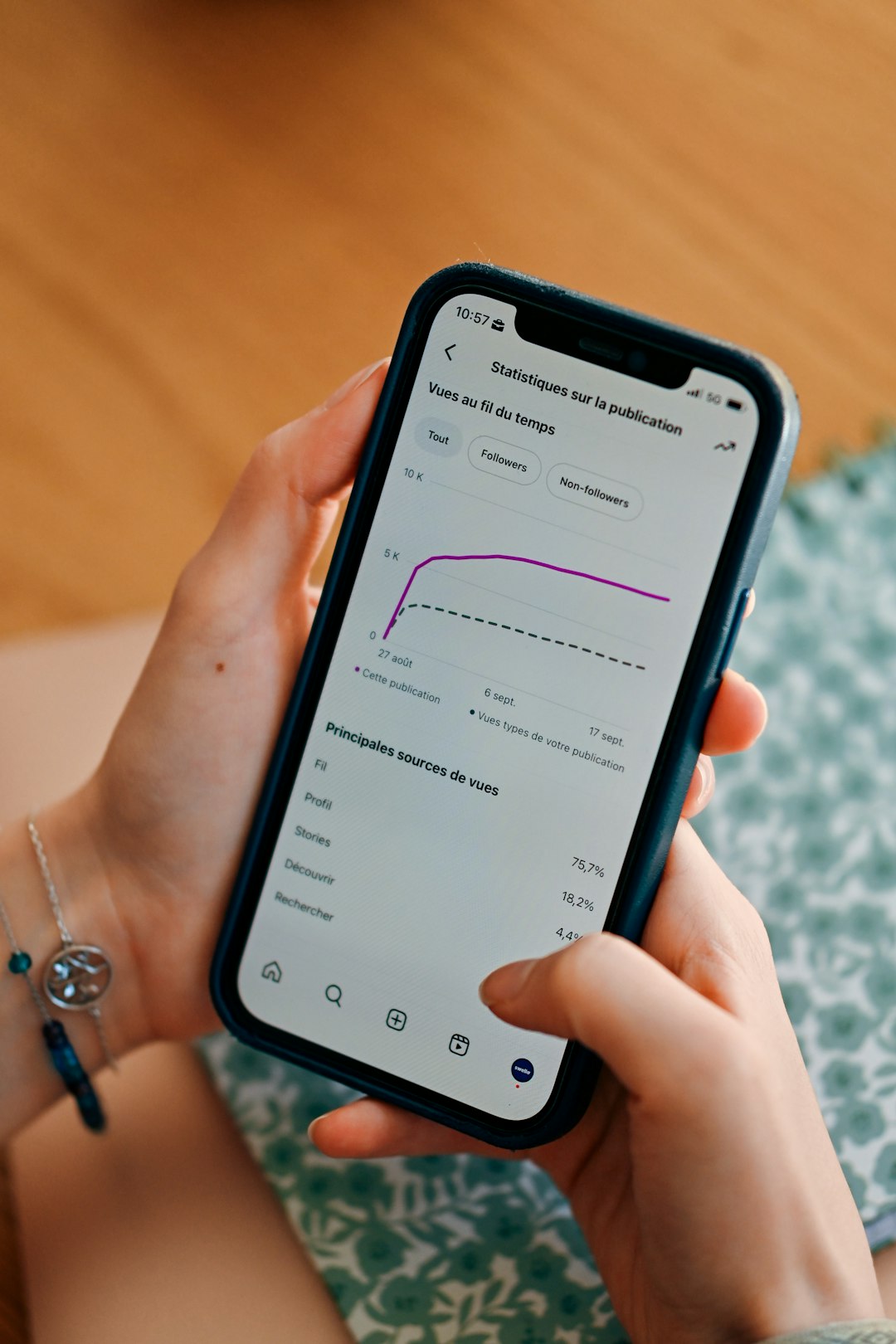
Automating Reports and Analytics
Manual reporting is painful. It drives me crazy that some teams still spend 45 minutes copying numbers into slides every Monday, only to ignore the results afterward.
Automated analytics can track:
- Reach: How many unique accounts saw your content.
- Engagement rate: Likes, comments, saves, and shares compared with reach or followers.
- Follower growth: Net new followers over time.
- Website clicks: Traffic from your bio link or Story links.
- Best posting times: When your audience is most active.
- Top formats: Reels, carousels, Stories, or single image posts.
Do not obsess over every metric. Saves, shares, profile visits, and clicks often matter more than likes. If a carousel gets 300 saves but only 80 likes, that is still a strong sign. People found it useful enough to keep.
Automating Repetitive Marketing Tasks
Instagram rarely works alone. It connects to email, ecommerce, customer support, paid ads, and CRM systems. Automation can move information between those places.
Common workflows include:
- Lead collection: Send Instagram leads into a CRM or email list.
- Campaign reminders: Create tasks for launch posts, Story stickers, and follow-up content.
- User generated content tracking: Save tagged posts for review and permission requests.
- Influencer tracking: Log creator posts, promo codes, deadlines, and results.
- Customer support handoff: Turn complex DMs into support tickets.
These small automations add up. If your team saves 20 minutes per day, that is more than 80 hours per year per person. For a three-person marketing team, that is six full workweeks returned.

How to Choose Instagram Automation Tools
Pick tools based on your workflow, not hype. A solo creator may only need a scheduler and analytics dashboard. A growing brand may need approvals, asset libraries, inbox management, and campaign tracking.
Check for these features:
- Official Instagram integration or clear platform compliance.
- Post previews for feed layout and caption cutoffs.
- Reels and Story support if those formats matter to you.
- Team roles for writers, designers, clients, and managers.
- Approval flows to prevent accidental posts.
- Useful reports that show trends, not just vanity numbers.
- Reliable notifications for failed posts or urgent messages.
Test the boring details before committing. Upload media. Add captions. Tag accounts. Schedule a Reel. Export a report. If one routine action takes 12 extra clicks, you will hate the tool by week three.
Best Practices for Safe Instagram Automation
Use automation like a smart assistant. Keep humans in charge of judgment, humor, tone, and sensitive replies.
- Review scheduled content weekly. A post can become awkward after breaking news or product changes.
- Personalize replies when needed. Saved replies are starting points, not final answers.
- Limit posting volume. More posts do not always mean better results.
- Track quality metrics. Watch saves, shares, replies, and clicks.
- Keep your brand voice clear. Automation should not make every caption sound the same.
- Respect Instagram rules. Avoid spam behavior and suspicious growth tools.
A Simple 7-Day Setup Plan
Day 1: Audit your last 30 posts. Find the top five by saves, shares, and reach.
Day 2: Create four content buckets and write ten ideas for each.
Day 3: Build caption and design templates.
Day 4: Choose a scheduler and connect your account.
Day 5: Batch two weeks of posts.
Day 6: Set up saved replies and comment alerts.
Day 7: Create a weekly analytics report and review routine.
Instagram automation should make your marketing calmer, faster, and easier to measure. Use it to remove repetitive work, protect your schedule, and respond quicker. Keep the human parts human. That is how automation helps growth without making your brand feel robotic.


Top 5 Apps Like Jakdojade for Public Transport and Route Planning
The best Jakdojade alternatives are Google Maps, Citymapper, Moovit, Transit, and HERE WeGo. They cover the main jobs most commuters…