


Modern web design often revolves around popular platforms and tools, yet some of the most innovative and efficient workflows emerge from lesser-known resources. While mainstream design software dominates tutorials and online discussions, there is immense value in discovering obscure tools that solve very specific problems or unlock creative potential in unexpected ways. Designers who broaden their toolkits often gain a competitive edge, improve performance, and streamline collaboration in surprising ways.
TLDR: Obscure web design tools can dramatically improve workflow, creativity, and performance when used strategically. This guide walks through identifying, evaluating, and implementing lesser-known utilities in planning, design, testing, and deployment. Step-by-step instructions make integration practical even for beginners. With the right approach, hidden gems can become essential assets in modern web projects.
Step 1: Identifying the Right Obscure Tools
The first step is recognizing that “obscure” does not mean unreliable or unproven. Often, these tools are created by niche communities or independent developers and serve very specific functions exceptionally well.
Designers should begin by:
- Exploring design forums such as indie developer communities.
- Monitoring GitHub trending sections for new web utilities.
- Reading technical blogs that experiment with unconventional workflows.
- Testing curated tool directories that focus on alternatives.
During evaluation, priorities should include:
- Lightweight performance
- Active development or documentation
- Integration compatibility
- Clear use case advantages
Examples of obscure but powerful categories include micro CSS generators, browser-based grid visualizers, typography tuning tools, and API-driven mock data creators.
Step 2: Planning with Minimalist Wireframing Tools
Before jumping into high-fidelity mockups, web designers can leverage simple yet overlooked planning applications. Some obscure wireframing tools focus purely on structure rather than visual polish. These tools reduce distraction and encourage clarity.
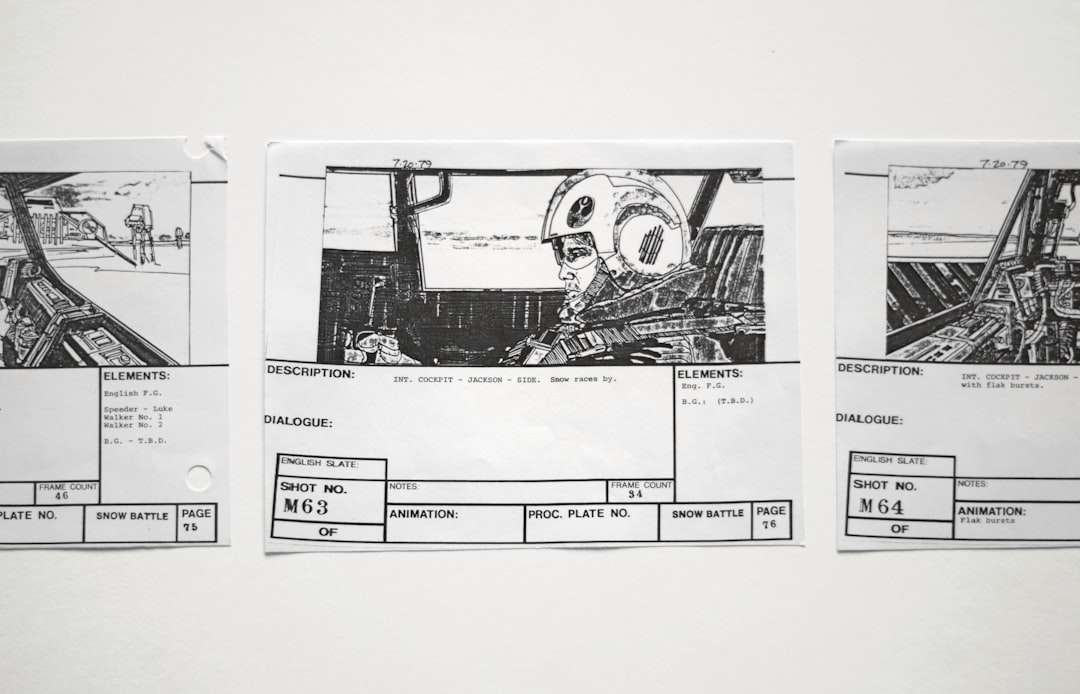
A step-by-step implementation might look like:
- Create a new structural outline using grid-only modes.
- Define content blocks without styling.
- Export in lightweight SVG or JSON format for portability.
- Share with stakeholders for structural feedback.
This approach ensures that usability is prioritized before aesthetics. Many designers find that obscure structure-first platforms eliminate unnecessary complexity while speeding up revisions.
Step 3: Using Micro CSS Generators for Precision Styling
Rather than relying exclusively on massive CSS frameworks, designers can experiment with micro CSS generators. These tools generate minimal, project-specific stylesheets instead of bloated libraries.
The process typically involves:
- Inputting component requirements such as buttons, cards, grids.
- Selecting only required utilities instead of full frameworks.
- Generating compressed CSS output.
- Integrating the file directly into the project.
Benefits include:
- Smaller file sizes
- Improved loading speeds
- Greater control over customization
- Reduced unused classes
Because these generators are often community-built, designers should test compatibility across multiple browsers before final deployment.
Step 4: Enhancing Typography with Specialized Tools
Typography can define a website’s personality. While popular font libraries dominate the industry, obscure typography tuning tools offer advanced customization features that many designers overlook.
These tools may allow:
- Dynamic kerning adjustments
- Optical font scaling
- Baseline grid overlays
- Variable font experimentation

To implement one effectively:
- Select a base web font.
- Adjust spacing, weight, and rendering visually.
- Export CSS or font configuration settings.
- Test across devices for legibility.
This meticulous approach to typography often results in more polished, professional designs that subtly elevate user experience.
Step 5: Generating Realistic Mock Data with API Utilities
During development, placeholder content can disrupt realistic UI evaluation. Obscure mock data generators provide structured, API-based fake data that mimics real-world use cases.
Instead of static “Lorem Ipsum,” designers and developers can:
- Create user profiles with images
- Simulate payment transactions
- Generate product catalogs
- Populate dashboards with dynamic statistics
Step-by-step integration:
- Register for API access from the selected mock data tool.
- Define JSON structures that resemble the final database.
- Connect via fetch or Axios in the project.
- Render sample content dynamically.
This enables more realistic testing scenarios and improves communication between designers and developers.
Step 6: Visual Debugging with Overlay and Grid Tools
Design inconsistencies often arise from spacing irregularities or grid misalignment. Lesser-known browser extensions specialize in real-time layout diagnostics.
To use effectively:
- Install the debugging extension.
- Activate grid overlays on the live webpage.
- Measure margins and padding visually.
- Adjust CSS in real time.
Such tools eliminate guesswork and reduce time spent manually inspecting elements through developer consoles.
Step 7: Deploying with Lightweight Automation Scripts
Many designers rely solely on popular CI/CD platforms, but obscure automation scripts can simplify smaller project deployments.
Examples include:
- Minimal command-line FTP deployers
- Static site micro-builders
- Single-command compression optimizers
A workflow might involve:
- Configuring build settings locally.
- Setting asset minification rules.
- Running a single deployment command.
- Automatically clearing cache and refreshing CDN.
For freelancers and small teams, these tools remove the overhead of complex configurations while maintaining professional results.
Step 8: Maintaining Documentation with Visual Mapping Tools
Documentation is often overlooked in web design projects. Some obscure visual mapping tools create interactive documentation directly from live components.
These tools allow teams to:
- Map design systems visually
- Track reusable UI components
- Document responsive states
- Store behavior rules
By integrating documentation into the workflow, maintenance becomes significantly easier over time.
Best Practices for Integrating Obscure Tools
Using lesser-known tools effectively requires strategic discipline.
- Test before committing to long-term usage.
- Avoid tool overload by selecting only those that solve real problems.
- Keep fallback options ready in case development stops.
- Document workflows clearly for collaborators.
When integrated thoughtfully, obscure tools complement mainstream platforms rather than replacing them entirely.
Final Thoughts
Innovation in web design often stems from exploration. Obscure tools are not gimmicks; they are frequently specialized instruments crafted for precision and creativity. By systematically identifying, testing, and integrating these resources into planning, styling, testing, and deployment phases, designers expand their capabilities beyond conventional boundaries.
The most effective web professionals cultivate curiosity. They recognize that mastery arises not only from knowing popular tools, but also from discovering hidden gems that refine their craft.
FAQ
-
1. Are obscure web design tools safe to use?
Most are safe if downloaded from reputable sources. Designers should review documentation, check community feedback, and scan repositories for activity before implementation. -
2. How can a designer know if an obscure tool is reliable?
Reliability can be evaluated through update frequency, community engagement, open-source transparency, and compatibility testing. -
3. Should obscure tools replace mainstream platforms?
Not necessarily. They work best as complementary enhancements that solve specific problems rather than full replacements. -
4. Do obscure tools require advanced technical skills?
Some do, but many are built with simplicity in mind. Reviewing documentation and experimenting in small test projects can ease adoption. -
5. What is the biggest advantage of using obscure tools?
The primary advantage is specialization. These tools often provide targeted functionality that improves efficiency, reduces bloat, and enhances creative freedom.

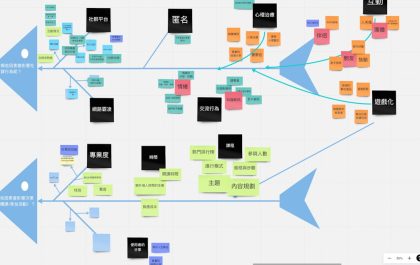
5 Mind Mapping Tools Like XMind That Help You Organize Ideas Visually
Mind mapping has become one of the most powerful ways to untangle complex ideas, plan projects, and spark creativity. While…