
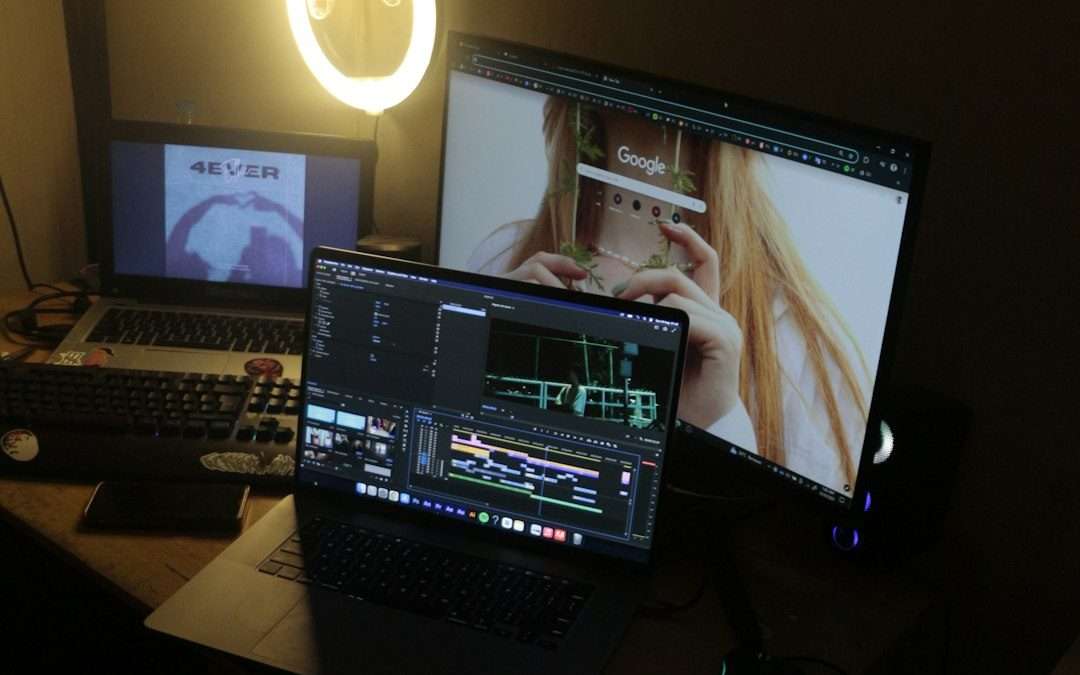

The best DroidCam alternative for most people is Camo, because it is clean, sharp, and does not make setup feel like a tiny punishment. Phone webcams matter because video calls are not going away. Zoom reported reaching 300 million daily meeting participants in 2020 [source: Zoom]. So yes, your blurry laptop webcam deserves a break.
TLDR: If you want the easiest upgrade, try Camo. If you want something free and simple, try Iriun Webcam or VDO.Ninja. For example, a cheap 1080p phone camera can often look better than a built-in 720p laptop camera, especially in a small work call or Twitch stream. If you stream twice a week, saving even 10 minutes per setup adds up fast.
Why use your phone as a webcam?
Your phone already has a great camera. Your laptop may not. That is the whole story.
A phone webcam can help with:
- Video meetings on Zoom, Teams, Google Meet, or Skype.
- Live streaming on Twitch, YouTube, or Facebook.
- Online classes and coaching calls.
- Podcast recording with video.
- Product demos from a desk or tripod.
It drives me crazy that many apps still need odd drivers, restarts, or mystery Wi Fi fixes. So the best pick depends on how much fuss you can handle.
1. Camo
Camo is the polished option. It works with iPhone and Android. It also supports Windows and Mac.
The app gives you bright controls. You can adjust zoom, crop, focus, color, and background blur. It feels more like a real camera tool than a phone trick.
Best for: work calls, creators, and anyone who wants a clean picture fast.
Annoyance: Some of the best tools sit behind the paid plan. Still, the free version is good enough for basic calls.
2. Iriun Webcam
Iriun Webcam is simple. Install the app on your phone. Install the client on your computer. Open both. Done.
It works over Wi Fi and USB. It supports up to 4K if your phone and system can handle it. That is a lot for a free tool.
Best for: people who want a quick DroidCam swap with little learning.
Annoyance: The design is plain. Not ugly. Just very “made by an engineer at 1 a.m.”
3. EpocCam
EpocCam is made by Elgato. That name matters if you stream. Elgato also makes popular creator gear, so this app fits nicely into a streaming setup.
It works with many video apps. It also plays nicely with OBS and other creator tools. You can use Wi Fi or USB.
Best for: streamers who already use Elgato products.
Annoyance: The free version has limits. Expect to pay if you want cleaner output and more control.
4. iVCam
iVCam is feature packed. It works with iPhone, Android, and Windows. It can handle high quality video, mic audio, and even multiple phones.
This is useful if you want a face cam and a second angle. For example, one camera can show your face. Another can show your desk, art, food, or gadget.
Best for: teachers, sellers, and streamers who need more than one view.
Annoyance: The interface can feel crowded. You may click around for a few minutes before things make sense.
5. VDO.Ninja
VDO.Ninja is the odd one. In a good way. It runs in your browser. You do not need a normal webcam driver.
You open a link on your phone. Then you add that video feed to OBS or share it in a call. It is popular with remote creators.
Best for: OBS users, remote guests, and people who hate installing extra software.
Annoyance: It can feel strange the first time. Links, rooms, browser permissions, audio choices. Expect to waste five minutes reading buttons.
6. NDI HX Camera
NDI HX Camera turns your phone into a network video source. That sounds fancy. It is. But it can be very powerful.
NDI is common in video production. Many streaming tools support it. OBS can use NDI with a plugin, and pro setups use it often.
Best for: advanced streamers, churches, events, and small studios.
Annoyance: This is not the friendliest app for total beginners. If you just want a quick Zoom camera, use Camo or Iriun instead.
7. Continuity Camera
Continuity Camera is great if you use an iPhone and a Mac. Apple built it into newer macOS versions, and it can use your iPhone as a webcam without extra apps [source: Apple].
The quality is strong. Setup is smooth when everything is updated. You can also use Center Stage, Portrait mode, and Desk View on supported devices.
Best for: Mac users who want the cleanest setup.
Annoyance: It only helps if you live in Apple’s world. Android and Windows users are out.
Quick picks by use case
- Best overall: Camo
- Best free feel: Iriun Webcam
- Best for OBS: VDO.Ninja
- Best for Elgato fans: EpocCam
- Best for multi camera setups: iVCam
- Best for advanced video rooms: NDI HX Camera
- Best for Mac and iPhone: Continuity Camera
Tips for better results
- Use USB if you can. It is usually steadier than Wi Fi.
- Put the phone at eye level. Nobody needs the chin cam.
- Face a window or soft lamp. Light beats camera specs.
- Use a tripod. A coffee mug stack is risky and sad.
- Check audio too. Your phone camera may be great, but your room may echo.
If DroidCam works for you, keep it. No need to change. But if it drops connection, looks soft, or makes every call start with panic clicks, try one of these instead. Most people should start with Camo or Iriun Webcam. Streamers should test VDO.Ninja or EpocCam. Mac users with iPhones should use Continuity Camera first, because it is already sitting there waiting.
7 DroidCam Alternatives for Using Your Phone as a Webcam, Video Conferencing, and Live Streaming

7 DroidCam Alternatives for Using Your Phone as a Webcam, Video Conferencing, and Live Streaming
The best DroidCam alternative for most people is Camo, because it is clean, sharp, and does not make setup feel…