
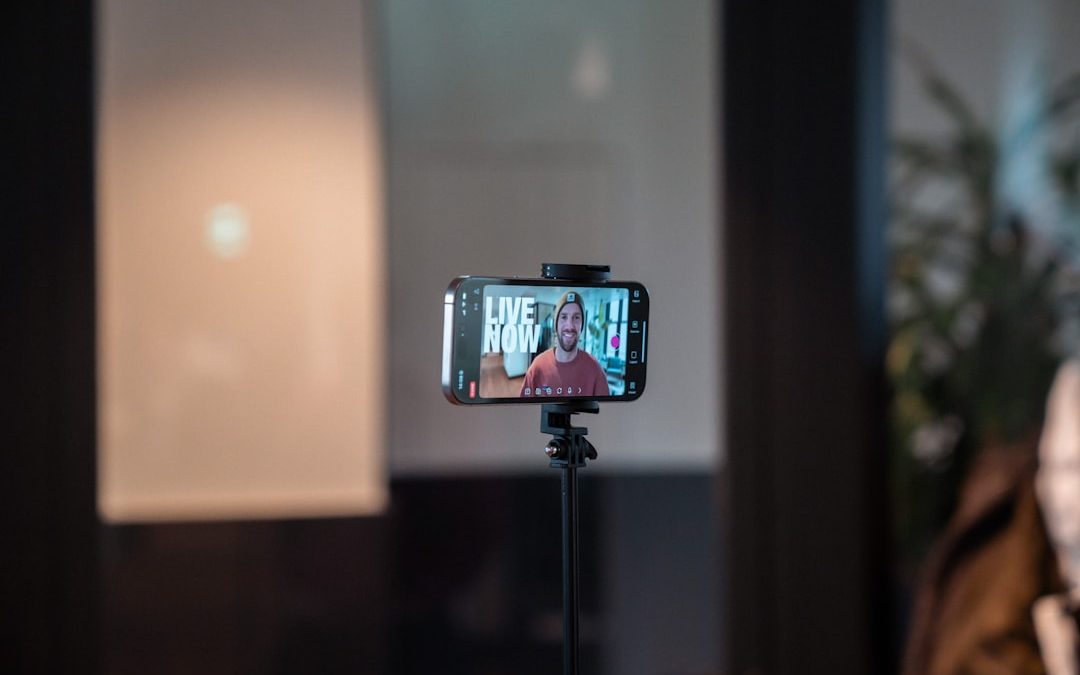

Creating professional-looking videos has become easier than ever thanks to AI-powered teleprompter apps. These tools help content creators, marketers, educators, and business professionals deliver polished scripts while maintaining eye contact and a natural flow. Among the many options available today, Bigvu stands out for its blend of teleprompter functionality, AI editing, and branding tools. But how does it compare to other leading AI teleprompter apps? This detailed comparison explores three major Bigvu comparisons to help users determine which platform best suits their needs.
TL;DR: Bigvu is a feature-rich AI teleprompter app that combines script scrolling, automatic captions, branding tools, and basic video editing in one platform. Compared to alternatives like PromptSmart Pro, Teleprompter Premium, and CapCut Teleprompter, Bigvu offers stronger branding and caption automation but may have a steeper learning curve for beginners. PromptSmart excels in voice-tracking accuracy, while simpler teleprompter apps may appeal to users who only need basic script scrolling. The right choice depends on whether the priority is automation, branding, or affordability.
1. Bigvu vs. PromptSmart Pro: AI Voice Tracking and Script Control
One of Bigvu’s strongest competitors is PromptSmart Pro, an app widely praised for its voice-tracking teleprompter technology. Both platforms use AI to enhance the delivery experience, but they differ in key ways.

Bigvu’s Strengths
- AI Script Assistant: Helps generate and refine scripts for marketing and social content.
- Automatic Captions: Adds subtitles in multiple styles and languages.
- Branding Tools: Allows custom logos, brand colors, and lower-thirds.
- Social Media Optimization: Designed for creators publishing to TikTok, Instagram, and YouTube.
Bigvu goes beyond simple script scrolling. Its integrated editing tools allow users to trim videos, add headlines, and embed captions without switching apps. This all-in-one approach appeals particularly to social media creators and entrepreneurs.
PromptSmart Pro’s Strengths
- Advanced Voice Tracking: Script scrolls in real time as the speaker talks.
- Accuracy: Excellent at picking up natural pauses and ad-libs.
- Offline Capability: Can operate without an internet connection.
PromptSmart Pro shines in live speaking environments, such as conferences or church presentations. Its voice tracking is often regarded as more precise than many competitors. However, it lacks Bigvu’s built-in branding and editing suite.
Verdict: If script-following precision is the highest priority, PromptSmart Pro may have the edge. If users prefer an integrated workflow from scripting to publishing, Bigvu offers more comprehensive functionality.
2. Bigvu vs. Teleprompter Premium: Simplicity vs. All-in-One Production
Teleprompter Premium (often found under names like Teleprompter for Video) represents the simpler end of the teleprompter market. It focuses primarily on clean script scrolling without extensive editing features.

Ease of Use
Teleprompter Premium is designed for quick setup:
- Paste or type script
- Adjust scroll speed
- Start recording
There are minimal additional settings to manage. For beginners or occasional users, this simplicity can be an advantage.
Bigvu, in contrast, includes:
- Script writing assistant
- Caption customization
- Automatic background removal
- Video trimming and formatting tools
Although these features make Bigvu more powerful, they may require a slightly longer onboarding process.
Editing and Branding
Teleprompter Premium typically lacks:
- Advanced branding overlays
- In-app caption animation
- AI-based script suggestions
Bigvu’s advantage lies in helping professionals maintain brand consistency. Real estate agents, coaches, and marketers can integrate logos and custom colors directly into their videos.
Verdict: Users seeking a lightweight, budget-friendly teleprompter may gravitate toward Teleprompter Premium. Those wanting production and branding tools in one platform will likely prefer Bigvu.
3. Bigvu vs. CapCut Teleprompter: Social Media Optimization
CapCut, known for its robust mobile video editing, has integrated teleprompter functionality into its ecosystem. For creators already using CapCut, this inclusion may feel convenient.

CapCut’s Advantages
- Powerful Editing Timeline: Advanced transitions and effects.
- Free Features: Many tools available without subscription.
- Direct TikTok Integration: Seamless export.
However, CapCut’s teleprompter tool is not its primary feature. It works best as a supplementary function within a broader editing platform.
Bigvu’s Advantages
- Dedicated Teleprompter Design: Built specifically for script delivery.
- Automatic Caption Styling: No need for separate editing phase.
- Script-to-Video Workflow: Focused on speaking directly to camera.
Creators whose workflow centers on talking-head videos may find Bigvu more streamlined. CapCut may be more suitable for creators who rely heavily on layered editing, effects, and visual storytelling.
Verdict: For quick, professional talking-head content, Bigvu offers greater convenience. For heavy post-production editing, CapCut remains highly competitive.
Comparison Chart
| Feature | Bigvu | PromptSmart Pro | Teleprompter Premium | CapCut Teleprompter |
|---|---|---|---|---|
| AI Script Assistance | Yes | No | No | Limited |
| Voice Tracking | Basic | Advanced | No | Limited |
| Automatic Captions | Yes | No | Basic | Yes |
| Branding Tools | Strong | Minimal | Minimal | Moderate |
| Advanced Editing | Moderate | Low | Low | High |
| Best For | Content creators and marketers | Public speakers | Beginners | Social media editors |
Pricing Considerations
Pricing structures vary among these platforms:
- Bigvu: Subscription-based with free trial options; higher tiers unlock branding and AI tools.
- PromptSmart Pro: One-time purchase or subscription depending on version.
- Teleprompter Premium: Generally lower-cost subscription.
- CapCut: Generous free version with optional Pro upgrade.
Budget-conscious users might find CapCut appealing initially, while professionals may see greater long-term value in Bigvu’s branding and automation features.
Who Should Choose Bigvu?
Bigvu is particularly well-suited for:
- Entrepreneurs building a personal brand
- Real estate agents creating listing videos
- Coaches and course creators
- Small marketing teams producing social content regularly
Its combination of teleprompter, caption generator, and branding toolkit creates a streamlined production environment. Instead of juggling multiple apps, users can script, record, edit, and publish within one ecosystem.
Final Thoughts
In the competitive world of AI teleprompter apps, Bigvu holds its ground by offering a comprehensive solution tailored to modern content creators. While competitors may outperform it in specific niches—such as PromptSmart’s voice tracking or CapCut’s editing depth—Bigvu’s advantage lies in its balanced, all-in-one design.
The choice ultimately depends on what matters most: precision speech tracking, simplicity, advanced editing, or integrated branding. By understanding these three major comparisons, users can make a more informed decision aligned with their workflow and content goals.
Frequently Asked Questions (FAQ)
1. Is Bigvu suitable for beginners?
Yes, although it has many advanced features, beginners can start with its core teleprompter function and gradually explore branding and editing tools.
2. Does Bigvu work offline?
Some features may require an internet connection, particularly AI-based tools like automatic captions and script generation.
3. Which app has the best voice tracking?
PromptSmart Pro is widely regarded as having the most accurate voice-tracking teleprompter technology.
4. Is Bigvu better than CapCut for TikTok videos?
Bigvu is better for scripted talking-head content with captions and branding, while CapCut excels at heavily edited, effect-driven videos.
5. Can Bigvu replace a full video editing app?
It can handle basic to moderate editing tasks, but users requiring cinematic or highly complex edits may still prefer a dedicated editing platform like CapCut.
6. Are there free versions available?
Most of these apps, including Bigvu and CapCut, offer free versions or trials with limited features.



What Is the 9:16 Aspect Ratio? Best Video Dimensions for TikTok and Reels
The best video size for TikTok and Instagram Reels is 1080 × 1920 pixels, using a 9:16 vertical aspect ratio….