


Build your PPC landing page around the searcher’s exact goal, not around everything your company does. If someone clicks an ad for “emergency plumber near me,” they should not land on a general home services page. They need proof you handle emergencies, a phone number, service area details, and a clear next step. Every second spent hunting for that information raises the chance of a wasted click.
TLDR: A strong PPC landing page repeats the search intent, matches the ad message, removes distractions, and pushes one clear conversion action. For example, a software company running ads for “HR onboarding software demo” may see better results from a demo-focused page than a generic product page. If 1,000 visitors arrive and the conversion rate rises from 3% to 6%, that is 30 extra leads from the same ad spend. Small relevance fixes can have a very real impact.
What Is a PPC Landing Page?
A pay per click landing page is the page users see after clicking a paid search ad. Its job is simple: turn paid traffic into leads, sales, calls, bookings, trials, or another measured action.
Unlike a homepage, a PPC landing page should not try to serve every visitor. It should serve one type of visitor with one clear need. That means the headline, offer, copy, visuals, proof, and call to action should all match the keyword and ad that brought the person there.
This sounds obvious. Yet plenty of advertisers still send expensive traffic to broad pages with vague headlines and five competing buttons. Honestly, it feels like paying for a taxi and then dropping the customer three blocks from the store.

Start With Search Intent
Search intent is the reason behind the query. Before writing a headline or choosing a template, ask: What does this person want right now?
Most PPC keywords fall into a few intent groups:
- Transactional intent: The user is ready to buy, book, call, or request pricing. Example: “buy ergonomic office chair.”
- Comparison intent: The user is choosing between options. Example: “best CRM for small business.”
- Problem solving intent: The user has a pain point and wants a fix. Example: “how to reduce payroll errors.”
- Local intent: The user wants a nearby provider. Example: “dentist open Saturday Chicago.”
Each intent needs a different page. A transactional visitor needs pricing, availability, trust signals, and a strong call to action. A comparison visitor needs feature tables, pros and cons, reviews, and clear differentiation. A local visitor needs the service area, opening hours, maps, phone number, and proof of local credibility.
Match the Ad Message Exactly
Your landing page must continue the conversation started by the ad. If the ad says “Get a Free Roof Inspection,” the landing page headline should say the same thing or something very close, such as “Book Your Free Roof Inspection Today.”
This is called message match. It reassures visitors they are in the right place. It also improves perceived relevance, which can help user behavior metrics and ad performance over time.
Avoid clever headlines that blur the promise. Paid search is not the place to be cute at the expense of clarity. A user who searched “tax accountant for freelancers” should see those words reflected quickly. If they see “Smarter Financial Confidence Starts Here,” they may bounce before reading more.
Give Each Campaign Its Own Page
One landing page rarely fits every keyword group. You do not need hundreds of pages, but you do need segmentation.
For example, an accounting firm might create separate PPC landing pages for:
- Small business bookkeeping
- Freelancer tax preparation
- Payroll services
- IRS tax help
Each page can speak to a different problem. Each can use a different headline, proof point, FAQ section, and call to action. This makes the page feel specific instead of generic.
The catch is that many page builders make cloning and editing pages slower than it should be. If changing a headline, form, and tracking tag takes 20 minutes every time, teams postpone updates. That delay costs money. Build a repeatable landing page framework so edits are quick and clean.
Write a Headline That Confirms the Click
Your headline is the first checkpoint. It should answer three questions fast:
- Am I in the right place?
- Can this solve my problem?
- What should I do next?
Good PPC headlines are plain, specific, and tied to intent. Try formulas like:
- “Get [Service] in [Location]”
- “Book a Free [Offer] for [Audience]”
- “Compare [Product Type] Plans in Minutes”
- “Fix [Problem] With [Solution]”
Then support the headline with a short subheading. Do not cram every benefit into the top section. Put the best reason to stay, then move the visitor toward action.
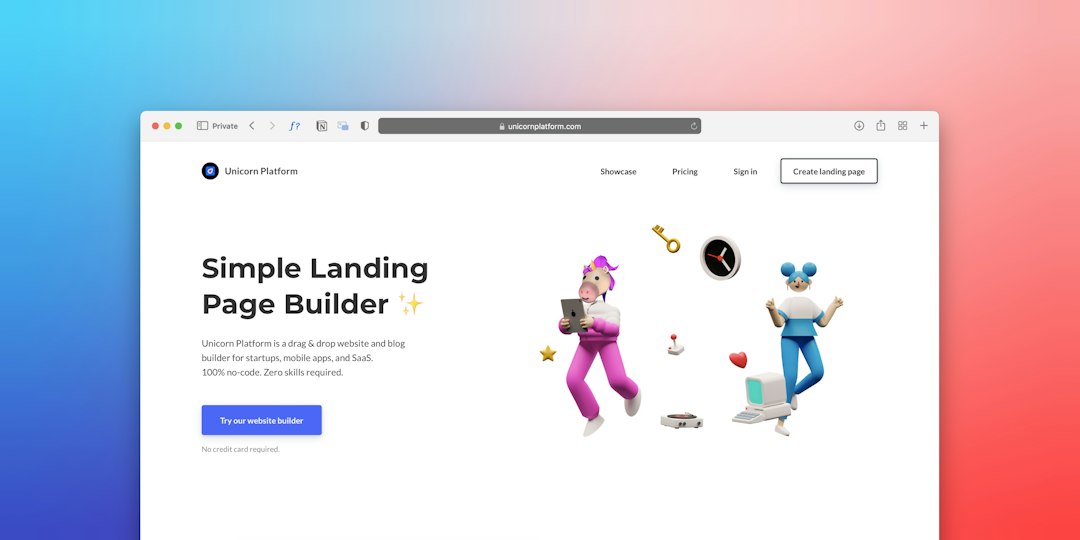
Use One Primary Call to Action
A PPC landing page should have one main goal. That goal might be a form submission, phone call, checkout, demo booking, quote request, or trial signup.
Do not give equal weight to too many actions. “Call us,” “Download the guide,” “Read our blog,” “View all services,” and “Follow us” create noise. If the campaign goal is quote requests, make “Get My Quote” the clear action.
You can repeat the same call to action throughout the page. Place it near the top, after key benefits, near social proof, and at the end. Repetition is helpful when it supports one goal.
Improve Relevance With Specific Proof
Trust matters more when the click costs money. Visitors are skeptical. They have seen too many vague promises.
Add proof that matches their concern:
- Reviews: Use ratings, names, industries, or locations when possible.
- Case results: Show numbers, such as “reduced booking admin time by 42%.”
- Logos: Add recognizable client or partner logos if you have permission.
- Certifications: Include licenses, guarantees, awards, or accreditations.
- Process steps: Explain what happens after they submit the form.
Specific proof beats generic praise. “Trusted by 2,400 local homeowners” is stronger than “We care about quality.” A testimonial from a restaurant owner works better on a restaurant POS page than a random quote from an unrelated customer.
Keep Forms Short, But Useful
Forms can help or hurt conversion rates. A long form may qualify leads better, but it can also scare away good prospects. A short form usually gets more submissions, but sales teams may receive weaker leads.
Match the form to the value of the offer. A newsletter signup needs only an email address. A custom quote may need name, phone, location, budget, and project details. A demo request might need company size and role.
If you need more information, use multi-step forms. They often feel easier because users answer one small group of questions at a time. Just make the progress clear.
Speed Is Part of Relevance
A slow PPC landing page wastes budget. Users do not care how beautiful the page is if it takes too long to load.
Compress images. Remove bloated scripts. Limit third-party widgets. Test the page on mobile data, not just office Wi-Fi. If load time moves from 5 seconds to 2 seconds, the user experience changes immediately.
Mobile speed deserves extra care. Many PPC clicks come from phones. Buttons need to be thumb-friendly. Forms need large fields. Phone numbers should be clickable. If a visitor has to pinch, zoom, and fight the page, expect them to leave.
Image not found in postmetaAlign Quality Score Signals
Search platforms reward useful, relevant experiences. While the exact scoring systems vary, your page should clearly relate to the keyword and ad.
Focus on these basics:
- Use the keyword theme naturally in the headline and body copy.
- Keep the offer consistent from ad to page.
- Make the content helpful, not thin.
- Improve load speed and mobile usability.
- Reduce bounce risk with a clear first screen.
Do not stuff keywords. It reads badly and can reduce trust. Relevance comes from alignment, not repetition alone.
Test One Change at a Time
Optimization works best when you can tell what caused the lift. Test one major element at a time, such as the headline, call to action, hero image, form length, offer, or proof section.
Track conversion rate, cost per conversion, bounce rate, scroll depth, form starts, form completions, and call clicks. If 500 visitors see version A and 500 see version B, and version B produces 18% more qualified leads, you have a useful signal. Keep testing from there.
A Simple PPC Landing Page Structure
- Hero section: Intent-matched headline, short benefit, primary CTA.
- Problem section: Show that you understand the visitor’s need.
- Solution section: Explain the offer and why it fits.
- Proof section: Reviews, results, logos, ratings, or guarantees.
- Details section: Pricing notes, features, service areas, or process steps.
- FAQ section: Remove common objections.
- Final CTA: Repeat the main action with confidence.
A PPC landing page does not need to be fancy. It needs to be clear, fast, specific, and easy to act on. Match the search intent. Mirror the ad. Prove the promise. Ask for one action. That is how paid clicks turn into measurable growth instead of another line item in the budget.


ProxyCroxy Review: Features and How It Works
ProxyCroxy is best viewed as a quick browser based proxy for opening blocked websites, checking region restricted pages, or browsing…