
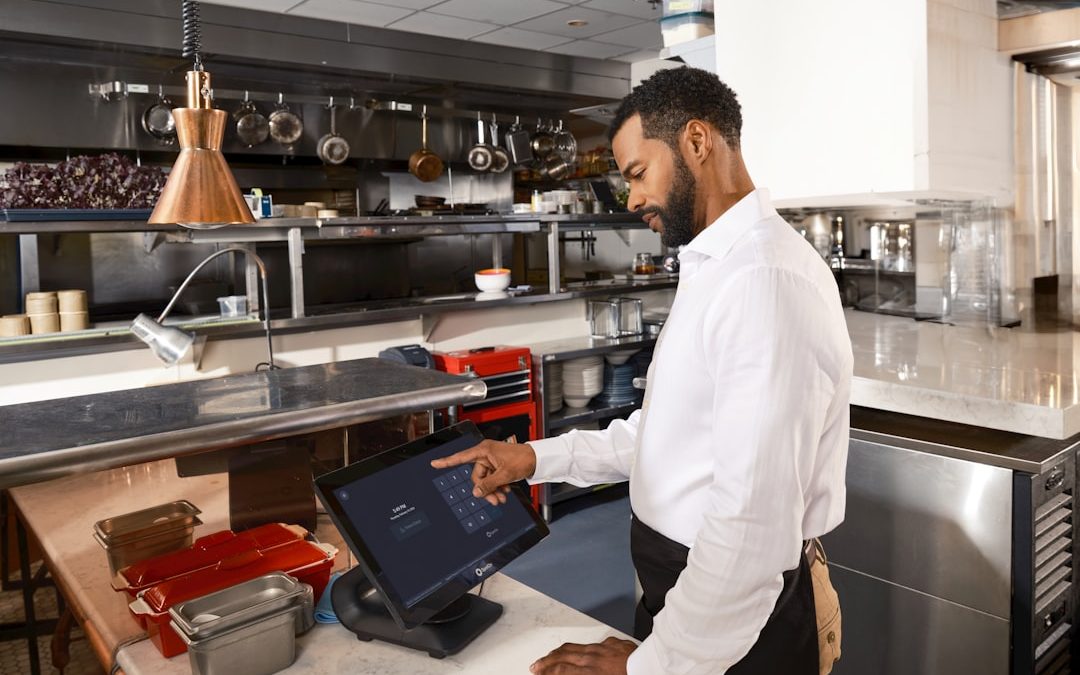

Growing a restaurant is exciting. It is also a little wild. One minute you are plating pasta. The next minute you are chasing receipts, checking stock, fixing schedules, and wondering why table seven is still waiting for fries. A good POS system can help. It can be the calm captain of your busy restaurant ship.
TLDR: Choose a POS system that does more than take payments. Look for tools that help with orders, inventory, staff, reports, online sales, and customer loyalty. Pick one that is easy to use, fits your budget, and can grow with your restaurant. The right POS saves time, reduces mistakes, and helps you serve more happy guests.
What Is a POS System?
A POS system is your point of sale system. It is where customers pay. But today, it is much more than a cash register with a fancy screen.
A modern restaurant POS can handle:
- Table orders
- Takeout orders
- Delivery orders
- Card and mobile payments
- Kitchen tickets
- Inventory tracking
- Staff clock ins
- Sales reports
- Customer rewards
Think of it as the brain of your restaurant. The chef is the heart. The staff is the muscle. The POS is the brain with a touchscreen.

Why Your POS Matters for Growth
You may have started small. Maybe it was one food truck. Maybe it was a cute cafe with six tables. Maybe it was a pizza shop with a dream and a very hot oven.
But growth changes everything.
More guests means more orders. More orders means more chances for mistakes. More staff means more schedules. More menu items means more inventory. More locations means more reports.
A weak POS may work when you are tiny. But it can slow you down when things get busy. That is like wearing flip flops to run a marathon. Bold choice. Bad plan.
The right POS helps you grow without chaos. It keeps orders moving. It helps your team stay organized. It gives you data you can trust. It makes busy nights feel less like a circus.
Start With Your Restaurant Type
Not every restaurant needs the same POS. A fine dining restaurant is not the same as a taco truck. A bakery is not the same as a sports bar. A busy cafe has different needs than a full service steakhouse.
Before you compare systems, ask this simple question:
How do we serve guests?
Here are a few examples:
- Quick service restaurants need fast ordering and speedy payments.
- Full service restaurants need table maps, tabs, split checks, and server tools.
- Cafes need quick checkout, loyalty tools, and easy menu changes.
- Bars need open tabs, age checks, happy hour pricing, and tip tracking.
- Food trucks need mobile hardware and offline mode.
- Multi location restaurants need strong reporting and central control.
Pick a POS that fits your service style. Do not buy a spaceship if you only need a bicycle. Also, do not buy a bicycle if you are opening five locations next year.
Look for Easy Order Taking
Order taking should be simple. Very simple. Your POS should not need a three day treasure hunt to find the side salad button.
Your team should be able to learn it fast. New servers should feel comfortable after a short training session. Cashiers should move quickly during rush hour. Managers should not need to stand nearby like nervous lifeguards.
Look for features like:
- Clear menu buttons
- Easy modifiers
- Fast item search
- Custom notes for the kitchen
- Split checks
- Table transfers
- Discount controls
- Tip prompts
If guests ask for “no onions, extra sauce, gluten free bun, sauce on the side,” your POS should handle it smoothly. No drama. No scribbled notes. No mystery burgers.
Make the Kitchen Happier
Your kitchen is busy. It is hot. It is loud. It has sharp knives. It does not need confusing tickets.
A good POS sends clear orders to the kitchen. It may connect to kitchen printers or a kitchen display system. This helps cooks see what to make, when to make it, and where it goes.
This matters a lot.
Clear kitchen communication means:
- Fewer wrong orders
- Faster ticket times
- Less food waste
- Happier cooks
- Better guest reviews
When the kitchen runs well, the whole restaurant feels better. It is like adding butter to toast. Suddenly, everything works.
Choose Strong Payment Options
People pay in many ways now. Cards. Phones. Watches. Gift cards. Online wallets. Maybe one day, someone will pay with a smart toaster. Who knows?
Your POS should support the payment types your guests want.
Look for:
- Credit and debit cards
- Contactless payments
- Mobile wallet payments
- Gift cards
- Online payments
- Pay at table options
- Secure processing
Also check the payment fees. This part is not glamorous. It is not sprinkled with parsley. But it matters.
Ask about:
- Transaction fees
- Monthly fees
- Chargeback fees
- Contract terms
- Hardware costs
- Cancellation costs
A cheap system can become expensive later. Read the fine print. Fine print loves hiding in dark corners.
Do Not Ignore Inventory
Inventory is where profits often sneak away. One missing bottle here. Too much lettuce there. A few extra steaks over there. Suddenly, your margins are crying in the walk in fridge.
A good POS can help track ingredients and products. It can show what is selling. It can alert you when stock is low. It can help you avoid over ordering.
This is great for growth.
Why? Because bigger restaurants have bigger inventory problems. More sales mean more stock movement. More menu items mean more things to track.
Look for inventory features like:
- Low stock alerts
- Ingredient tracking
- Recipe costing
- Vendor management
- Purchase order tools
- Waste tracking
- Real time updates
If you know your true food cost, you can price better. You can order smarter. You can stop guessing. Guessing is fun at trivia night. It is not fun for profit margins.
Use Reports That Make Sense
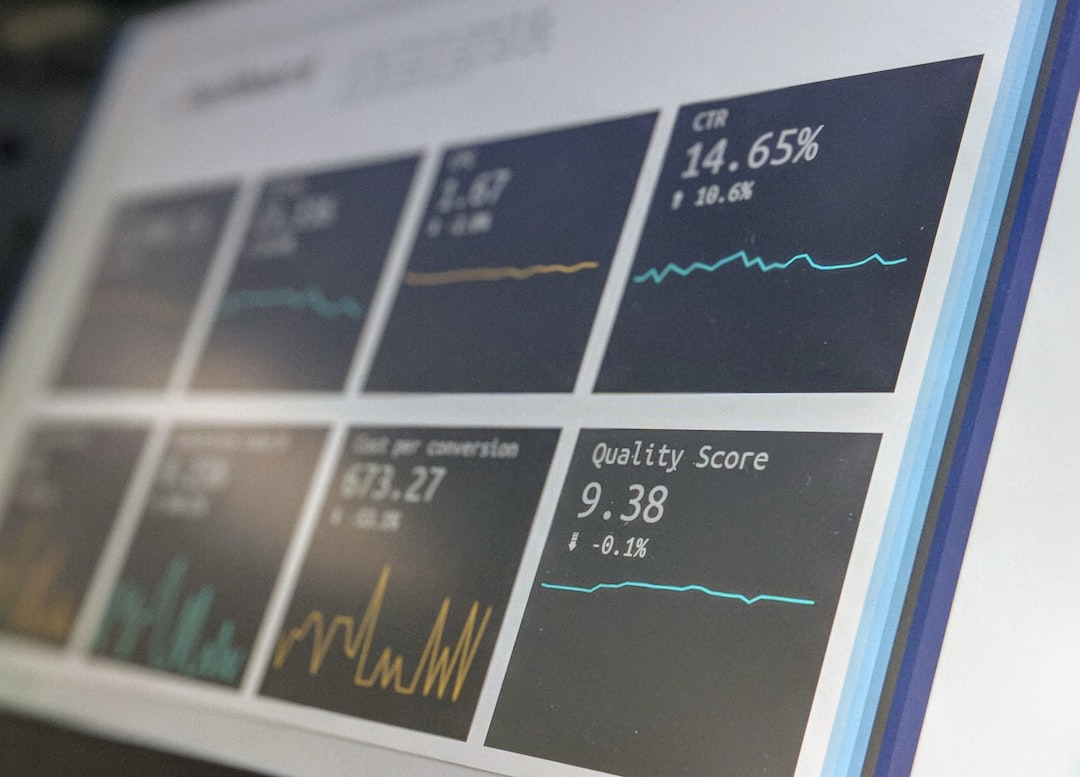
Reports should not feel like a math monster. They should be clear. They should help you make decisions fast.
Your POS should show you what is happening in your restaurant. It should answer important questions.
For example:
- What are our best selling items?
- What items are not selling?
- What hours are busiest?
- Which servers are selling the most?
- How much did we make today?
- What discounts were used?
- How are labor costs looking?
Good reports help you spot patterns. Maybe your brunch pancakes are famous. Maybe your Tuesday dinner is too slow. Maybe your new spicy chicken sandwich is secretly a superstar.
Data does not remove your gut feeling. It supports it. Think of data as your restaurant’s helpful sidekick. Like a tiny accountant wearing a cape.
Think About Online Ordering
Online ordering is no longer a bonus. For many restaurants, it is a must.
Guests want to order from their phones. They want takeout. They want delivery. They want to click three buttons and receive noodles. This is modern life.
Your POS should connect to online ordering. Even better, it should keep online orders and in house orders in one place.
This helps avoid:
- Missed online orders
- Double entry
- Wrong pickup times
- Menu mismatches
- Kitchen confusion
If you use delivery apps, ask how the POS connects with them. Some systems include direct integrations. Others need extra tools. Some may charge more.
Simple is best. Your staff should not have to juggle five tablets like a circus performer with soup.
Add Loyalty and Customer Tools
Growth is not only about finding new guests. It is also about bringing happy guests back again.
A POS with customer tools can help. It can store customer names, order history, birthdays, and reward points. It can help you send offers and track repeat visits.
Good loyalty features may include:
- Points programs
- Digital punch cards
- Email offers
- SMS promotions
- Birthday rewards
- Customer profiles
Keep it simple. A reward program should be easy to understand. “Buy nine coffees, get one free” is clear. “Earn 47 flavor coins during moonlight hours” is not.

Check Staff Management Features
Your team is one of your biggest costs. It is also one of your biggest strengths.
Your POS can help manage labor. Some systems include tools for clock ins, roles, permissions, schedules, and sales by employee.
This can help you see:
- Who is working
- Who is on break
- Who sold the most specials
- How labor compares to sales
- When you are overstaffed
- When you need more help
Permissions are also important. Not every staff member should be able to void checks, issue refunds, or change prices. That power should not be handed out like free breadsticks.
Make Sure It Can Grow With You
This is the big one. If you want restaurant growth, choose a POS that can grow too.
Ask yourself:
- Can it support more terminals?
- Can it support more locations?
- Can it handle a larger menu?
- Can managers view reports from anywhere?
- Can it connect with accounting software?
- Can it support catering or events?
- Can it handle higher order volume?
Do not only shop for today. Shop for next year. Maybe even three years from now.
You do not need every feature on day one. But you do need room to grow. A good POS is like stretchy pants after a big dinner. Flexible. Helpful. Deeply appreciated.
Ask About Support
Even the best POS can have problems. Internet goes down. Printers jam. Screens freeze. Someone presses the wrong button. It happens.
When it happens during dinner rush, you need help fast.
Ask these questions:
- Is support available 24 hours a day?
- Can I call a real person?
- Is live chat available?
- How fast do they respond?
- Do they help with setup?
- Do they train my team?
- Is support included in the price?
Support is not exciting until you need it. Then it becomes the most exciting thing in the world.
Test Before You Commit
Do not choose a POS from screenshots alone. That is like choosing a soup by looking at the bowl.
Ask for a demo. Click through the system. Pretend to place real orders. Try modifiers. Split a check. Void an item. Run a report. Add a new menu item.
Bring key team members into the test. Ask servers, cashiers, managers, and kitchen leaders what they think. They will use it every day. Their feedback matters.
During the demo, watch for:
- Clear design
- Fast speed
- Easy menu setup
- Simple reporting
- Helpful support answers
- No confusing steps
If the demo feels clunky, pay attention. Clunky does not become magical after you sign a contract.
Balance Price With Value
Price matters. Of course it does. Restaurants do not run on sunshine and compliments, even though both are nice.
But do not just pick the cheapest POS. Pick the system that gives the best value.
Think about what it can save you:
- Time during service
- Money on food waste
- Lost sales from slow checkout
- Mistakes in the kitchen
- Manual admin work
- Confusion across locations
A better POS may cost more each month. But it may help you earn more and waste less. That is the real number to watch.
Final Thoughts
Choosing the right POS system is a big decision. But it does not need to feel scary. Start with your restaurant type. List your needs. Think about your growth plans. Then test your options.
Look for a POS that is easy to use, fast, reliable, and ready to grow. Make sure it helps with orders, payments, inventory, reports, staff, online sales, and customer loyalty.
The right POS will not cook the perfect risotto for you. It will not charm a grumpy guest. It will not refill the ketchup by itself. But it can make your restaurant run smoother. It can help your team move faster. It can give you the numbers you need to grow with confidence.
And that is a delicious win.


Hreflang Sitemaps: How to Combine International Targeting Signals With XML Sitemap Architecture
Hreflang sitemaps work best when every international URL lists itself and all of its language or regional alternates inside a…