

Choose SiteGround if speed, support, and smoother WordPress tools matter most; choose Bluehost if you want a cheaper first year and a beginner-friendly way to launch a WordPress.org site. Both hosts can run self-hosted WordPress well, but they fit different users. Bluehost is easier on the budget at signup. SiteGround feels more polished once your site starts getting real traffic.
TLDR: For a new blog, portfolio, or small business site, Bluehost is often the better starter pick because setup is simple and promo pricing is low. For a WooCommerce store, agency site, or content site with steady traffic, SiteGround usually wins on speed and support. For example, a local shop with 40 product pages and around 12,000 monthly visits may see better stability on SiteGround’s GrowBig or GoGeek plans, while a new blogger with under 3,000 monthly visits can save money with Bluehost Basic or Choice Plus.
Why this comparison matters for WordPress.org
WordPress.org is the self-hosted version of WordPress. That means you need your own web hosting, unlike WordPress.com, where hosting is bundled into the platform. Your host affects load time, uptime, backups, security, email options, staging, and how annoying your week becomes when something breaks.
Bluehost and SiteGround are two of the most common names people see when searching for WordPress hosting. They both offer one-click WordPress installs, free SSL certificates, automatic updates, and customer support. Yet the daily experience is not the same.
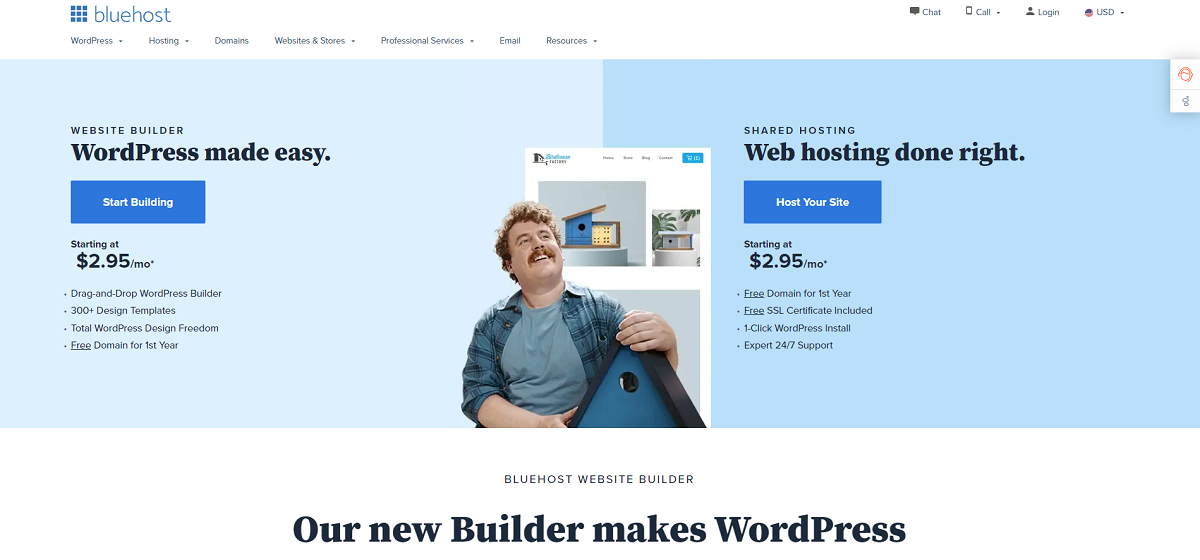
Bluehost at a glance
Bluehost is popular with first-time WordPress users because it keeps the setup process simple. You can buy a domain, install WordPress, enable SSL, and pick a theme from one dashboard. That convenience matters when you are already trying to learn plugins, menus, pages, backups, and block editing.
Its biggest strength is low entry pricing. Bluehost often runs large discounts for the first billing term. That makes it attractive for hobby blogs, test projects, affiliate sites, and local service websites.
The catch is that renewal pricing can feel like a nasty little surprise. A plan that looked cheap at signup may cost much more after the first term ends. You should check the renewal rate before buying, not after your site is already live.
Bluehost pros
- Beginner-friendly dashboard: The main controls are easy to find.
- Low first-year cost: Good for small budgets and new projects.
- Domain registration included on many plans: Useful if you are starting from zero.
- Simple WordPress installation: You can launch a basic site quickly.
- Good enough for small sites: Blogs, portfolios, and brochure sites usually run fine.
Bluehost cons
- Renewals can jump: Always read the post-promo price.
- Performance varies by plan: Cheap shared hosting can slow down under pressure.
- Upsells are common: Expect extra offers during checkout.
- Support quality can be mixed: Some issues get solved fast, others take patience.
SiteGround at a glance
SiteGround usually feels faster and more refined for WordPress. Its tools are built with site owners in mind, not just beginners. You get strong caching, daily backups, staging on higher plans, and a custom control panel that feels cleaner than old-school hosting dashboards.
SiteGround’s WordPress performance tools are a big draw. The Speed Optimizer plugin can handle caching, image optimization, file compression, and other speed settings. You do not need five plugins fighting each other in the background. That alone can save hours.
Honestly, it feels like SiteGround respects your time more once your site becomes serious. Support is usually quicker to understand WordPress-specific problems. That matters when a plugin update breaks checkout at 9:40 p.m.

SiteGround pros
- Strong speed tools: Built-in caching and optimization help WordPress load faster.
- Daily backups: Helpful when updates go wrong.
- Good WordPress support: Support agents tend to understand common plugin and theme issues.
- Staging on higher plans: Test changes before pushing them live.
- Cleaner control panel: Site Tools is easier than many older hosting panels.
SiteGround cons
- Higher renewal cost: Like Bluehost, the real price shows up later.
- Storage limits are tighter: Media-heavy sites may need to watch disk usage.
- No free domain on many plans: You may need to buy your domain elsewhere.
- Not the cheapest option: Budget users may find it hard to justify at first.
Speed and performance
For WordPress sites, speed is not just a vanity metric. It affects search visibility, conversion rates, and user trust. A slow site makes visitors bounce before they read your headline.
SiteGround usually has the edge for performance. Its caching system, server setup, and optimization plugin work well together. On a small business site with 20 pages, compressed images, and a lightweight theme, SiteGround can often deliver snappy load times without much tweaking.
Bluehost can still perform well for smaller sites. If your blog has 25 posts, a simple theme, and limited traffic, Bluehost shared hosting may be fine. Problems are more likely when you add heavy page builders, large images, too many plugins, or WooCommerce.
It drives me crazy that many WordPress speed problems are caused by bloated themes and oversized images, then the host gets all the blame. Still, better hosting gives you more breathing room.
Ease of use
Bluehost wins for the absolute beginner. Its onboarding is simple. You are guided through domain setup, WordPress installation, and basic site creation. If you have never touched hosting before, Bluehost feels less intimidating.
SiteGround is also easy to use, but it assumes you may care about more advanced tools. That is a good thing once you know what staging, caching, file managers, and backups do. For a total beginner, the extra options may feel like clutter for the first hour.
Support and reliability
Support matters most when things break. SiteGround has a strong reputation for WordPress-aware help. It tends to be better for users who run business websites, client sites, or online stores.
Bluehost support is available and useful for common setup tasks. It can help with SSL, login issues, domain connections, and basic WordPress installation problems. For deeper performance issues or plugin conflicts, results can vary.

Pricing and value
Bluehost is usually the better short-term bargain. If you want to launch a simple WordPress.org site with minimal upfront cost, it is hard to ignore. Just remember to check add-ons during checkout. Some are useful. Some are not needed right away.
SiteGround costs more over time, but the value is stronger if performance saves you plugins, developer time, or lost sales. For a WooCommerce store, one hour of downtime or a sluggish checkout can cost more than the monthly hosting difference.
Best choice by user type
- New blogger: Pick Bluehost if cost is the main concern.
- Local business site: Pick SiteGround if you want better support and speed.
- WooCommerce store: Pick SiteGround, preferably a higher plan.
- Portfolio site: Bluehost is fine unless you use large media files.
- Agency or freelancer: SiteGround is better for staging, backups, and client work.
- Testing a new idea: Bluehost keeps the risk low.
Final pick
Bluehost is the practical choice for beginners who want cheap WordPress.org hosting and a fast setup. It is best for small sites, first blogs, and users who do not want to think too much about hosting settings.
SiteGround is the better long-term host for serious WordPress sites. It is faster, more polished, and better suited for business use. If your site earns money, collects leads, or supports customers, SiteGround is usually worth the higher cost.
If you are stuck between the two, use this simple rule: start with Bluehost when price matters most; choose SiteGround when performance and support matter more than saving a few dollars per month.
WordPress.org Web Hosting: Bluehost vs SiteGround for Hosting WordPress Sites


WordPress.org Web Hosting: Bluehost vs SiteGround for Hosting WordPress Sites
Choose SiteGround if speed, support, and smoother WordPress tools matter most; choose Bluehost if you want a cheaper first year…