
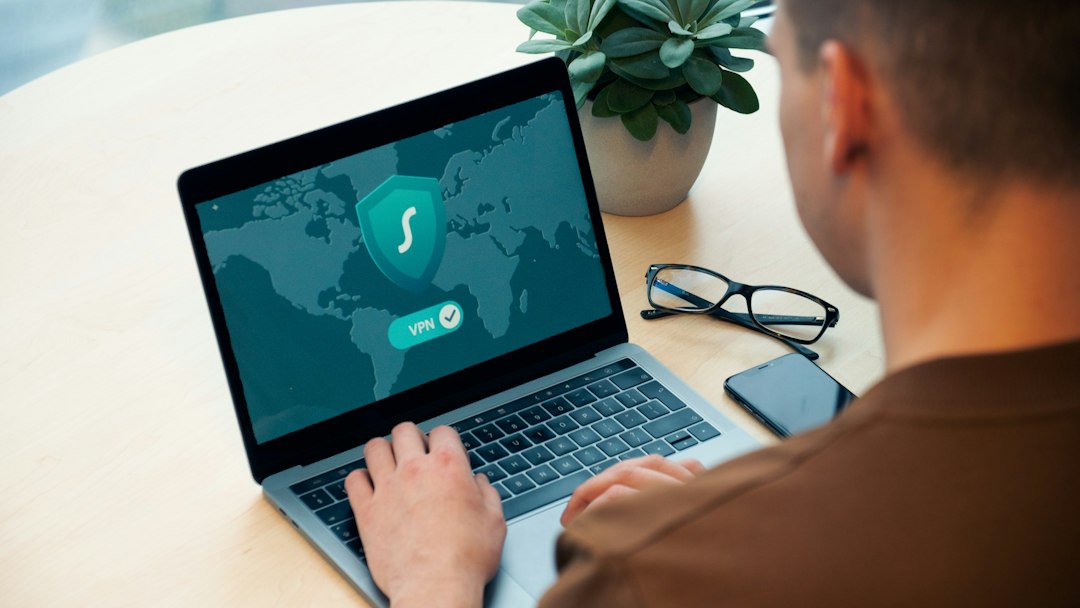

Use a VPN if you want address privacy; do not rely on IP spoofing for normal web privacy. IP spoofing and VPNs both involve IP addresses, but they solve very different problems.
TLDR: IP spoofing means forging the source IP address in network packets, often so traffic looks like it came from somewhere else. A VPN sends your traffic through a VPN server, so websites see the VPN server’s IP instead of yours. For example, if Jamie in Texas connects to a VPN server in London, a shopping site may show prices or content for the UK. In a small team of 25 remote workers, using a VPN can hide each home IP from work tools and public sites, while IP spoofing would break most normal browsing.
What does “spoof IP address” really mean?
To spoof an IP address means to fake the “from” address on internet traffic.
Think of it like writing a fake return address on an envelope. The letter may arrive. But any reply goes to the fake address, not to you.
That is the key issue. The internet is a two-way chat. Your browser asks for a web page. The website replies. If your IP is fake, the reply goes somewhere else. So your page does not load. Annoying? Very.
IP spoofing is mostly seen in network testing, research, and attacks. It can be used in denial-of-service attacks, where fake addresses hide the real source. It can also appear in certain trusted network setups. But for everyday privacy, it is the wrong tool.
Honestly, it feels like using a fake house number to order pizza. The pizza may go out. You just will not eat it.
What a VPN does instead
A VPN, or virtual private network, creates an encrypted tunnel between your device and a VPN server.
Your traffic goes like this:
- Your device sends data to the VPN app.
- The VPN app encrypts it.
- The data travels to the VPN server.
- The VPN server sends it to the website.
- The website replies to the VPN server.
- The VPN server sends the reply back to you.
The website sees the VPN server’s IP address. It does not see your home IP. That is why VPNs are useful for address privacy.
This does not make you invisible. Your VPN provider can still see connection details. Websites may still track cookies, logins, browser fingerprints, and habits. If you log into your account, the site knows it is you. A new IP will not fool your shopping cart.
IP spoofing vs VPN: the simple difference
Here is the clean version.
- IP spoofing: Fakes the source IP on packets.
- VPN: Routes your traffic through another server.
- IP spoofing: Usually breaks normal web browsing.
- VPN: Works for normal browsing, apps, streaming, and remote work.
- IP spoofing: Often linked to abuse or lab testing.
- VPN: Common privacy and security tool.
So if your goal is “hide my home IP from websites,” choose a VPN. If your goal is “fake packet headers in a controlled lab,” that is spoofing. Big difference.
Why IP spoofing fails for normal privacy
The internet uses rules. One big rule is that replies must know where to go.
When you visit a site, your device and the site start a session. With TCP, they perform a handshake. Your device says hello. The server says hello back. Your device confirms.
If the first “hello” has a spoofed IP, the server replies to the fake IP. Your device never gets the response. The handshake fails.
That is why spoofing is not like wearing a mask online. It is more like shouting into a room while wearing someone else’s name tag, then leaving before anyone answers.
The catch is that some shady tools sell “IP spoofing” as if it is a privacy trick. Expect to waste time on nonsense. Some pages take 10 extra seconds to load just to tell you nothing useful. Worse, a bad tool may install junk or steal data.
What VPNs hide well
A VPN can hide your public IP from many websites and apps. It can also protect traffic from snooping on public Wi-Fi.
Good use cases include:
- Coffee shop Wi-Fi: The local network cannot easily read your traffic.
- Remote work: Staff can connect to company systems more safely.
- Travel: You can use a consistent server location.
- Basic privacy: Sites see the VPN IP, not your home IP.
Say you connect at an airport. There are 300 people on the same Wi-Fi. Without a VPN, a sloppy app could leak data. With a VPN, your traffic is wrapped in encryption before it crosses that network.
What VPNs do not magically fix
A VPN is useful. It is not a superhero cape.
It does not stop every tracker. It does not erase your browser history. It does not make illegal behavior safe. It does not hide you from a site after you log in.
Here are common leaks:
- Cookies: Sites remember your browser.
- Accounts: Logging in reveals you.
- Browser fingerprinting: Your device setup can be unique.
- DNS leaks: Bad VPN setups may expose lookup requests.
- WebRTC leaks: Some browsers may reveal local network details.
To improve privacy, pair a VPN with smart habits. Clear cookies. Use private browsing when needed. Turn off WebRTC if it leaks. Avoid logging into personal accounts during private sessions.
When IP spoofing is used for good reasons
IP spoofing is not always evil. Security teams may study it to test defenses. Network engineers may simulate traffic. Researchers may check how systems react to forged packets.
But this should happen in a lab or with written permission. Random spoofing on public networks can cause harm. It can also get you blocked or reported.
For most people, there is no privacy win there. There is only confusion.
How to pick a VPN for address privacy
Look for a VPN that keeps things clear. You do not need a space station control panel.
- No-logs policy: Pick a provider with clear privacy terms.
- Kill switch: This blocks traffic if the VPN drops.
- DNS leak protection: This keeps lookups inside the tunnel.
- Fast servers: Slow VPNs make every click feel sticky.
- Independent audits: Third-party checks are a good sign.
Free VPNs can be tempting. Be careful. Some make money through ads, tracking, or tight data limits. If a VPN is free, ask what pays the bill.
A simple privacy setup
Here is a practical setup for normal users:
- Use a trusted VPN on public Wi-Fi.
- Keep your browser updated.
- Block third-party cookies.
- Use strong passwords and two-factor login.
- Do not install random “IP changer” tools.
The bottom line
IP spoofing is packet trickery. It fakes where traffic seems to come from, but it is not useful for normal browsing privacy.
A VPN is traffic routing. It sends your connection through another server, hides your public IP from websites, and encrypts data between you and the VPN.
If you want to spoof an IP address for privacy, what you probably want is a VPN. If you want to learn about packet spoofing, keep it in a legal lab. Your future self will thank you. So will the poor pizza driver trying to find that fake address.


Is eBay Safe? How Its Buyer Protection Compares With Mercari, Depop, and Other Marketplaces
eBay is generally safe for buyers, and its protection is stronger than many peer-to-peer marketplaces if you pay through eBay…