


Build fewer cloud pages, but make them cleaner, faster, and easier to connect. Cloud stacking can still support SEO in 2026, but only if it helps users and search engines understand your brand. Google says links can help it discover pages and understand how pages relate to each other [source: Google].
TLDR: Most cloud stacking failures come from messy setup, thin content, broken links, and lazy copy-paste work. For example, a local roofing company might publish 25 cloud pages, but only 6 get indexed because the rest are near duplicates. If each page takes 4 seconds longer to load than the main site, users bounce. Fix the basics first, then scale.
1. Treating Cloud Stacking Like a Magic Button
Cloud stacking is not a cheat code. Sorry. It is not a tiny SEO vending machine where you insert keywords and get rankings.
The mistake is simple. People create pages on Google Drive, Amazon S3, GitHub Pages, or other cloud platforms. Then they stuff the same keyword everywhere. They link everything to the money page. Then they wait.
And wait.
And then they blame Google.
Do this instead:
- Create pages with a clear purpose.
- Use one topic per page.
- Add useful text, images, maps, FAQs, or citations.
- Connect pages in a way that makes sense.
- Send users somewhere helpful.
If a cloud page would embarrass you in front of a customer, do not publish it.

2. Using Duplicate Content Across Every Cloud Asset
This one is common. It also drives me crazy.
A brand writes one 500-word page. Then it copies that page to ten cloud properties. The title changes. Maybe the city changes. That is it.
That is not a strategy. That is digital leftovers.
Search engines are pretty good at spotting repeat content. Users are even better. If someone opens three pages and they all say the same thing, trust drops fast.
Better plan:
- Write a base topic for the main site.
- Create supporting cloud pages with fresh angles.
- Use different examples on each page.
- Add unique images or documents.
- Link only where it helps the reader.
For example, a dentist could create one cloud page about emergency dental care, another about same-day crowns, and another about payment options. Same business. Different user intent. Much better.
3. Building Broken Link Paths
Cloud stacks often fail because the link path is a mess.
One asset links to a file. The file links to a folder. The folder is private. Another page links to a deleted PDF. Then someone changes a URL and forgets to update the stack.
Expect to waste time on this if you skip a link map. I have seen teams spend 40 minutes hunting one broken share setting. Painful.
Before publishing, check:
- Are all pages public?
- Do all URLs open in a normal browser?
- Do links point to live pages?
- Is the main money page easy to reach?
- Are file names clean and readable?
Also, avoid random file names like final final seo page v7 realfinal.html. Nobody likes that. Not users. Not your team. Not future you.
4. Ignoring Indexing and Crawl Signals
Publishing is not the same as being indexed.
Many cloud stacking campaigns fail because nobody checks if the pages appear in search. They just assume everything worked. That is risky.
Use simple checks. Search the exact page title in quotes. Use Google Search Console for your owned domains. Keep a sheet with URLs, publish dates, status, and target page links.
Google explains that canonical tags help show which page version should be treated as the main one [source: Google]. That matters when your cloud pages are too similar to your main site.
Track these numbers:
- Published cloud URLs
- Indexed URLs
- Pages with clicks
- Referral visits to the main site
- Conversions from cloud traffic
If you publish 30 pages and only 3 get indexed after 60 days, stop scaling. Fix quality first.
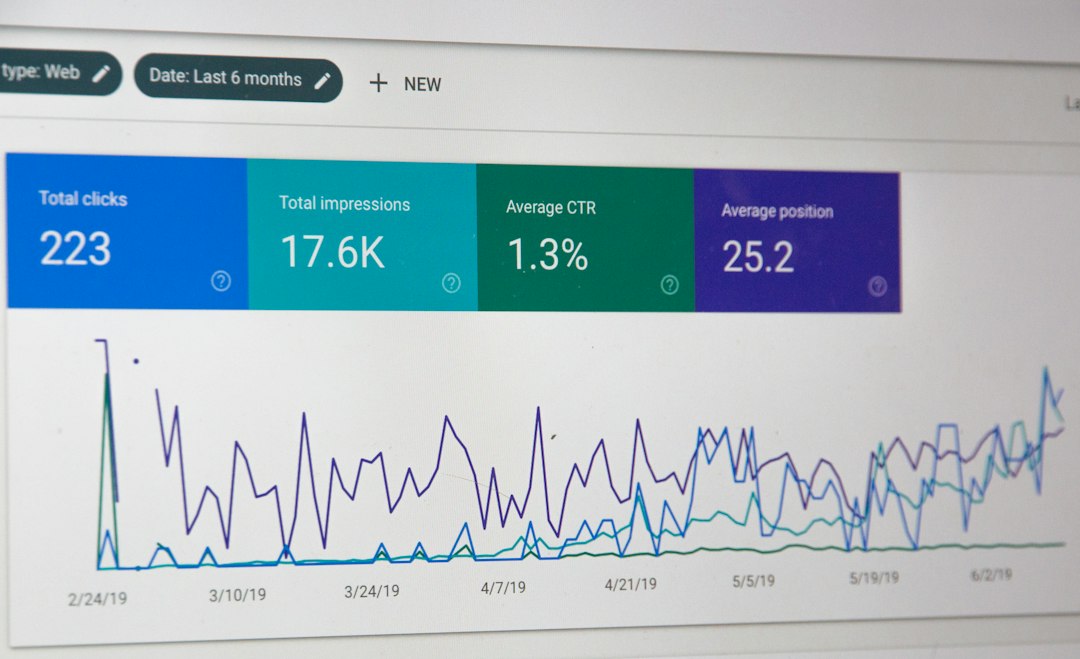
5. Skipping Branding, Trust, and User Intent
Cloud pages should not feel like they were made by a sleepy robot at 2 a.m.
Add your brand name. Add contact details when useful. Add a short author note. Add real answers. Add local details if the page targets a city.
Bad cloud pages feel empty. Good ones feel like helpful support pages.
Here is a simple mini structure:
- Headline: Say what the page solves.
- Intro: Give the answer fast.
- Details: Add steps, tips, or examples.
- Proof: Add photos, charts, reviews, or FAQs.
- Call to action: Tell users what to do next.
For a plumber, that might mean a cloud page called What to Do Before an Emergency Plumber Arrives. That helps real people. It can still link to the service page. But it earns the link by being useful.
Quick 2026 Cloud Stacking Checklist
Keep this simple. Print it if you must. Tape it near the coffee machine if your SEO team keeps getting wild.
- Unique content: No lazy copy-paste pages.
- Clean links: Every URL works.
- Public access: No locked files by mistake.
- Fast pages: Compress images and remove junk scripts.
- Clear topic: One page, one job.
- Brand signals: Add names, details, and trust points.
- Tracking: Measure indexing, clicks, and leads.

Cloud stacking in 2026 should be boring in the best way. Clean pages. Clear links. Real value. No weird tricks. If your stack helps users understand your business faster, it has a chance. If it only exists to push links, it will probably sit there doing nothing. And honestly, nobody needs more useless pages on the internet.
5 Cloud Stacking SEO Mistakes and Implementation Errors to Avoid in 2026


5 Cloud Stacking SEO Mistakes and Implementation Errors to Avoid in 2026
Build fewer cloud pages, but make them cleaner, faster, and easier to connect. Cloud stacking can still support SEO in…