
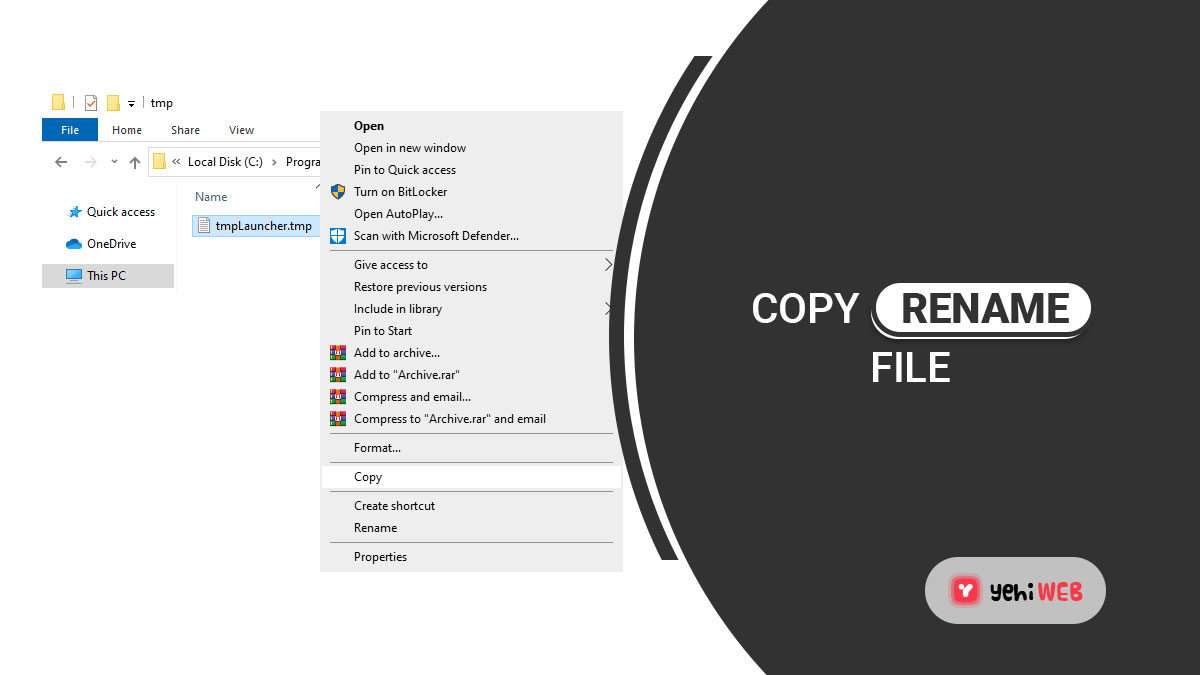

Copy-related CVEs should be treated as high-risk memory and data-handling flaws until proven otherwise. A small mistake in copying bytes, files, paths, buffers, clipboard data, or user-controlled input can crash a service, leak secrets, or allow code execution. “Copy Fail CVE” is best understood as a practical label for security issues caused by unsafe copy operations, not as one single universal vulnerability.
TLDR: Copy-related CVEs often start with a simple action, such as copying 512 bytes into a 256-byte buffer, copying files without permission checks, or trusting clipboard content from a hostile source. In one realistic enterprise case, a vulnerable file-sync agent on 4,000 laptops could expose cached tokens if only 8% of users copied attacker-supplied project archives. The fix is not magic: assess affected code paths, patch quickly, add bounds checks, reduce privileges, and monitor for odd crashes or file access spikes.
What “Copy Fail CVE” Usually Means
A copy failure becomes a CVE when it creates a security impact that can be tracked, scored, and fixed. The flaw may sit in a system library, a kernel driver, a backup agent, a web application, a document parser, or a desktop tool. The common thread is simple: data is moved from one place to another in an unsafe way.
Some issues involve classic memory safety bugs. A function may use memcpy, strcpy, or a custom copy loop without checking the destination size. Others happen during file operations. A program may copy sensitive logs into a public folder, follow symbolic links, overwrite trusted files, or preserve dangerous permissions. Clipboard and paste-related bugs also matter. Malicious content can be copied into terminals, admin panels, chat tools, spreadsheets, or password fields with hidden commands attached.
The catch is that copy bugs often look boring in ticket queues. They sound like routine defects. Then a proof of concept appears, and suddenly the same “minor copy issue” becomes remote code execution, privilege escalation, or data exposure.
Common Copy-Related Vulnerability Types
- Buffer overflow: Too much data is copied into a fixed-size memory area. This can cause crashes or code execution.
- Out-of-bounds read: A copy operation reads beyond the intended memory range. Secrets may leak from nearby memory.
- Integer overflow: A size calculation wraps around, causing the program to allocate too little space before copying.
- Path traversal: A file copy routine accepts paths such as ../../sensitive.conf and writes outside the intended folder.
- Unsafe symbolic link handling: A privileged service copies data through a link controlled by an attacker.
- Permission copying errors: Files are copied with overly broad access rights, exposing private material.
- Clipboard injection: Copied text contains hidden commands, control characters, or formatted payloads.
- Race conditions: A file is checked, then swapped before it is copied. The wrong file gets trusted treatment.
How Vulnerability Assessment Should Work
Assessment starts with scope. Security teams should list affected products, versions, exposed services, operating systems, and user groups. A copy-related CVE in a local image viewer carries a different risk from one in a public file upload service. Internet exposure, authentication needs, and default configuration matter.
Next comes exploitability. Analysts should ask whether an attacker controls the source data, file name, path, size field, archive content, clipboard payload, or destination. If the attacker controls both content and metadata, the risk increases fast. If the copy operation runs as root, SYSTEM, or a service account with broad rights, the risk climbs again.
CVSS scores help, but they should not be treated as the whole answer. A medium-rated copy flaw in a backup tool may be severe if the tool touches every server and stores database exports. Honestly, it feels like these “medium” labels waste hours when the business context clearly says otherwise.
Exploitation Risks in Real Environments
Attackers like copy bugs because they often sit on trusted paths. File upload tools, sync clients, print services, archive extractors, remote support agents, and document processors all move data frequently. Many of them run with elevated access. Many also process files from email, browsers, cloud drives, or ticket systems.
A memory copy bug may let an attacker crash a service first. That can still matter. Repeated crashes may create denial of service, break monitoring, or trigger failover chaos. With better control of memory layout, the same bug may become code execution. Modern protections such as ASLR, DEP, stack canaries, and sandboxing make exploitation harder, not impossible.
File copy flaws can be quieter. An attacker may plant a crafted archive that writes a startup script into an unintended location. A sync client may copy a token cache into a shared folder. A deployment tool may overwrite a configuration file after following a symbolic link. These attacks may not create loud alarms. They often look like normal file activity.
Clipboard-based issues are also annoying. A copied command may display as harmless text while carrying extra line breaks or hidden characters. When pasted into a terminal, it may run more than expected. This is not just a user training problem. Applications should sanitize dangerous formats and warn before risky paste actions.
Defensive Mitigation That Actually Helps
Patching remains the fastest risk reducer when a vendor fix exists. Teams should prioritize systems that are exposed to untrusted input, run with high privileges, or process files automatically. If patching needs a maintenance window, temporary controls should limit input sources, disable risky features, or reduce service permissions.
- Use safe copy functions: Code should validate lengths before copying and prefer bounded APIs.
- Check both source and destination: Paths, links, permissions, and file ownership should be verified at the moment of use.
- Block path traversal: Applications should canonicalize paths and reject writes outside approved locations.
- Drop privileges: Copy services should not run as admin unless the task truly requires it.
- Add sandboxing: Parsers, converters, and archive handlers should run in restricted environments.
- Log suspicious behavior: Repeated crashes, unusual file writes, and strange archive extraction paths deserve alerts.
- Scan dependencies: Many copy flaws sit in libraries, SDKs, plugins, and old bundled tools.
- Test with fuzzing: Randomized and malformed inputs expose copy failures before attackers do.
Developers should also review error handling. A failed copy should not leave partial files with trusted names. It should not expose temp files. It should not keep sensitive data in world-readable folders. Cleanup code matters because attackers often abuse messy failure states.
Detection and Incident Response
Security teams should treat signs of copy exploitation as a mix of crash analysis and file integrity review. Core dumps, application faults, endpoint alerts, and odd service restarts can point to memory abuse. Unexpected changes in startup directories, web roots, scheduled task folders, and configuration paths may point to file-copy abuse.
Useful evidence includes affected version numbers, file hashes, process trees, command lines, copied file paths, user accounts, and timestamps. If exploitation is suspected, responders should preserve logs before cleanup. They should also search for repeated failed attempts. Attackers frequently test malformed inputs many times before a working payload lands.
Practical Priority Model
A simple model helps teams act fast. Priority one goes to copy CVEs with public exploit code, remote input, and privileged execution. Priority two covers authenticated flaws in widely deployed tools or software that handles sensitive files. Priority three covers local-only bugs with strong compensating controls.
This model is not perfect, but it beats flat patch queues. Asset value should always adjust the ranking. A low-volume engineering server with signing keys may deserve faster action than a thousand low-risk kiosks.
FAQ
Is “Copy Fail CVE” one official CVE?
No. It is a practical phrase for CVEs linked to unsafe copy behavior. Each real issue has its own CVE ID, vendor advisory, affected versions, and fix guidance.
Can a copy bug lead to remote code execution?
Yes. If an attacker can control copied data and influence memory layout, a buffer overflow or similar flaw may allow code execution. Protections can reduce the odds, but they do not erase the risk.
Are file copy bugs less serious than memory bugs?
Not always. A file copy flaw can expose secrets, overwrite trusted files, plant scripts, or bypass permissions. The impact depends on privileges and where the copied data lands.
What should be patched first?
Public-facing systems, privileged services, automated file processors, and tools with public exploit details should come first. Business-critical assets should also move up the queue.
How can organizations prevent these issues in new code?
They should use memory-safe patterns, bounds checks, path validation, least privilege, fuzz testing, and code review focused on copy operations. Security tests should include malformed files, long strings, strange paths, and hostile archives.

How to Remove Sound From an iPhone Video: iMovie vs. CapCut
For a simple mute, iMovie is usually the safer choice on an iPhone; for social edits with music, captions, and…