


Every growing organization eventually answers the same customer questions again and again. For a small business, those questions may involve hours, locations, pricing, returns, or booking policies. For a SaaS company, they may involve setup, billing, integrations, security, and troubleshooting. For an ecommerce site, they often focus on shipping, returns, sizing, payments, and order tracking. A well-structured FAQ template helps companies turn repeated questions into clear, searchable, trust-building content.
TLDR: FAQ templates help small businesses, SaaS companies, and ecommerce sites provide faster answers, reduce support requests, and improve customer confidence. The best templates are organized by topic, written in plain language, and updated regularly based on real customer questions. Each business type benefits from a slightly different FAQ structure, but all should focus on clarity, accuracy, and easy navigation. A strong FAQ page can support customer service, sales, onboarding, and search visibility at the same time.
Why FAQ Templates Matter
An FAQ page is more than a simple list of questions and answers. It is often one of the first places a visitor goes before making a purchase, booking a service, signing up for software, or contacting support. When the information is presented clearly, it reduces confusion and helps customers move forward with confidence.
FAQ templates give teams a repeatable structure. Instead of creating answers from scratch every time, a business can use a framework that organizes information into logical sections. This makes the page easier to build, easier to update, and easier for customers to understand.
Effective FAQ templates usually include:
- Clear categories that group related questions together
- Short, direct answers written in plain language
- Links to deeper resources when a topic needs more detail
- Consistent formatting for better readability
- Search friendly wording based on how customers actually ask questions
For smaller teams, templates are especially useful because they save time. For larger teams, they improve consistency across support, sales, marketing, and product communications.

FAQ Templates for Small Businesses
Small businesses often rely on personal service and local trust. Their FAQ pages should reflect that. A customer visiting a bakery, salon, repair shop, fitness studio, consultancy, or local service provider usually wants quick, practical answers. The FAQ should remove hesitation and make it easy to take the next step.
A strong small business FAQ template may include the following sections:
- General information: location, hours, contact details, parking, accessibility, and service areas
- Services and pricing: what is offered, how pricing works, and whether quotes are available
- Bookings and appointments: how to schedule, cancel, reschedule, or prepare
- Payments: accepted payment methods, deposits, invoices, and refunds
- Policies: cancellations, late arrivals, guarantees, warranties, or safety requirements
For example, a local cleaning company might include questions such as “Does the business bring its own supplies?”, “How long does a standard cleaning take?”, and “Is a recurring service discount available?” A photography studio might answer questions about turnaround times, deposits, outfit changes, and image rights.
The tone for small business FAQ content should feel approachable and human. While answers should be concise, they should not feel cold or overly corporate. Customers often choose small businesses because they value relationships, so a friendly explanation can be more persuasive than a rigid policy statement.
Small Business FAQ Template Structure
A practical small business FAQ page can follow this format:
- Question: What services does the business offer?
- Answer: Provide a brief overview of the main services, then link to a full services page if available.
- Question: How can customers book an appointment?
- Answer: Explain whether booking happens online, by phone, by email, or in person.
- Question: What is the cancellation policy?
- Answer: State the required notice period and any fees in simple terms.
This type of structure works because it mirrors the customer journey. A visitor first wants to understand the offer, then the process, then the policies. When those answers are easy to find, the business appears organized and reliable.
FAQ Templates for SaaS Companies
SaaS companies need FAQ templates that support users through a more complex decision-making and onboarding process. A software customer may need answers about features, plans, setup, technical requirements, data security, integrations, billing, and cancellation before committing to a product.
Unlike a local business FAQ, a SaaS FAQ often serves multiple audiences at once. Prospects use it to evaluate the product. New users use it to get started. Existing customers use it to solve problems. Enterprise buyers may use it to assess compliance, security, and scalability.
A SaaS FAQ template should commonly include:
- Product overview: what the software does and who it is for
- Features: key functionality, plan limitations, and use cases
- Getting started: account setup, onboarding, imports, and tutorials
- Billing: free trials, subscriptions, renewals, invoices, upgrades, and downgrades
- Technical support: troubleshooting, browser support, mobile access, and system requirements
- Security and privacy: data storage, encryption, permissions, backups, and compliance
- Integrations: supported apps, APIs, webhooks, and automation options

SaaS FAQ answers should be precise. If a question involves pricing, limits, or technical availability, vague wording can create frustration. For example, an answer like “Some integrations are supported” is less helpful than “The platform supports integrations with Google Workspace, Slack, HubSpot, Salesforce, and Zapier on selected plans.”
SaaS FAQ Template Structure
A useful SaaS FAQ template might organize questions by stage:
- Before signup: What does the product do? Is there a free trial? Which plan is best?
- During onboarding: How is an account created? Can data be imported? Are tutorials available?
- During daily use: How are users added? Can permissions be changed? Which integrations are supported?
- During billing changes: How can a plan be upgraded, downgraded, paused, or canceled?
- During troubleshooting: What should users do if something does not load or sync properly?
This lifecycle approach helps SaaS companies reduce support tickets and improve activation. It also ensures that prospects and customers do not have to search through unrelated information to solve a specific problem.
FAQ Templates for Ecommerce Sites
Ecommerce FAQ pages directly influence purchasing confidence. Before buying, shoppers often have questions about delivery times, return windows, payment security, product sizing, availability, discounts, and order tracking. If those answers are hard to find, carts may be abandoned.
A strong ecommerce FAQ template should be designed for speed and reassurance. It should help shoppers quickly confirm that the store is legitimate, the product will arrive as expected, and there is a fair solution if something goes wrong.
Common ecommerce FAQ categories include:
- Orders: confirmation emails, order changes, cancellations, and tracking
- Shipping: delivery times, shipping costs, carriers, regions, and international options
- Returns and exchanges: return windows, item condition, refunds, store credit, and exchange steps
- Products: sizing, materials, care instructions, warranties, and availability
- Payments: accepted payment methods, gift cards, discount codes, and failed payments
- Account support: passwords, saved addresses, loyalty points, and subscription orders
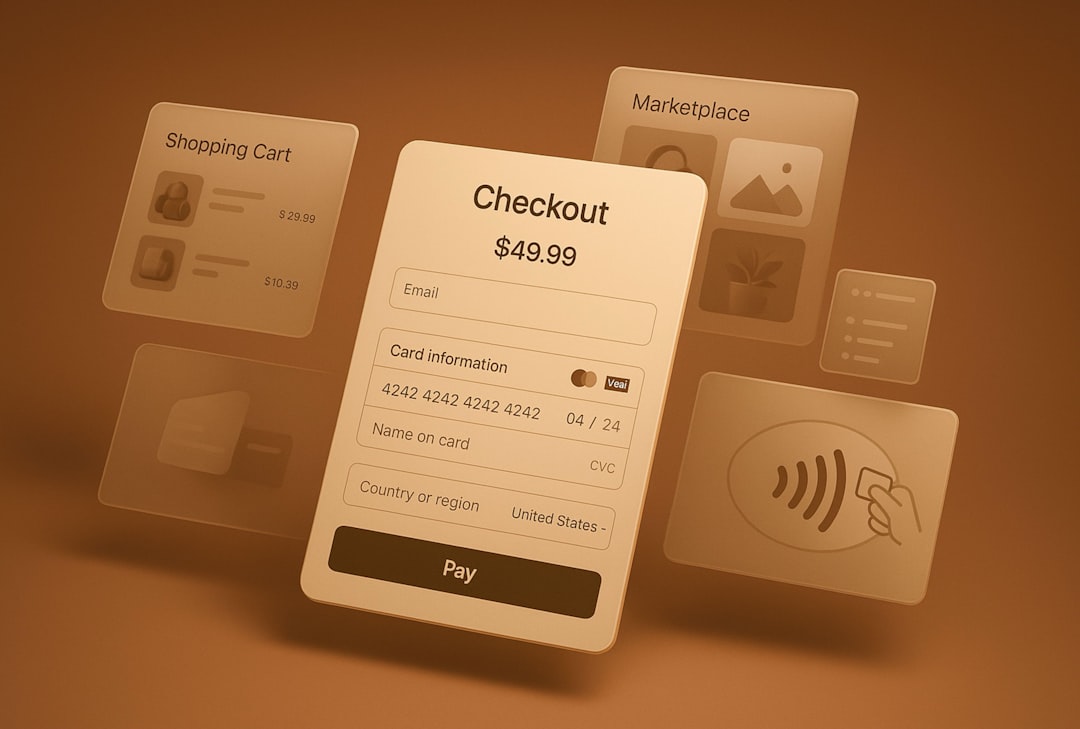
For ecommerce sites, the most important answers should be easy to scan. Customers do not want long explanations when they are trying to decide whether an item will arrive before a certain date. A short answer with a clear timeframe is usually best.
Ecommerce FAQ Template Structure
An ecommerce FAQ template can be arranged around the buying journey:
- Before purchase: product details, sizing, stock availability, payment methods, and discount codes
- After purchase: order confirmation, tracking, address changes, and delivery timing
- After delivery: returns, exchanges, damaged items, missing items, and refund processing
This journey-based layout is especially helpful because it matches shopper intent. A customer who has not purchased yet should not have to scroll past return processing details before finding basic sizing information.
Best Practices for Writing FAQ Answers
Regardless of business type, the best FAQ templates share several qualities. They are easy to scan, written in a natural tone, and based on real customer concerns. The goal is not to impress readers with complicated language. The goal is to answer questions so clearly that customers know exactly what to do next.
Businesses should follow these FAQ writing practices:
- Use real questions: Questions should sound like the way customers speak or search.
- Keep answers focused: Each answer should address one question without drifting into unrelated details.
- Lead with the answer: The first sentence should give the clearest response.
- Add links carefully: Links should support the answer, not replace it.
- Update regularly: Outdated policies, prices, or timelines can damage trust.
- Use consistent formatting: Similar questions should follow a similar answer style.
It is also beneficial to make FAQ content searchable. Headings, categories, and keyword-friendly question phrasing can improve the chance that answers appear in search results. However, the content should still be written for people first. Overloaded, repetitive wording makes the page harder to read and less useful.
How FAQ Templates Improve Customer Support
FAQ templates reduce repetitive support work by giving customers a self-service option. When a clear answer is already available, customers may not need to send an email, start a chat, or call a support line. This can be especially valuable for small teams that cannot provide instant support around the clock.
For SaaS companies, FAQs can also shorten onboarding time. New users can learn how to invite teammates, adjust account settings, connect integrations, and resolve common errors without waiting for help. For ecommerce businesses, FAQs can reduce order status questions by explaining tracking timelines and delivery expectations.
Support teams should treat FAQ pages as living resources. When the same question appears repeatedly in tickets or calls, it may be a sign that the existing FAQ answer is missing, unclear, or difficult to find. Reviewing support history every month can help businesses keep FAQ content aligned with customer needs.
Choosing the Right FAQ Template
The right FAQ template depends on the company’s audience, products, services, and customer journey. A small business may need a short page with 10 to 20 common questions. A SaaS company may need a larger knowledge base with categories, search functionality, and technical documentation. An ecommerce site may need a concise FAQ page connected to product pages, shipping pages, and return policy pages.
Before creating a template, a business should review customer emails, chat logs, sales calls, social media comments, and support tickets. These sources reveal the questions customers actually ask. A company should then group those questions into categories and write answers that are specific, accurate, and action-oriented.
An FAQ template should not become a place to hide important information. If a policy affects the buying decision, it should also appear in relevant areas of the website, such as checkout pages, pricing pages, booking forms, or product descriptions. The FAQ page should reinforce clarity, not replace essential communication.
Conclusion
FAQ templates help businesses provide better information with less friction. For small businesses, they create trust and reduce basic inquiries. For SaaS companies, they support onboarding, product education, and technical confidence. For ecommerce sites, they reduce cart hesitation and help shoppers understand shipping, returns, payments, and product details.
The most effective FAQ pages are built from real customer questions, organized around user intent, and maintained over time. When a business treats its FAQ template as a strategic resource rather than a static page, it becomes a valuable part of customer experience, sales support, and brand credibility.
FAQ
-
What is an FAQ template?
An FAQ template is a structured format used to organize common questions and answers. It helps businesses present information clearly and consistently.
-
Why do small businesses need FAQ pages?
Small businesses use FAQ pages to answer common questions about services, pricing, hours, bookings, payments, and policies. This saves time and builds customer trust.
-
What should a SaaS FAQ include?
A SaaS FAQ should cover product features, signup, onboarding, billing, integrations, troubleshooting, security, privacy, and cancellation policies.
-
What should an ecommerce FAQ include?
An ecommerce FAQ should include shipping, returns, exchanges, order tracking, payment options, product details, discount codes, and account support.
-
How often should an FAQ page be updated?
An FAQ page should be reviewed regularly, especially when prices, policies, products, services, or support trends change.
-
Can FAQ pages help with SEO?
Yes. Well-written FAQ pages can improve search visibility when they answer real customer questions in clear, relevant language.
-
How long should FAQ answers be?
Most FAQ answers should be short and direct, usually a few sentences. More complex topics can include a brief answer plus a link to a detailed resource.


Data Enrichment Best Practices: Clay vs. Apollo.io for Improving CRM Accuracy
Clay is usually the better choice for CRM accuracy when a team needs flexible enrichment, custom workflows, and cleaner account…