
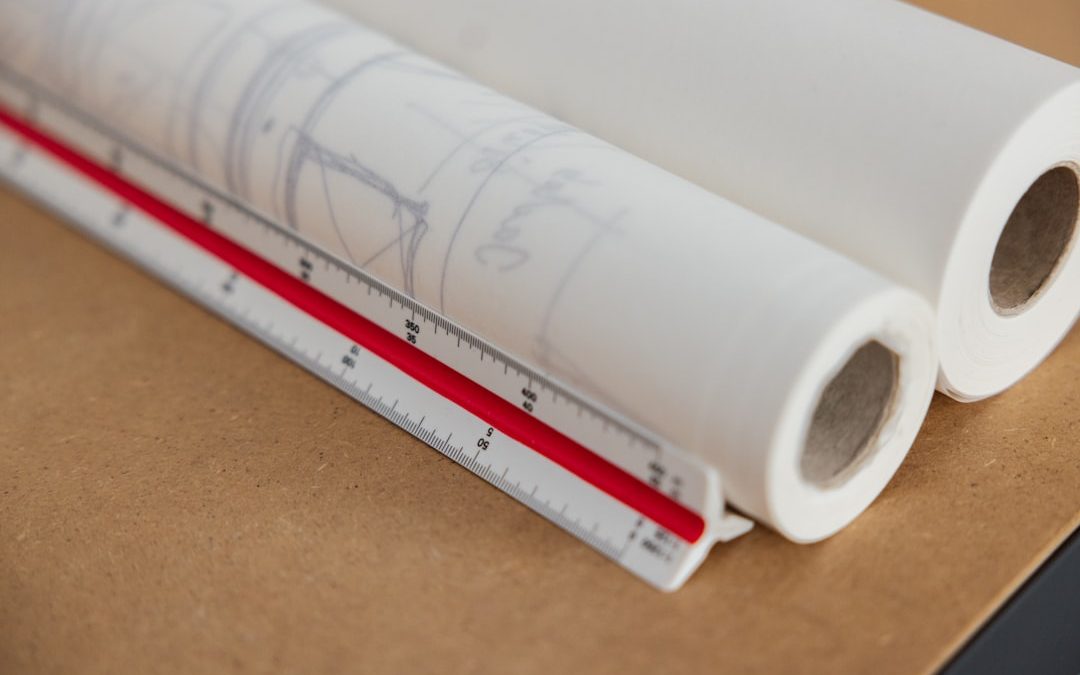

Space planning is the backbone of successful interior design. It determines how people move through a room, how furniture fits within architectural constraints, and how effectively a space supports its intended purpose. While creativity is essential, professionals rely on a structured set of interior design tools to translate ideas into functional, measurable layouts. Whether designing residential interiors, commercial offices, or hospitality environments, choosing the right tools for space planning can dramatically improve precision, efficiency, and outcomes.
TLDR: Interior design tools for space planning help professionals visualize layouts, optimize flow, and ensure accurate measurements before execution. From traditional measuring instruments to advanced digital software and 3D modeling platforms, these tools reduce costly mistakes and improve client communication. The most effective designers combine manual techniques with digital solutions to achieve accuracy, flexibility, and realism. Investing in the right tools ultimately leads to safer, more functional, and more aesthetically cohesive spaces.
Why Space Planning Tools Matter
Space planning is not simply about placing furniture attractively within a room. It involves balancing circulation, ergonomics, safety regulations, spatial proportions, and client requirements. Poor planning can result in cramped layouts, inefficient traffic flow, or underutilized square footage. Professional tools provide measurable data and visual clarity, ensuring that each design decision is intentional and justified.
In both residential and commercial projects, space planning tools serve several critical functions:
- Ensuring accurate measurements of rooms and architectural elements
- Creating scaled layouts for furniture and fixtures
- Testing multiple layout options efficiently
- Improving communication between designer, contractor, and client
- Reducing costly on-site errors
Traditional Tools for Space Planning
Despite the rise of digital design platforms, traditional tools remain fundamental in professional practice. These instruments provide the foundational data required to build accurate plans.
1. Measuring Tools
Precision begins with measurement. Designers commonly use:
- Tape measures for room dimensions and furniture sizing
- Laser distance measurers for quick, highly accurate readings
- Digital levels to assess floor and wall alignment
- Measuring wheels for larger commercial environments
Laser measurement tools are particularly effective in commercial or large residential projects, where speed and precision are essential.
2. Graph Paper and Scale Rulers
Hand drafting is still a valuable skill. Using graph paper and an architectural scale ruler allows designers to:
- Create quick layout drafts
- Experiment freely during client meetings
- Develop proportional space relationships
This method encourages conceptual thinking before committing to digital refinement.
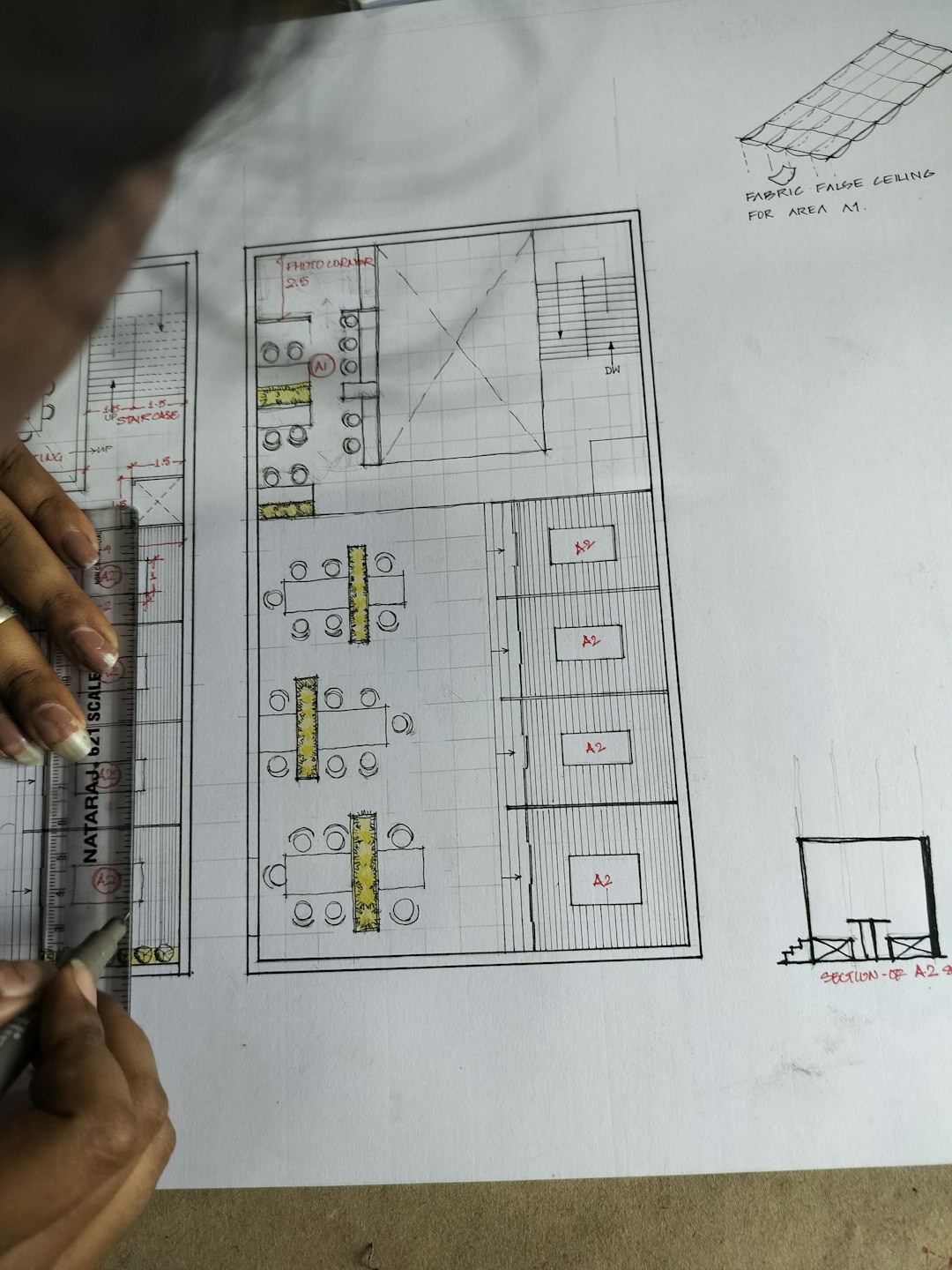
Digital Floor Planning Software
Modern space planning is largely powered by digital software. These tools allow designers to build 2D floor plans with exact scaling, precise dimensions, and editable components.
Key Benefits of Floor Planning Software
- Automated scaling and alignment
- Drag-and-drop furniture libraries
- Real-time dimension adjustments
- Instant duplication of design concepts
Digital plans significantly reduce drafting errors and make revisions more efficient. Designers can adjust walls, doors, and partitions without redrawing entire layouts.
Well-known CAD (Computer-Aided Design) programs and dedicated interior planning applications also allow layers to be isolated—electrical, plumbing, and structural elements can be reviewed separately, improving interdisciplinary coordination.
3D Modeling and Visualization Tools
Two-dimensional plans are essential, but three-dimensional visualization elevates space planning to another level. 3D tools enable clients to see spatial relationships clearly, reducing ambiguity and increasing confidence.
These tools allow designers to:
- Simulate natural and artificial lighting
- Assess sightlines and focal points
- Evaluate ceiling heights and vertical proportions
- Test materials and finishes spatially
Advanced software provides photorealistic renderings, enabling more accurate decisions before construction begins. This reduces change orders and unexpected adjustments.
Building Information Modeling (BIM)
For complex commercial projects, Building Information Modeling (BIM) tools go beyond conventional drafting. BIM integrates architectural, structural, and mechanical data into a single coordinated model.
Unlike simple CAD drawings, BIM platforms:
- Store product specifications within objects
- Detect design clashes automatically
- Update schedules when changes occur
- Provide accurate quantity takeoffs
For space planning in healthcare, hospitality, or office environments, BIM ensures regulatory compliance and infrastructure alignment.
Augmented Reality (AR) and Virtual Reality (VR)
Emerging technologies are reshaping how designers present space plans. Augmented Reality (AR) and Virtual Reality (VR) tools allow immersive walkthrough experiences.
With VR headsets or AR-enabled tablets, clients can:
- “Walk through” a proposed layout
- Experience scale realistically
- Identify discomfort in circulation or spatial density
- Provide more informed feedback
This immersion dramatically improves client understanding. It also highlights proportion and layout concerns that may be difficult to detect in static images.
Furniture Planning and Block Libraries
Accurate furniture placement is central to space planning. Designers rely on scaled digital furniture blocks or parametric objects that reflect real-world dimensions.
When selecting furniture libraries, professionals prioritize:
- Standardized ergonomic measurements
- Manufacturer-specific models
- Adjustable components
For example, office layouts must comply with workstation clearance standards, while residential kitchens require precise spacing between countertops and appliances.

Space Planning Templates and Zoning Tools
Templates accelerate the initial planning phase. Many designers use pre-set zoning models for:
- Open-plan offices
- Studio apartments
- Retail floor layouts
- Hospitality guest rooms
Zoning tools divide spaces into functional sectors—public, private, service, or circulation zones. This clarifies how occupants will interact with the environment and ensures logical progression between spaces.
In residential contexts, zoning improves privacy and practicality. In commercial design, it increases operational efficiency and compliance with fire safety pathways.
Ergonomic and Clearance Reference Tools
Professional space planning demands knowledge of ergonomic standards. Designers frequently reference:
- Building codes and safety regulations
- ADA accessibility guidelines
- Industry-standard clearance charts
- Human dimension databases
Digital reference apps and embedded software tools now integrate ergonomic benchmarks directly into planning systems. When placing furniture, automated alerts notify designers if clearance is insufficient.
This ensures comfort and safety while protecting clients from compliance risks.
Project Management and Collaboration Platforms
Space planning rarely occurs in isolation. Designers collaborate with architects, contractors, engineers, and clients. Integrated project management tools streamline communication.
These platforms allow:
- Version tracking to prevent outdated plans
- Cloud-based plan sharing
- Commenting and revision logs
- Budget integration
When revisions are needed, updates are visible to all stakeholders immediately. This transparency reduces confusion during construction.
Choosing the Right Tools
Selecting space planning tools depends on several factors:
- Project size and complexity
- Budget constraints
- Required level of detail
- Client presentation needs
- Regulatory considerations
For small residential projects, basic CAD tools and laser measurements may suffice. Large commercial developments typically require BIM integration and collaborative platforms.
Importantly, tools should enhance—not replace—professional judgment. Technical accuracy must align with aesthetic coherence and user experience.
Integrating Traditional and Digital Methods
The most effective designers maintain balance. Hand sketches during consultations foster creativity and flexibility. Digital tools then refine those ideas into precise, buildable documents.
A disciplined workflow often follows these stages:
- On-site measurement and documentation
- Preliminary hand sketches or conceptual zoning
- Digital 2D drafting
- 3D visualization and client review
- Technical documentation and compliance review
This layered approach minimizes risk while preserving creative insight.
Conclusion
Interior design tools for space planning are not merely conveniences—they are essential instruments that safeguard accuracy, functionality, and design integrity. From traditional measuring devices to advanced BIM systems and immersive virtual reality environments, these tools empower designers to create spaces that are both beautiful and practical.
In a field where millimeters influence comfort and spatial flow determines usability, disciplined use of professional planning tools sets apart serious practitioners from amateurs. By integrating measurement precision, digital modeling, regulatory awareness, and collaborative systems, designers ensure that every space performs as effectively as it looks.
Ultimately, thoughtful space planning is a structured, evidence-based process. The right tools transform concepts into reliable realities—supporting environments that function seamlessly while reflecting the designer’s vision and the client’s needs.


Email Preheader and CTA Phrases: Mailchimp vs HubSpot for Writing Intriguing Preheaders and CTAs
Pick Mailchimp if you want quick, friendly email copy. Pick HubSpot if you want smarter CTAs tied to contacts, behavior,…