

Choosing the right software for creating SaaS product demo videos is not just a creative decision; it is a business decision. A strong demo video can shorten the sales cycle, improve onboarding, support product-led growth, and help prospects understand value faster. The best tool is not always the most expensive or the most feature-rich. It is the one that fits your product, your team’s workflow, your technical requirements, and the expectations of your audience.
TLDR: The best software for SaaS product demo videos should help you explain your product clearly, record or animate workflows accurately, and publish polished videos without slowing your team down. Prioritize tools that match your use case, whether that means screen recording, interactive demos, motion graphics, or AI-assisted editing. Evaluate usability, collaboration, branding controls, integrations, security, and pricing before committing. Always test the tool with a real demo scenario before buying.
Start With the Purpose of the Demo Video
Before comparing software options, define what kind of demo video you need to create. SaaS demos can serve different goals, and each goal may require a different production approach.
A sales demo video usually needs to communicate value quickly, highlight core benefits, and support conversion. An onboarding demo must be accurate, instructional, and easy to follow. A feature launch video may need more polish, motion design, and storytelling. A support tutorial may prioritize speed, clarity, and frequent updates over high-end production quality.
If you begin with the tool instead of the purpose, you may choose software that looks impressive but does not solve your real problem. A product marketing team may need branding controls, voiceover tools, templates, and analytics. A customer success team may need fast screen capture, annotations, and easy updates. A founder creating early-stage demos may need simplicity and affordability above all else.
Understand the Main Types of Demo Video Software
There is no single category called “demo video software” that covers every need perfectly. Most tools fall into several practical groups. Understanding these categories will help you assess the market more objectively.
- Screen recording tools: Best for showing real product workflows, tutorials, walkthroughs, and training content.
- Video editing platforms: Useful when you need polished transitions, voiceovers, captions, music, and refined pacing.
- Interactive demo platforms: Designed to create guided product experiences that prospects can click through, often without needing access to the live product.
- Motion graphics and animation tools: Suitable for explainers, conceptual demos, feature announcements, and homepage videos.
- AI-assisted video tools: Helpful for faster editing, synthetic voiceovers, automatic captions, script generation, and repurposing content.
For many SaaS companies, the best solution is not one tool but a small stack. For example, you might record the product with a screen capture tool, edit the footage in a video editor, and host the final video on a platform with analytics. However, smaller teams may prefer an all-in-one platform to reduce complexity.
Evaluate Ease of Use Without Ignoring Depth
Ease of use matters because demo videos often need to be updated. SaaS products change frequently: menus move, features evolve, pricing pages are redesigned, and user flows are improved. If your video creation process is too complex, your demos will quickly become outdated.
Look for software that allows non-specialists to produce acceptable results. Product marketers, customer success managers, sales enablement teams, and founders should not always need a professional video editor to update a two-minute walkthrough. At the same time, be careful with tools that are too simplistic. If a tool cannot handle clean cuts, zooms, callouts, captions, or brand styling, the final video may look unprofessional.
The ideal tool balances speed and control. It should make basic tasks simple while still allowing more advanced refinement when needed.
Check Recording Quality and Product Accuracy
For SaaS demo videos, visual accuracy is essential. Prospects and customers need to see the real interface clearly. Blurry text, inconsistent cursor movement, lagging recordings, or poor audio can undermine trust.
When testing software, record an actual product workflow. Do not rely only on sample videos from the vendor. Check whether the software captures your interface at a high resolution, handles browser-based applications smoothly, and supports the aspect ratios you need for your website, sales decks, social media, and help center.
Pay special attention to the following:
- Resolution: Can the tool export in 1080p or 4K if needed?
- Frame rate: Does motion appear smooth during scrolling, transitions, or drag-and-drop actions?
- Cursor control: Can you highlight clicks, smooth cursor movement, or hide mistakes?
- Zoom and pan: Can viewers clearly see important UI details?
- Audio quality: Does it support clean voice recording and external microphones?
Consider Editing Features That Improve Clarity
A SaaS demo video should not simply show everything that happens on screen. It should guide attention. Good editing helps viewers understand what matters, what action is being taken, and why the feature is valuable.
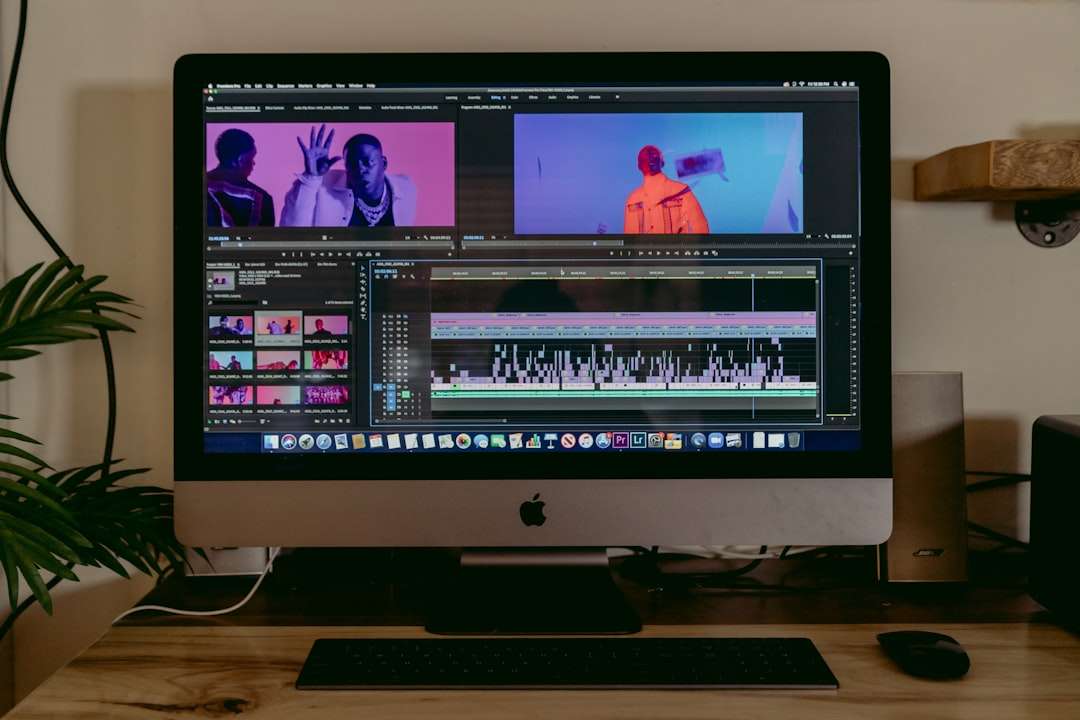
Useful editing features include trimming, splitting, transitions, zoom effects, annotations, text overlays, callouts, blur tools, captions, and audio cleanup. For SaaS products, the ability to blur sensitive information is particularly important. You may need to hide customer names, email addresses, API keys, account data, revenue figures, or internal notes.
Captions are also important. Many people watch videos without sound, especially in work environments. Captions improve accessibility, support international audiences, and help viewers retain information. If the tool offers automatic captions, check accuracy carefully, especially for technical terms, product names, and acronyms.
Assess Branding and Visual Consistency
Your demo videos represent your company. Even short support clips should feel consistent with your brand. This does not mean every video needs cinematic production, but colors, fonts, logo usage, and tone should be controlled.
Look for software that supports brand kits, reusable templates, intro and outro screens, lower thirds, custom colors, and consistent typography. Templates are especially useful for teams producing many videos across departments. They reduce decision fatigue and ensure that videos from marketing, sales, and support feel connected.
However, avoid excessive branding that distracts from the product. The main focus should remain the software, the workflow, and the value being demonstrated. A serious SaaS demo should feel clear, confident, and credible rather than decorative.
Think About Collaboration and Review Workflows
Demo videos often involve multiple stakeholders. A product manager may need to confirm feature accuracy. A marketer may review messaging. A legal or compliance team may need to check claims. A sales leader may want the video aligned with common objections. If the review process happens through scattered emails and confusing file versions, production slows down.
Choose software that supports collaboration. Useful features include shared workspaces, commenting, version history, role permissions, approval workflows, and easy sharing links. For larger SaaS organizations, these capabilities can save significant time.
Collaboration is not only about convenience. It also reduces risk. A demo video that shows the wrong workflow, makes an unsupported claim, or reveals sensitive data can create credibility and compliance problems.
Review Integration With Your Existing Stack
The best video software should fit naturally into your existing workflow. Consider where the videos will be used and how the tool connects with those channels.
- Website and landing pages: Can you export lightweight files or embed videos easily?
- Sales enablement: Does it integrate with your CRM, sales engagement platform, or content library?
- Customer support: Can videos be added easily to help center articles or knowledge base tools?
- Learning management: Does it support training platforms or internal education systems?
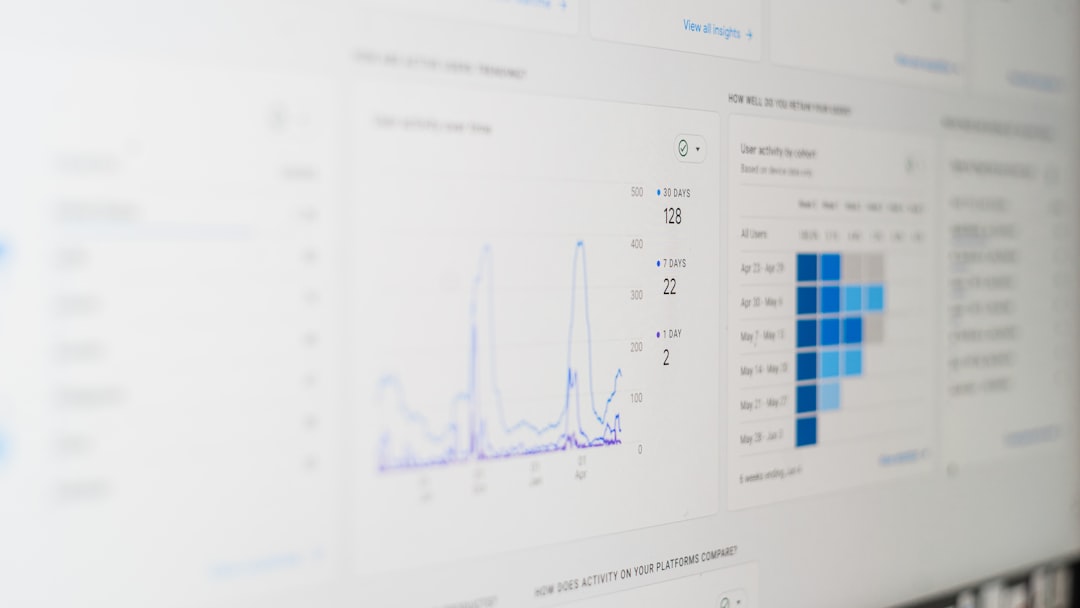
- Analytics: Can you track views, engagement, drop-off points, or completion rates?
Analytics are especially valuable for SaaS teams. If viewers consistently stop watching after 30 seconds, the introduction may be too slow. If prospects rewatch a particular section, that feature may be highly important or unclear. Data can help you improve future demos instead of relying on opinion alone.
Examine Security, Privacy, and Compliance
SaaS companies should treat demo video creation with the same seriousness as other business systems. Video files may include product roadmaps, customer data, internal dashboards, unreleased features, or confidential workflows. This makes security a key selection criterion, not an afterthought.
Ask practical questions before adopting a tool. Does it support single sign-on? Can you manage user permissions? Where are files stored? Does the vendor provide security documentation? Can you delete content permanently? Are private videos protected from public indexing? Does the software meet your organization’s compliance requirements?
If your company operates in regulated industries such as finance, healthcare, insurance, or enterprise software, involve security and legal teams early. A tool that works well for a small startup may not be acceptable for a larger organization with strict governance standards.
Compare Pricing Based on Real Usage
Pricing can be misleading if you only compare monthly subscription fees. Some tools charge per user, others per editor, per viewer, per export, per recording length, or per hosted video. AI features, advanced branding, analytics, and collaboration may be locked behind higher-tier plans.
Estimate how your team will actually use the software. Will five people create videos, or only one? How many videos will you produce each month? Do you need long-form training content or short clips? Will you need downloadable files, hosted links, or both? Are you creating internal content, public marketing videos, or customer-facing tutorials?
A lower-cost tool may become expensive if it requires extra software, manual work, or outside editing support. Conversely, an enterprise-grade platform may be unnecessary if you only need occasional screen recordings. The best choice is the one with the strongest return on time, quality, and business impact.
Test the Software With a Real Demo Scenario
Never choose demo video software based only on feature lists. Run a practical test. Select a real product workflow and create a short demo from start to finish. This should include planning, recording, editing, branding, exporting, sharing, and review.
During the test, evaluate both the final output and the process. Did the software feel intuitive? Were there unexpected limitations? How long did editing take? Was the video easy to update? Could stakeholders review it efficiently? Did the final result look credible enough for your intended audience?
A real test reveals issues that sales pages rarely mention. You may discover that the tool struggles with your browser setup, exports large files, lacks precise editing controls, or makes collaboration difficult. It is better to find these problems during a trial than after implementation.

Match the Tool to Your Team’s Maturity
A small early-stage SaaS company may need a fast, affordable tool that helps the founder or marketer produce clean demos without specialist support. A growing company may need templates, shared libraries, and analytics. A mature enterprise SaaS organization may require strict permissions, approval workflows, security controls, and integration with multiple systems.
Be honest about your team’s maturity and resources. Buying software designed for advanced video teams will not automatically create better videos if no one has time to use it properly. On the other hand, choosing a basic tool may create bottlenecks once your content needs expand.
It is useful to think in terms of the next 12 to 24 months. Choose software that solves your current needs while leaving room for growth. Avoid tools that you will outgrow immediately, but do not overpay for capabilities you are unlikely to use.
Look for Support, Training, and Reliability
Reliable customer support is important, especially if demo videos are part of your launch, sales, or onboarding process. If a tool fails right before a campaign deadline, responsive support can make a meaningful difference.
Review the vendor’s documentation, tutorials, support channels, community resources, and response times. Serious software providers should make it easy to learn the product and resolve problems. If the tool includes AI features, check whether the vendor explains how those features work, what data is processed, and what limitations exist.
Also consider platform reliability. Browser-based tools are convenient, but performance may depend on internet speed, file size, and server stability. Desktop tools may provide more local control but can introduce device compatibility issues. The right choice depends on your environment and workflow.
Make the Final Decision With a Clear Scorecard
To avoid choosing based on personal preference alone, create a simple evaluation scorecard. Rate each option against criteria that matter to your business. This makes the decision more transparent and easier to defend.
- Fit for intended demo type
- Recording and export quality
- Editing capabilities
- Ease of use
- Branding and templates
- Collaboration features
- Security and permissions
- Integrations and analytics
- Total cost of ownership
- Vendor support and reliability
Give higher weight to the factors that affect your business outcomes most directly. For a sales-led SaaS company, engagement analytics and professional polish may matter more. For a support-heavy product, fast recording and easy updates may be more important. For enterprise software, security and approval workflows may carry the greatest weight.
Conclusion
The best software for creating SaaS product demo videos is the one that helps your team communicate product value clearly, accurately, and consistently. It should support the type of demos you need, integrate into your workflow, protect sensitive information, and allow videos to be updated as your product evolves.
Do not judge tools only by impressive feature lists or polished promotional examples. Test them with your own product, your own team, and your own publishing requirements. A trustworthy demo video is built on clarity, accuracy, and production discipline. The right software makes that process easier, repeatable, and scalable.


Email Pitch Sample: Lavender vs Regie.ai and Other AI Tools for Writing Personalized Sales Emails
Lavender is usually the better pick for improving one sales email at a time, while Regie.ai is stronger for building…