

SEO reporting is more than exporting a dashboard and emailing a PDF. For clients, a strong report should answer one central question: “Is our investment in SEO producing meaningful business results?” To do that, your report needs to connect rankings, traffic, conversions, and revenue with clear explanations and practical next steps.
TLDR: A great SEO report focuses on outcomes, not just activity. Show clients what changed, why it changed, and how those changes affected business goals such as leads, sales, visibility, or engagement. Keep the report clear, visual, and consistent, and always include recommendations for the next reporting period.
Start With the Client’s Goals
Before building any SEO report, clarify what success actually means for the client. One business may care most about ecommerce revenue, while another may prioritize qualified leads, local visibility, organic traffic growth, or improved rankings for competitive terms.
A report that does not reflect the client’s goals can feel generic, even if the data is accurate. At the beginning of the engagement, define key performance indicators, often called KPIs, and use those same metrics consistently in each report.
Common SEO KPIs include:
- Organic traffic: The number of visitors arriving from unpaid search results.
- Keyword rankings: Changes in search visibility for target keywords.
- Conversions: Leads, purchases, calls, bookings, or other desired actions.
- Click through rate: How often users click your listing after seeing it in search.
- Backlinks: The quantity and quality of external sites linking to the client’s website.
- Technical health: Issues that affect crawling, indexing, speed, or user experience.
When clients see that the report is built around their own objectives, they are more likely to understand the value of your work.
Use a Clear Executive Summary
Most clients will not read every chart in detail. That is why every SEO report should include a short executive summary near the top. This section should highlight the most important wins, challenges, and priorities.
Think of the executive summary as the story behind the numbers. Instead of writing, “Organic sessions increased by 18 percent,” explain what that means: “Organic sessions increased by 18 percent, primarily due to improved rankings for service pages and stronger visibility for informational blog content.”
A useful executive summary can include:
- The biggest improvement during the reporting period
- The most important challenge or decline
- The likely reason behind the change
- The next action your team recommends

Show Progress Over Time
SEO is a long term strategy, so isolated monthly numbers can be misleading. A small dip in traffic may look alarming until you compare it with seasonal trends, algorithm updates, or previous performance.
Include comparisons that help clients understand direction and context. For example, compare the current month with the previous month, the same month last year, and the start of the campaign. This makes it easier to demonstrate momentum.
Use charts to show trends in:
- Organic traffic growth
- Top ranking keyword movement
- Conversion volume from organic search
- Organic revenue or lead value
- Impressions and clicks from search results
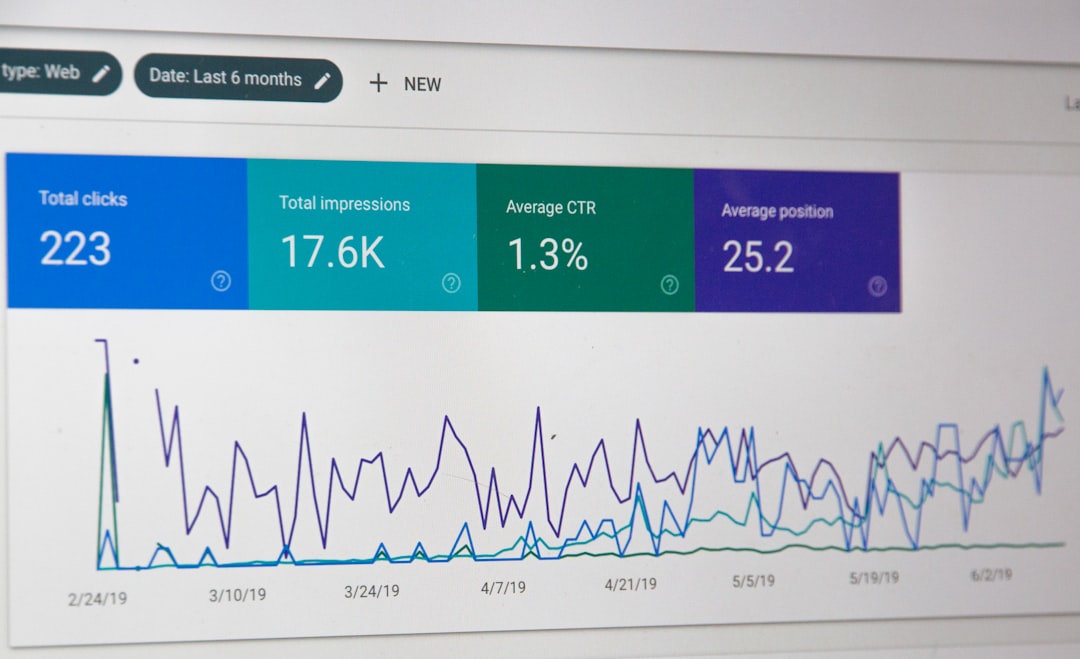
When possible, avoid presenting data as a random list of numbers. A line chart showing six months of organic growth is often more persuasive than a table full of statistics.
Connect SEO Metrics to Business Outcomes
Clients may appreciate higher rankings, but they care even more about business impact. If your report only says that keywords improved, it may not fully demonstrate value. Link SEO performance to outcomes that affect the client’s bottom line.
For example, instead of reporting only that a blog post gained traffic, explain whether that traffic assisted conversions, generated email signups, supported product discovery, or improved topical authority. If an optimized landing page brought in more leads, show the number of leads and, if possible, the estimated value of those leads.
Strong business focused reporting might include statements like:
- “Organic search generated 64 form submissions this month, up from 47 last month.”
- “Non branded organic traffic increased by 22 percent, showing stronger visibility among new prospects.”
- “Organic revenue rose by 15 percent after improvements to category page content.”
This approach shifts the conversation from “What SEO tasks were completed?” to “What results did SEO create?”
Segment the Data for Better Insight
Broad metrics can hide important details. If total organic traffic increased by 10 percent, that is useful, but it does not reveal which pages, locations, devices, or search intents performed best.
Segmenting data helps clients understand what is working and where opportunities exist. You might break down performance by:
- Page type: Blog posts, service pages, product pages, category pages, or location pages.
- Keyword intent: Informational, commercial, navigational, or transactional searches.
- Device: Desktop, mobile, and tablet behavior.
- Location: City, region, country, or service area performance.
- Branded versus non branded traffic: Existing brand demand compared with new discovery.
This level of analysis makes your report more strategic. It shows clients not only what happened, but also where you should focus next.
Include Keyword Rankings, But Do Not Overemphasize Them
Keyword rankings are still useful, especially for tracking visibility across priority terms. However, rankings fluctuate and do not always translate directly into revenue. A keyword may rank higher but receive little search volume, or it may bring traffic that does not convert.
Present rankings as part of a larger picture. Show improvements for important terms, but also include impressions, clicks, landing page performance, and conversions. This prevents clients from becoming too focused on one keyword moving from position five to position seven.
A helpful keyword section may include:
- Top ranking gains
- Keywords entering the top 10 or top 3
- High impression keywords with low click through rates
- Keywords that declined and need attention
- New keyword opportunities discovered during the month

Report on Completed Work
Clients need to see the connection between your actions and the results they are getting. Include a concise section that summarizes completed SEO work during the reporting period.
This might include technical fixes, content updates, new pages published, internal linking improvements, metadata optimization, link building activity, local SEO updates, or schema markup implementation.
However, avoid turning the report into a task receipt. The goal is not simply to prove that work happened. The goal is to explain why the work matters. For example, instead of writing “Updated title tags on 12 pages,” write “Updated title tags on 12 service pages to better match high intent search queries and improve click through rates.”
Explain Drops Honestly
Not every report will show perfect growth. Traffic may decrease because of seasonality, algorithm changes, tracking issues, competitor activity, reduced demand, or technical problems. A good report does not hide declines. It explains them clearly and provides a plan.
If performance dropped, include:
- What metric declined
- How significant the decline was
- When the decline started
- Possible causes
- Actions being taken to investigate or correct the issue
Transparency builds trust. Clients do not expect every month to be record breaking, but they do expect you to understand the data and respond intelligently.
Make the Report Easy to Read
Even the best data can lose impact if the report is cluttered or confusing. Use headings, short paragraphs, charts, callouts, and plain language. Avoid overloading clients with unnecessary metrics or technical jargon.
A client friendly SEO report should be:
- Visual: Use charts and tables where they make the data easier to understand.
- Consistent: Use the same structure each month so clients know what to expect.
- Concise: Highlight what matters most instead of including every available metric.
- Actionable: Always include recommendations and next steps.

End With Next Steps
The final section of your report should look forward. SEO reporting is not just about reviewing the past; it should guide future action. List the main priorities for the next month and explain how they support the client’s goals.
For example, next steps might include improving underperforming pages, optimizing content for high impression keywords, fixing crawl errors, building links to priority landing pages, or creating new content around profitable search topics.
Keep this section practical and focused. Three to five priorities are usually enough. Too many recommendations can make the strategy feel scattered.
Final Thoughts
Creating SEO reports that demonstrate results requires more than collecting data. You need to translate performance into a clear story: what changed, why it changed, what it means for the business, and what should happen next.
The best reports help clients feel informed, confident, and involved. By focusing on goals, business outcomes, visual clarity, and honest analysis, you can turn SEO reporting from a routine deliverable into one of your strongest client retention tools.


How to Convert GIF to MP4: Ezgif vs. CloudConvert
Use Ezgif for quick, simple GIF to MP4 conversion, and use CloudConvert when you need more file controls, batch work,…