


A session in computing is a temporary interaction between a user, device, application, or server that starts at one point and ends after logout, timeout, disconnection, or task completion. It helps systems remember what is happening right now, such as a logged-in account, a shopping cart, a banking transfer, or an analytics visit. In web analytics, many platforms end a session after 30 minutes of inactivity by default [source: Google Analytics Help].
TLDR: A session is a short-lived record of an active interaction. For example, when a shopper logs into an online store, adds three items to a cart, and checks out 12 minutes later, that whole visit can be counted as one session. If the store sees 10,000 sessions in a day and 280 purchases, analysts may report a 2.8% session conversion rate. Sessions matter because they connect separate actions into one readable story.
What a Session Means in Computing
A session is a period of activity with a clear start and stop. The exact meaning changes by context, but the basic idea stays the same. A system needs a way to say, this activity belongs together.
Without sessions, many digital services would feel broken. A website would forget a login after every click. A cart would empty when a product page changed. A video platform would lose playback position. A remote desktop connection would not know which keyboard and mouse actions belong to which person.
The catch is that sessions are invisible when they work. They only get noticed when they fail. A person fills out a long form, pauses for coffee, clicks submit, and gets thrown back to a login screen. That 10-second annoyance can become a lost sale, a support ticket, or a very irritated employee.
Common Types of Sessions
Sessions appear across many parts of computing. Some are simple. Others carry sensitive data and need strict protection.
- Web sessions: These track activity on websites and web apps. They often use cookies, session IDs, and server-side storage.
- Login sessions: These keep a person authenticated after a correct username, password, passkey, or single sign-on check.
- Analytics sessions: These group page views, clicks, purchases, and events into visits for reporting.
- Database sessions: These represent a connection between an application and a database system.
- Remote access sessions: These cover SSH, remote desktop, VPN, and terminal activity.
- Application sessions: These preserve state inside software, games, mobile apps, and enterprise tools.
How a Web Session Usually Works
A typical web session begins when a browser sends a request to a server. If the site needs to remember the visitor, the server creates a session ID. That ID is sent back to the browser, often in a cookie.
After that, the browser sends the session ID with later requests. The server matches it to stored data. That data might include account status, cart items, language preference, security checks, or a partially completed form.
The session ends when a person logs out, closes the browser, stays inactive too long, or when the server expires the session. Some sessions last minutes. Others last days or weeks, especially on sites with a “remember me” option.
Session vs Cookie
A session and a cookie are related, but they are not the same thing. This mix-up causes plenty of confusion.
A cookie is a small piece of data stored by the browser. A session is the active interaction being tracked. The cookie may carry the session ID, while the real session data can live on the server.
For example, a cookie may store an ID like abc123. The server uses that ID to find the actual session details, such as “logged in as customer 481” or “cart contains two books.” This is safer than storing sensitive account data directly in the browser.
Why Sessions Matter
Sessions make software usable. They support continuity. They let a system understand sequence, identity, and context.
For businesses, sessions support measurement. A marketing team may compare mobile sessions against desktop sessions. A product team may check where sessions drop off. A support team may use session records to understand errors.
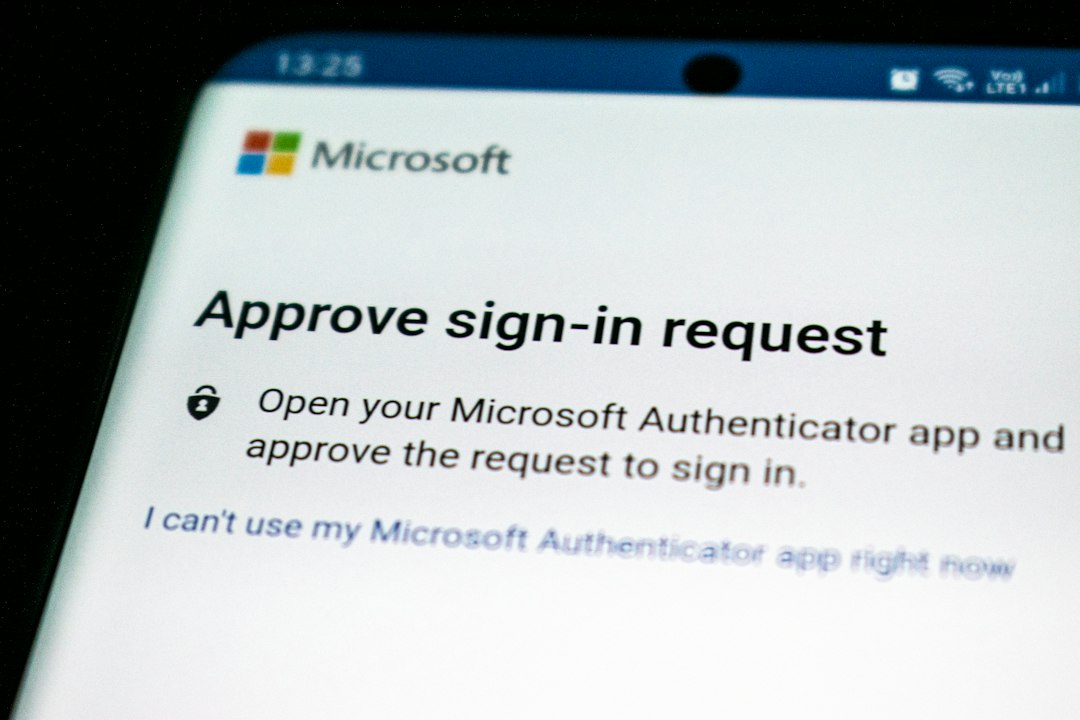
For security teams, sessions are even more serious. A stolen session token can sometimes act like a stolen password. That is why secure systems use short timeouts, encrypted traffic, secure cookies, device checks, and forced logout after risky changes. OWASP gives detailed guidance on session management practices [source: OWASP].
Session State: Stateful vs Stateless Systems
A stateful system remembers what happened before. A banking site that remembers a logged-in customer is stateful during that visit. A game server that tracks score, position, and inventory is also stateful.
A stateless system treats each request as separate. Many APIs are designed this way. They require each request to carry the needed credentials and context. This can make scaling easier, but it may require tokens, caches, or databases to recreate context.
Honestly, it feels like session handling should be simple. It rarely is. Load balancers, multiple servers, mobile networks, browser privacy settings, and expired tokens can all make one clean interaction turn messy.
Session Timeout and Expiration
A session timeout ends a session after inactivity. This protects accounts and frees system resources. A bank may use a short timeout, such as 5 or 10 minutes. A news site may allow much longer periods.
Timeouts must balance safety and convenience. If the limit is too short, people lose work. If it is too long, abandoned sessions create risk. Many systems also use absolute expiration, which ends a session after a fixed period no matter how active the person has been.
What Data Can Be Stored in a Session?
Session data should be limited. It may include useful short-term information, such as:
- User ID after authentication
- Cart contents in ecommerce
- Language or region preferences
- Form progress across multiple steps
- Security flags, such as multifactor authentication status
- Temporary messages, such as payment success alerts
Sensitive data should be handled with care. Passwords, full payment details, and personal records should not be casually placed in session storage. Poor session design can create privacy problems and security holes.
Session Security Risks
Session systems can fail in predictable ways. Attackers may try to steal session IDs, fix a known session ID before login, reuse old tokens, or trick browsers into exposing cookies.
Good protection usually includes HTTPS, secure cookie attributes, token rotation after login, inactivity timeouts, proper logout, and monitoring for strange behavior. A session from New York followed two minutes later by one from another continent should raise questions.

FAQ
What is a session in simple terms?
A session is a temporary period of activity that a computer system tracks. It connects related actions, such as logging in, viewing pages, and checking out.
When does a session start?
A session usually starts when an application, browser, device, or user begins an interaction. This may happen at login, page visit, app launch, or connection request.
When does a session end?
A session can end after logout, timeout, browser closure, network disconnection, task completion, or server expiration.
Is a session the same as a cookie?
No. A cookie is stored in the browser. A session is the tracked interaction. A cookie often stores the session ID that points to session data.
Why do websites use sessions?
Websites use sessions to remember logins, carts, preferences, forms, and activity during a visit. Without them, many sites would forget each action immediately.
Can a session be hacked?
Yes. If a session ID or token is stolen, an attacker may gain access. Secure cookies, HTTPS, short timeouts, and token rotation reduce that risk.
What is a session in analytics?
In analytics, a session is a group of user interactions within a time period. It helps teams measure visits, engagement, conversions, and drop-offs.
Session Definition: What Is a Session in Computing?


Session Definition: What Is a Session in Computing?
A session in computing is a temporary interaction between a user, device, application, or server that starts at one point…