
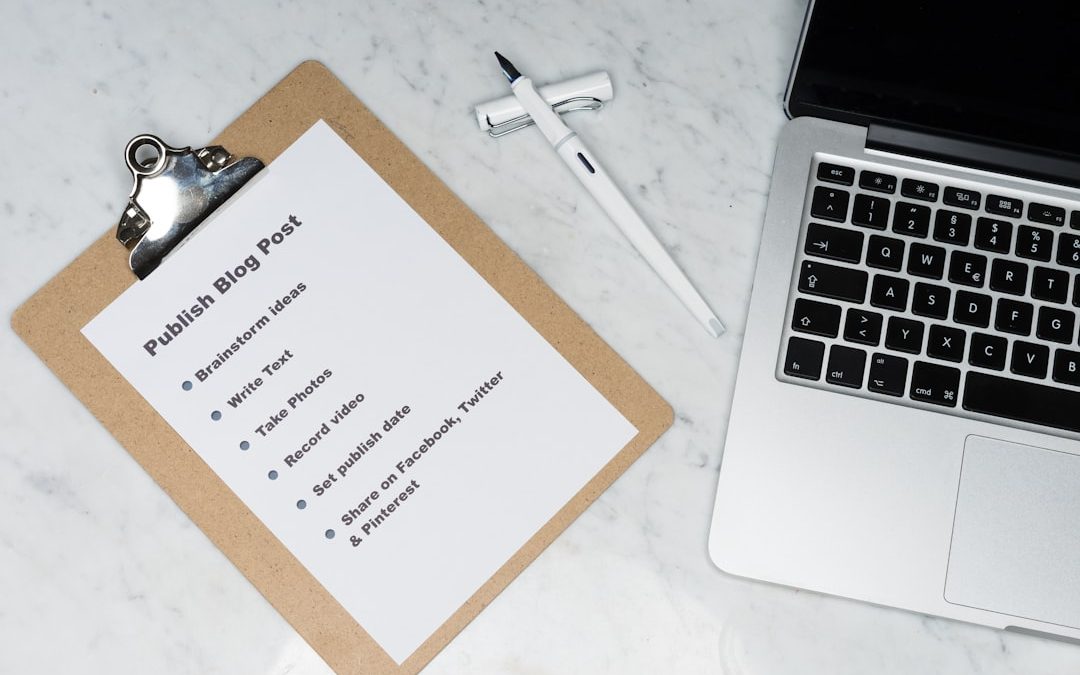
SOX Compliance Information Technology: SOX IT Controls vs GRC and Compliance Management Alternatives

Treat SOX IT controls as the rulebook and GRC software as the toolbox. SOX tells public companies to prove their financial systems are safe, accurate, and controlled. GRC tools can help collect proof. But they do not magically make you compliant.
TLDR: SOX IT controls protect the systems that touch financial reporting. GRC platforms help track tasks, evidence, owners, and audit trails. For example, a 600-person SaaS company might cut quarterly evidence collection from 120 hours to 45 hours by moving from spreadsheets to a GRC tool. But a small team with 25 key controls may do fine with tickets, shared folders, and clear owners.
SOX IT Compliance, in Plain English
SOX stands for the Sarbanes-Oxley Act. It came after big accounting scandals. The goal is simple. Public companies must prove their financial numbers can be trusted.
That means the software behind those numbers matters too.
If your accounting system, payroll app, billing tool, database, or reporting platform is messy, your financial reports may be messy. Auditors do not like messy. Nobody likes messy. Except maybe raccoons.
SOX IT controls are checks that prove your technology is managed in a safe way. They support financial reporting. They reduce the chance of fraud, errors, mystery changes, and “Who gave Bob admin access?” moments.

What Are SOX IT Controls?
SOX IT controls are usually called IT General Controls, or ITGCs. They cover the systems that support financial data.
Common SOX IT controls include:
- Access controls: Only approved people can use key systems.
- User reviews: Managers check access on a set schedule.
- Change management: Code and system changes are approved before release.
- Backups: Critical data can be restored if things break.
- Job monitoring: Scheduled financial jobs run as expected.
- Password rules: Accounts follow secure login standards.
- Segregation of duties: One person cannot do too much alone.
- Incident response: Security events are tracked and handled.
Think of these controls like guardrails. They do not drive the car. They stop it from flying into a ditch.
What Is GRC?
GRC means Governance, Risk, and Compliance. A GRC platform is software that helps teams manage controls, risks, policies, tests, evidence, and audits.
Popular GRC systems often include:
- Control libraries
- Risk registers
- Evidence requests
- Automated reminders
- Approval workflows
- Audit logs
- Reports and dashboards
- Connections to apps like Jira, Okta, AWS, GitHub, or Workday
Honestly, it feels like some GRC tools were built by people who enjoy making buttons hard to find. A simple access review can take 12 clicks when it should take 3. That gets old fast.
Still, the right GRC tool can be a huge help. It can stop evidence from hiding in emails. It can remind control owners before auditors start asking spicy questions.
SOX IT Controls vs GRC: What Is the Difference?
This is where many teams get confused.
SOX IT controls are what you must do.
GRC software is where you manage the work.
That is the whole thing.
A control might say: “All privileged access to the ERP system must be approved before use.”
A GRC tool might store the request, approval, screenshot, owner, date, and audit history.
The control is the rule. The GRC platform is the filing cabinet with alarms, charts, and maybe too many menus.
Image not found in postmetaWhen a GRC Platform Makes Sense
A GRC platform is useful when SOX work becomes too big for a few spreadsheets.
You may need one if:
- You have more than 75 controls.
- You operate in several countries.
- You support SOX, SOC 2, ISO 27001, HIPAA, or PCI at the same time.
- Your audit evidence is spread across email, Slack, tickets, and folders.
- Control owners keep missing deadlines.
- You need clean reports for executives.
- Your external auditors ask for the same proof every quarter.
Here is a quick user case.
A fintech company has 180 SOX controls. Twenty-nine are IT controls. Before GRC, the compliance lead tracked evidence in 14 spreadsheets. Each quarter, the team spent about 90 hours chasing screenshots, approvals, and access lists. After rolling out a GRC tool with Okta and Jira connections, that dropped to 38 hours. Not magic. Just less copy-paste pain.
When GRC Is Too Much
GRC is not always the best answer. If your SOX program is small, a big platform can feel like renting a stadium for a birthday party.
Expect to waste time on setup if the tool is too complex. Control mapping gets messy. Workflow rules pile up. Then someone leaves the company, and nobody remembers why “Quarterly Access Review 2B Final Final” exists.
A full GRC platform may be overkill if:
- You have fewer than 30 key controls.
- You have one main financial system.
- Your auditors accept organized ticket exports.
- Your team already uses Jira, ServiceNow, or Asana well.
- You do not need deep risk scoring.
In those cases, you can still be SOX-ready. You just need discipline.
Compliance Management Alternatives
GRC is one option. It is not the only option.
Here are common alternatives:
- Spreadsheets: Cheap and familiar. Risky when version control gets ugly.
- Ticketing tools: Great for access requests, change approvals, and evidence trails.
- Shared drives: Useful for storing proof. Bad if folders turn into a junk drawer.
- Project management tools: Helpful for task owners and deadlines.
- Identity tools: Okta, Entra ID, and similar tools can support access reviews.
- Code tools: GitHub, GitLab, and Bitbucket can show change approvals.
- Cloud security tools: These can prove configuration and logging controls.
- Light compliance platforms: Smaller tools can manage evidence without a huge rollout.
The best setup may be mixed. That is normal.
For example, Jira can hold change tickets. Okta can export access logs. Google Drive can store signed reviews. A simple tracker can show control status. If this works and auditors agree, you may not need a large GRC suite yet.
How to Choose the Right Option
Use this simple test.
- Count your controls. More controls usually means more need for automation.
- Check your evidence pain. If collection takes weeks, fix the process.
- Ask your auditors. Confirm what proof they expect.
- Review your tools. You may already own useful systems.
- Measure owner behavior. If people miss tasks, reminders matter.
- Check reporting needs. Boards love simple status views.
Do not buy software just because audit season hurts. First, define the controls. Name owners. Set dates. Decide what evidence proves each control worked. Then pick the tool.

A Simple SOX IT Control Example
Let’s use system access.
Control: New users must be approved before access is granted to the accounting system.
Evidence: Access request ticket, manager approval, system access log, date granted.
Owner: IT operations manager.
Frequency: Every request.
Testing: Auditor samples 25 new users and checks approval before access.
This can live in a GRC tool. It can also live in ServiceNow or Jira. The key is proof. Clean proof. Easy proof. Proof that does not require five people to search their inboxes while muttering.
Final Takeaway
SOX IT controls protect financial systems. GRC tools manage the work around those controls. They are related, but not the same.
If your SOX program is large, GRC can save time and reduce audit chaos. If your program is small, a lighter setup may work better. The winning choice is the one that gives clear ownership, strong evidence, and fewer last-minute fire drills.
Keep it simple. Keep it provable. Keep Bob away from admin access unless someone approved it.


Top 5 Navigation Apps Like Navionics for Boating and Marine Charts
The best Navionics alternative for most boaters is C-MAP, especially if you want polished marine charts, route planning, depth shading,…