


Pick Web Design.md when you want AI to turn words into product screens fast. Pick Figma when you need careful visual control, team reviews, and pixel-level polish. The best choice depends on where you are in the product design process.
TLDR: Web Design.md is great for messy early ideas, quick product pages, and AI-assisted drafts. Figma is better for detailed interface design, design systems, and final handoff. For example, a small team building a 5-screen booking app might create the first draft in Web Design.md in under 30 minutes, then spend 2 to 4 hours refining it in Figma. If speed matters most, start with Web Design.md; if polish matters most, finish in Figma.
What is Web Design.md?
Web Design.md sounds like a nerdy file name. That is part of the charm. Think of it as a markdown-first way to design websites and product screens with AI help.
Instead of dragging boxes around all day, you write what you want. You might type:
- A hero section for a fitness app.
- A pricing page with three plans.
- A dashboard for a sales team.
- A mobile onboarding flow for new users.
Then AI helps shape the layout, copy, sections, buttons, and structure. It feels closer to writing a product brief than pushing pixels. That is the magic.
What is Figma?
Figma is the popular design tool used by product teams, designers, developers, founders, and anyone who has ever said, “Can we make the button pop?”
It gives you a visual canvas. You place frames, components, icons, colors, grids, and text. You can prototype flows. You can comment. You can share files. You can build full design systems.
Figma is powerful. It is also a place where one tiny button can somehow have 17 versions. Honestly, it feels like a clean desk that slowly becomes covered in sticky notes.
The big difference
The main difference is simple.
- Web Design.md starts with language.
- Figma starts with visuals.
Web Design.md asks, “What should this page do?” Figma asks, “What should this page look like?” Both questions matter. They just happen at different times.
If you are still thinking, Web Design.md helps. If you are refining, Figma wins.
Where Web Design.md shines
Web Design.md is strong when your idea is still soft and weird. You know the feeling. You have a product concept, three notes, and a half-finished coffee. You need a screen. Fast.
AI can help you turn rough thoughts into something visible. That is useful for founders, marketers, product managers, and solo builders.
It works well for:
- Landing pages with clear sections.
- Product concepts that need quick shape.
- User flows that are still changing.
- Copy-first design, like pricing, onboarding, and feature pages.
- Testing ideas before hiring a full design team.
The speed is the fun part. You can ask for a page, change the audience, add a new section, or rewrite all calls to action. No need to hunt through layers named “Frame 238 copy final final 2.” It drives me a little nuts that layer cleanup can eat 12 minutes before real design work even starts.
Where Figma shines
Figma wins when details matter. Spacing. Alignment. Responsiveness. Icons. Hover states. Component variants. All the tiny bits that make a product feel real.
AI can help in Figma too. It can suggest layouts, generate copy, create assets, or speed up repetitive tasks. But Figma’s real strength is control.
Use Figma when you need:
- Pixel-perfect interface design.
- Reusable components for a product team.
- Design systems with rules and tokens.
- Clickable prototypes for user testing.
- Developer handoff with specs and assets.
Figma is not always fast at the start. But it is excellent near the finish line. It lets teams agree on details before code begins. That saves pain later.
AI-assisted product design: who does it better?
This depends on what you mean by “better.”
If better means getting from idea to first draft, Web Design.md has the edge. Writing a prompt is faster than building a full layout by hand. You can create several versions in minutes.
If better means shipping a polished product interface, Figma has the edge. It gives designers the tools to inspect every corner. It also helps developers understand how the product should behave.
Think of Web Design.md as the sketch on a napkin. A very smart napkin. Think of Figma as the design studio with rulers, lights, and a slightly stressed project manager.
A simple use case
Imagine a startup building an app for dog walkers. The team needs a homepage, booking flow, walker profile, payment screen, and admin dashboard.
In Web Design.md, they write a short brief. The AI creates a structure. It suggests sections like “Book a walk,” “Meet trusted walkers,” and “Track your dog in real time.” The team gets a usable first version in one work session.
Then they move into Figma. The designer fixes spacing. They create mobile screens. They build components for cards, buttons, avatars, and forms. They add comments for the developer. The product feels less like a draft and more like something users can trust.
This split is practical. Web Design.md cuts early thinking time by maybe 40% for a small project. Figma then protects the final 60%, where quality and consistency matter.
What feels annoying?
Web Design.md can be too loose. AI may create layouts that look fine at first but feel generic after five minutes. You may get sections that sound smooth but do not match the brand. Expect to spend time correcting tone, order, and features.
Figma has the opposite issue. It can be too manual. Moving one modal across six screen sizes is nobody’s idea of joy. Renaming 24 layers so the file makes sense is also not thrilling. It is useful, yes. Fun? Not always.
Which tool should you pick?
Use Web Design.md if you are:
- A founder testing an idea.
- A marketer building landing page options.
- A product manager shaping flows.
- A solo maker who wants speed.
- A team that needs a first draft today.
Use Figma if you are:
- A product designer preparing final screens.
- A team building a full app.
- A company with a design system.
- A developer who needs clear specs.
- A team running user testing.
The best workflow
The smartest move is not always choosing one tool. Use both.
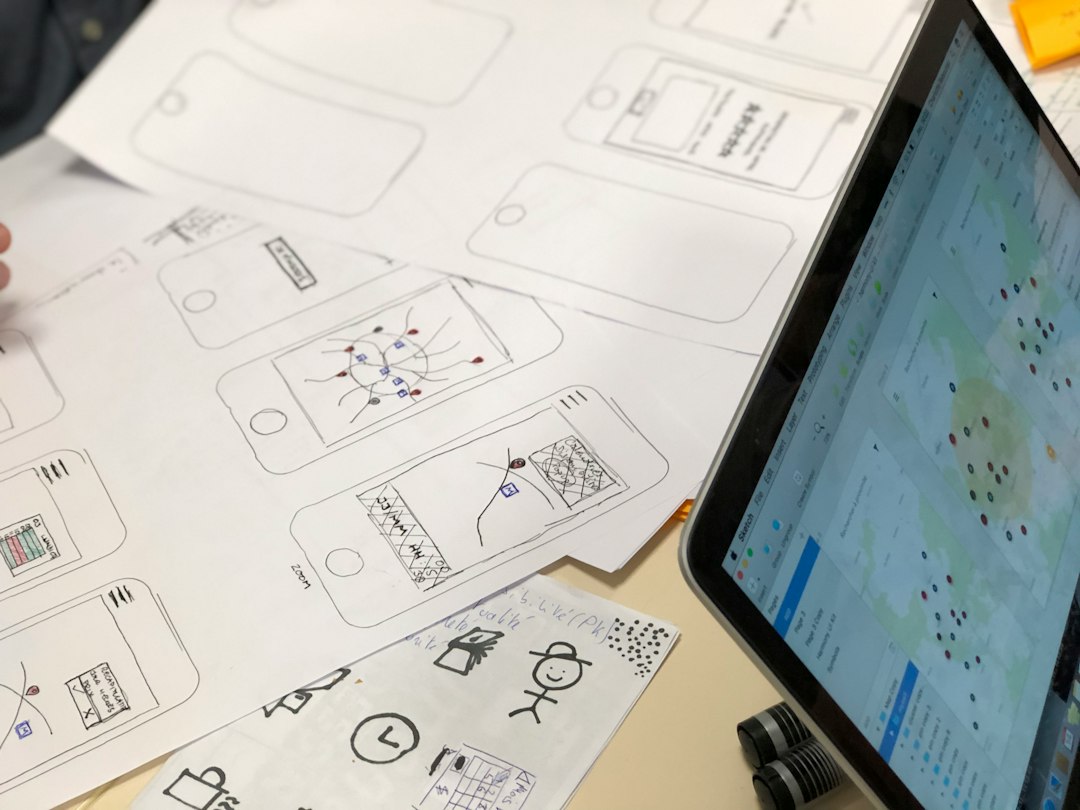
- Start in Web Design.md. Write the goal, audience, features, and tone.
- Generate rough screens. Try several versions.
- Pick the strongest structure. Cut the weak parts.
- Move to Figma. Refine layout, spacing, and components.
- Prototype and test. Watch where users get stuck.
This workflow feels natural. It keeps early design fast and late design serious. That is the sweet spot.
Final verdict
Web Design.md is better for beginnings. It helps you think, write, and generate product ideas quickly. It is perfect when the product is still forming.
Figma is better for endings. It helps you polish, test, share, and hand off real product screens. It is built for teams that care about the fine details.
If your idea is still a blob, use Web Design.md. If your idea is ready for exact design work, use Figma. If you want the best result, let AI help you start fast, then let careful design make it shine.


Top 5 Navigation Apps Like Navionics for Boating and Marine Charts
The best Navionics alternative for most boaters is C-MAP, especially if you want polished marine charts, route planning, depth shading,…